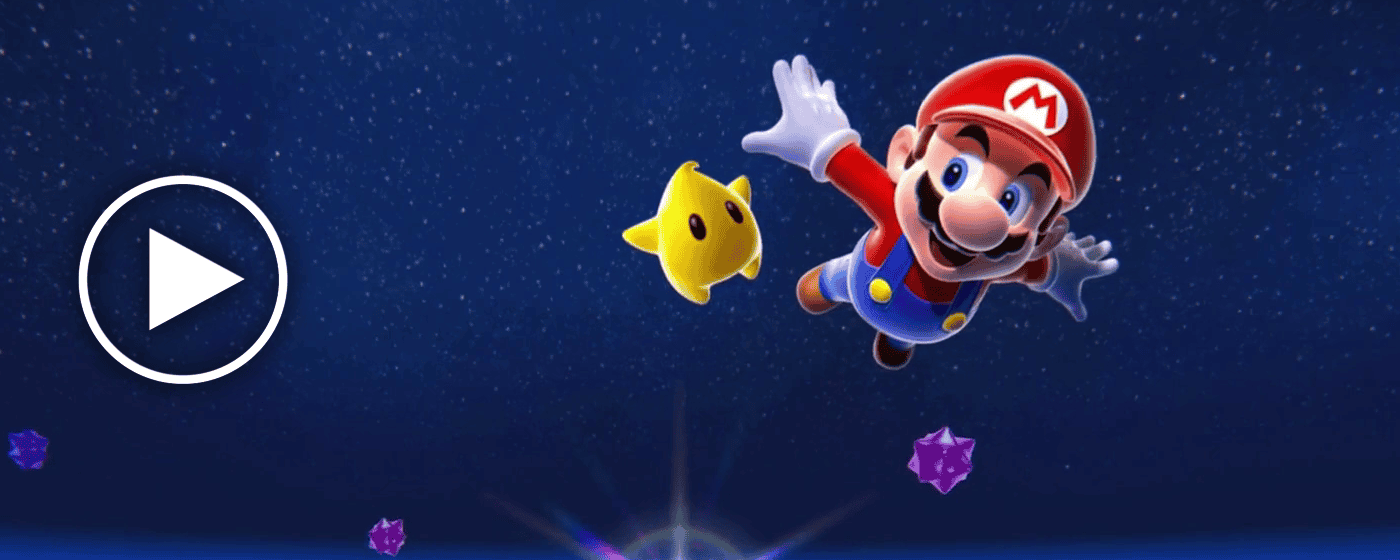
The Super Mario Space Live Wallpaper is a Chrome extension that replaces your default new tab with a seamlessly looping HD animation of Mario drifting through a galaxy filled with stars, planets, and cosmic scenery. Designed for Nintendo fans and retro gaming enthusiasts, it transforms every new tab into a living space adventure — without slowing down your browser or cluttering your workflow.
Super Mario Space Live Wallpaper
What Is Super Mario Space Live Wallpaper?
Super Mario Space Live Wallpaper is a lightweight Chrome extension developed by TabPlugins. Once installed, your new tab page displays a smooth, high-definition animated background inspired by Mario’s iconic space-themed worlds. The animation loops continuously and fluidly, giving your browser a dynamic, living aesthetic that no static wallpaper can replicate. It’s built for users who want a personalized browsing experience rooted in gaming nostalgia and outer space visuals — while keeping everything practical and fast.
Key Features
HD Animated Mario Galaxy Background
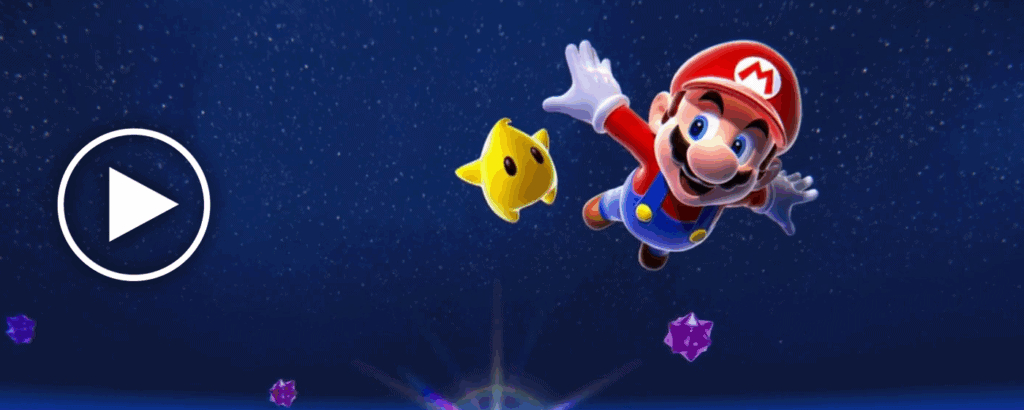
The centerpiece of this extension is a fully animated, looping wallpaper showing Mario soaring through deep space. Visuals are rendered in high definition and carefully optimized to run smoothly without consuming excessive CPU or memory resources, so your browser stays responsive even on older machines.
Built-In Search Bar
A search bar is embedded directly into the new tab page, letting you search the web using your default search engine the moment you open a tab. There’s no need to navigate to a separate page or open additional tabs just to start a search.
Clock and Date Display
A clean, minimalist clock and date widget is displayed directly on the wallpaper screen so you always know the time at a glance. The design is unobtrusive and fits naturally against the animated space background without obscuring the visuals.
Quick Access Shortcuts
Pre-installed shortcut icons for popular platforms like YouTube, Twitter (X), and ChatGPT are included on the new tab homepage for one-click access to the sites you use most. These shortcuts load instantly and keep your most-visited destinations just one click away.
Custom Website Shortcuts
Beyond the default shortcuts, you can add your own frequently visited websites directly to the new tab page. This turns the extension into a genuinely useful daily browsing hub rather than just a decorative wallpaper that gets uninstalled after a week.
Settings and Support Menu
The built-in settings menu gives you quick access to the privacy policy, uninstall instructions, a feedback form, and other recommended extensions from the same developer. Everything is organized clearly so you can configure or remove the extension at any time without confusion.
How to Install
- Click the download button on this page to visit the Chrome Web Store listing.
- Click Add to Chrome on the extension page.
- When prompted, click Add Extension to confirm the installation.
- Open a new tab — the Super Mario Space Live Wallpaper will load automatically.
- Use the settings menu to add custom shortcuts and personalize your new tab experience.
Screenshot
Why Gaming Fans Love It
Most animated wallpaper extensions sacrifice either visual quality or browser performance. This extension handles both well — the Mario galaxy animation is detailed and fluid, yet the total file size stays around 16MB, keeping installation fast and resource usage low. Users who enjoy gaming-themed aesthetics appreciate the clear nod to Mario’s space worlds, and the practical built-in features like the clock and search bar mean it earns a permanent spot in the browser rather than getting removed after novelty wears off. It is one of the few gaming wallpaper extensions that feels polished enough for everyday use while still delivering a genuinely fun visual experience.
Frequently Asked Questions
Will this extension slow down my browser?
No. The extension is optimized to run efficiently in the background. The animated wallpaper uses minimal CPU and memory, so your browsing performance should not be noticeably affected during normal use.
Can I use my own search engine with the built-in search bar?
Yes. The search bar on the new tab page uses whichever default search engine you have configured in your Chrome browser settings, including Google, Bing, DuckDuckGo, and others.
Is this extension free to use?
Yes, the Super Mario Space Live Wallpaper extension is free to install and use directly from the Chrome Web Store. No subscription or account is required.
How do I add custom shortcuts to my new tab page?
After installation, open the settings menu on your new tab page. From there you’ll find an option to add custom website shortcuts by entering the URL and a display name for each site you want to pin.
Does the extension work on all versions of Chrome?
The extension is built for modern versions of Google Chrome and Chromium-based browsers. It is recommended to keep your browser updated to the latest version for the best experience and compatibility.
If you’re ready to upgrade your new tab with a Mario galaxy experience that’s both visually impressive and genuinely practical, give the Super Mario Space Live Wallpaper extension a try. It’s a small addition to your browser that makes every new tab feel like the start of a cosmic adventure.