
If your browser slows to a crawl every time you open X.com, you are not alone. The modern version of X (formerly Twitter) is packed with real-time updates, heavy scripts, and background processes that quietly drain your CPU and battery. X/Twitter Performance Booster is a lightweight Chrome extension built specifically to reduce CPU usage on X.com so you can keep your feed open all day without sacrificing system performance.
What Is X/Twitter Performance Booster?
X/Twitter Performance Booster is a browser extension for Google Chrome that automatically optimizes your experience on both x.com and twitter.com. It works by stripping out resource-intensive JavaScript elements, unnecessary CSS animations, tracking pixels, and visual bloat that X loads by default — none of which are essential to simply reading and interacting with your feed.
Unlike many performance tools, this extension requires zero configuration. Once installed, it runs silently in the background and immediately begins reducing the load that X places on your device. It is designed to be entirely hands-off, making it accessible for any user regardless of technical skill level.
Key Features of X/Twitter Performance Booster
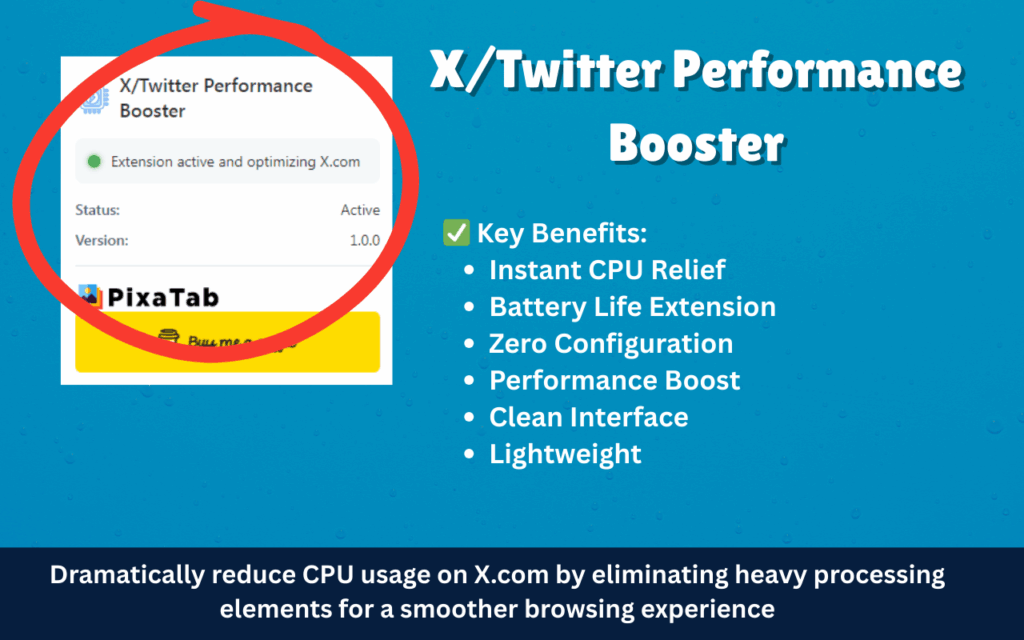
Instant CPU Load Reduction
The extension automatically disables heavy front-end scripts and animations that consume excessive processing power during normal browsing. This means your CPU is freed up for other tasks, and you will notice a tangible drop in resource usage within seconds of opening X.com.
Extended Battery Life
By cutting down background processing and eliminating unnecessary rendering cycles, your laptop runs cooler and your battery lasts significantly longer. This is especially valuable for users who keep X open for hours during a workday or while traveling.
Smoother Scrolling and Interaction
Heavy scripts often introduce input lag and make timelines feel sluggish. X/Twitter Performance Booster improves page responsiveness so that scrolling through feeds and clicking on threads feels noticeably snappier and more fluid.
Clean Interface Optimization
The extension removes unnecessary loading spinners, placeholder animations, and tracking elements that add visual noise without adding value. The result is a cleaner, more focused feed that is easier to read and navigate.
Dual Domain Support
X/Twitter Performance Booster works seamlessly across both x.com and twitter.com, so you are covered regardless of which URL your browser defaults to. There is no need to configure separate settings for each domain.
Lightweight and Non-Intrusive
The extension itself uses minimal system resources, so it adds no meaningful overhead of its own. It is designed to give back far more performance than it consumes, making the net gain immediately noticeable even on older hardware.
Zero Configuration Required
There are no dashboards, toggles, or settings menus to navigate. Install the extension and it works — no learning curve, no setup time, and no ongoing maintenance needed from the user.
How to Install X/Twitter Performance Booster
- Open the Chrome Web Store and search for X/Twitter Performance Booster.
- Click the Add to Chrome button on the extension listing page.
- Confirm the installation prompt by clicking Add Extension.
- Once installed, navigate to x.com or twitter.com in your browser.
- The extension begins working immediately — no setup or configuration is required.
Why Remote Workers and Heavy X Users Love It
For anyone who keeps X open as part of their daily workflow — whether you are monitoring industry news, engaging with an audience, or just staying connected — the performance cost of the platform adds up fast. Remote workers on laptops report noticeably quieter fans and longer battery life after installing the extension. Users with older or mid-range machines find that X no longer competes with other open applications for system resources. Even on newer hardware, the difference in browser responsiveness is clear. This extension solves a real problem that millions of X users experience every day but rarely think to address with a dedicated tool.
Screenshots
Frequently Asked Questions
Does this extension work on both x.com and twitter.com?
Yes. X/Twitter Performance Booster is fully compatible with both domains and applies the same optimizations regardless of which URL you use to access the platform.
Will it block any content or break the X interface?
The extension targets non-essential scripts and visual elements only. Your tweets, timeline, notifications, and core functionality remain fully intact and accessible after installation.
Do I need to configure anything after installing?
No configuration is needed at any point. The extension applies its optimizations automatically as soon as you open X.com in your browser.
Is it suitable for older or low-end computers?
Absolutely. Users with older hardware typically see the most dramatic improvement because their systems are more sensitive to the resource demands that X places on the browser by default.
Does the extension collect any personal data?
X/Twitter Performance Booster is designed to be lightweight and non-intrusive. It does not collect, store, or transmit any personal browsing data or user information.
If you are tired of your browser slowing down every time you open X, this extension offers a simple and immediate solution. Install X/Twitter Performance Booster today and get a faster, cooler, and more efficient Twitter experience from your very first session.





