The image inserter for Google Workspace you have been waiting for is finally here. Google Docs, Sheets, and Slides are powerful productivity tools, but they still block modern image formats like SVG, WEBP, AVIF, and BMP. The Universal Image Inserter Chrome extension removes those restrictions and lets you work with your original image files — no conversion, no quality loss, no frustration.

What Is Universal Image Inserter?
Universal Image Inserter is a Chrome extension built specifically for users who need to go beyond the default image format limitations inside Google Workspace. Instead of forcing you to convert your files to JPEG or PNG before uploading, this extension unlocks native support for modern, high-quality formats directly within Google Docs, Google Slides, and Google Sheets. It works silently in the background, requiring no technical setup and no changes to your existing workflow.
Key Features
Support for Modern Image Formats
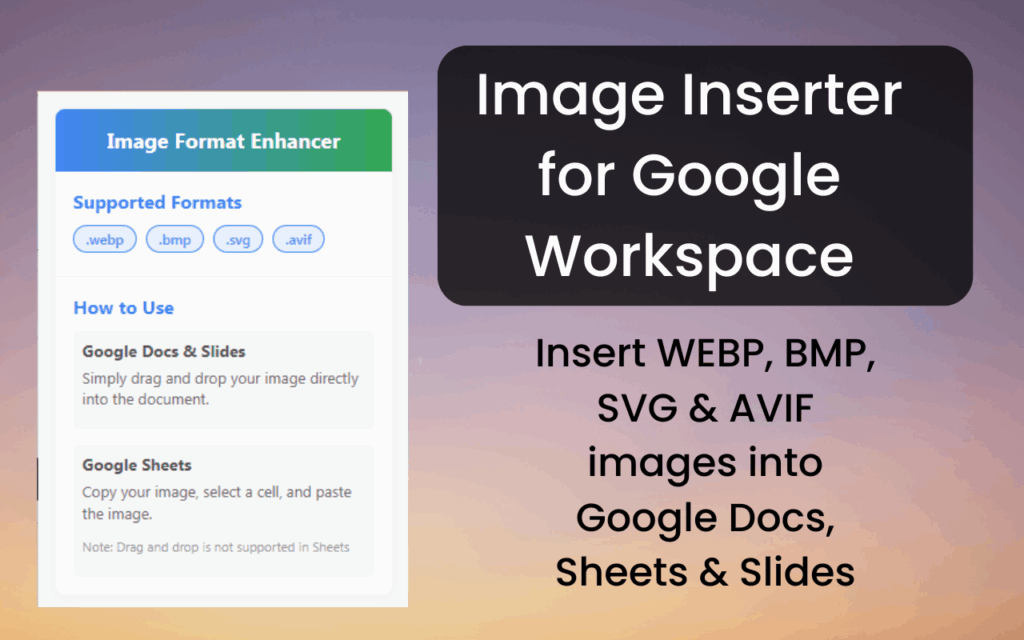
The extension enables direct insertion of SVG, WEBP, AVIF, and BMP files into Google Workspace apps. These are the formats web designers, developers, and marketers use daily — and now you can bring them into your documents and presentations without any intermediate steps.
Works Across All Google Workspace Apps
Whether you are editing a report in Google Docs, building a pitch deck in Google Slides, or organizing data in Google Sheets, the extension works seamlessly across all three platforms. You can drag and drop images into Docs and Slides, or paste them directly into Sheets cells using Ctrl+V or Cmd+V.
No Format Conversion Required
Converting images before uploading often introduces quality degradation, especially for compressed formats like AVIF or scalable formats like SVG. This extension eliminates that step entirely, so your files retain their original resolution, scalability, and compression efficiency.
Preserve Full Image Quality
Google’s default upload process applies lossy compression to JPEG and PNG files. By inserting SVG for diagrams, WEBP for optimized visuals, and AVIF for high-clarity photos, you maintain complete control over image fidelity. What you insert is exactly what your audience sees.
Drag-and-Drop and Copy-Paste Support
The extension integrates with the natural editing gestures you already use. For Google Docs and Slides, simply drag your image file into the editor window. For Sheets, copy your image file and paste it directly into any cell — it is that straightforward.
Designed for Professionals
Graphic designers working with scalable vector assets, web developers using next-gen image standards, marketers embedding brand visuals, and educators creating rich learning materials all benefit from this tool. It adapts to how you already work rather than asking you to change your process.
How to Install Universal Image Inserter
- Open the Chrome Web Store and search for Universal Image Inserter.
- Click the Add to Chrome button on the extension listing page.
- When prompted, click Add Extension to confirm the installation.
- Open any Google Workspace app — Docs, Slides, or Sheets — in your Chrome browser.
- Start inserting SVG, WEBP, AVIF, or BMP images using drag-and-drop or copy-paste as needed.
Why Designers and Developers Love It
Creative professionals have long dealt with the workaround of exporting every asset to PNG just to get it into a Google Doc or Slide. That extra step wastes time and strips out the benefits of using modern formats in the first place. Universal Image Inserter gives designers the ability to drop an SVG logo directly into a presentation without it rasterizing. Developers can insert WEBP screenshots and AVIF mockups without touching an image editor just to change the format. The result is a faster, cleaner workflow that respects the quality of the work being done.
Screenshots
Frequently Asked Questions
Which image formats does the extension support?
The extension supports SVG, WEBP, AVIF, and BMP — four modern formats that Google Workspace does not natively accept without this extension installed.
Does it work with Google Sheets?
Yes. For Google Sheets, you can copy an image file and paste it directly into a cell using Ctrl+V on Windows or Cmd+V on Mac. The extension handles the format compatibility automatically.
Will my image quality be affected?
No. The extension does not convert or compress your files during the insertion process. Your images are inserted in their original format, preserving all quality characteristics including scalability for SVG files.
Do I need a Google account with special permissions?
No special permissions are required beyond the standard access needed to edit documents in Google Workspace. The extension works with both personal Google accounts and Google Workspace business accounts.
Is the extension safe to use?
Yes. The extension operates locally within your browser and does not upload your image files to any external server. It simply removes the format restrictions that Google Workspace applies by default.
If you regularly work with modern image formats and need them inside Google Docs, Slides, or Sheets, Universal Image Inserter is the practical solution that fits directly into your existing workflow. Install it from the Chrome Web Store and start inserting images the way they were meant to be used.