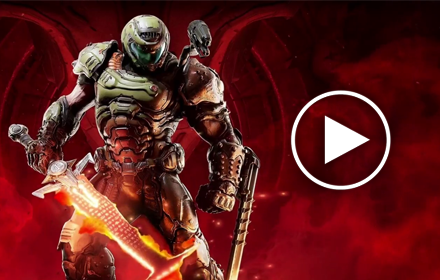
What Is the Crucible Blade Live Wallpaper?
The Crucible Blade Doom Wallpaper is a free Chrome extension that replaces your default new tab with high-definition animated scenes inspired by Doom Eternal. Built for fans of the franchise, it brings the Doom Slayer’s most iconic weapon — the Crucible — front and center every time you open a new browser tab. Whether you’re a longtime fan of the series or just drawn to the brutal, heavy-metal aesthetic of Doom Eternal, this extension delivers a visually striking experience that goes far beyond a static background image.
Key Features
HD Animated Wallpapers
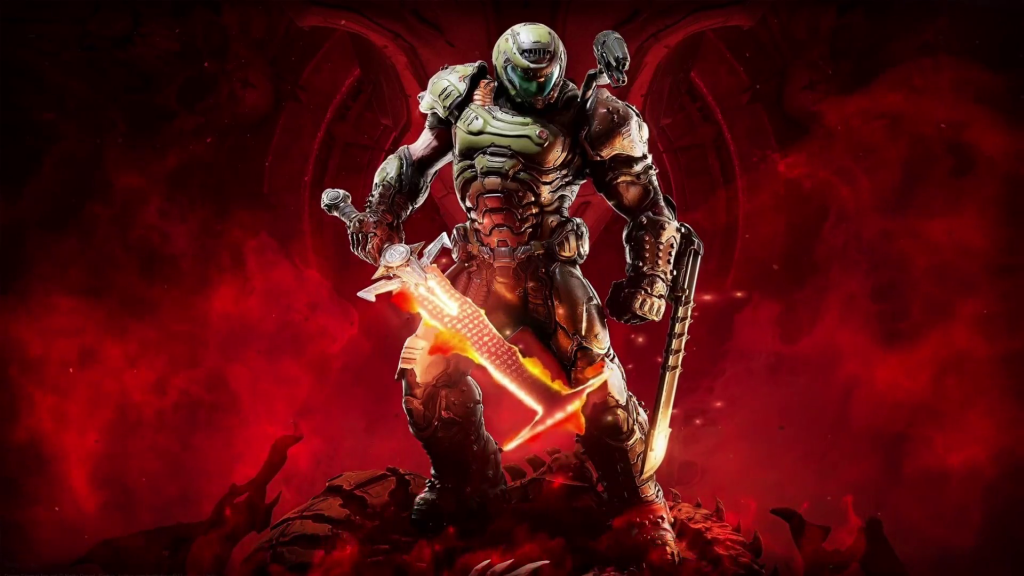
Every background in this extension is rendered in high definition and features fluid animations that capture the raw energy of Doom Eternal’s combat. Watch the Crucible Blade pulse with Argent energy, the Doom Slayer raise his weapon against hellspawn, and the iconic battlefields of Mars and Hell come alive with motion. The animations are optimized for smooth performance so your browsing experience stays fast and responsive.
Doom Eternal Themed Scenes
The wallpaper collection focuses specifically on the Crucible Blade and the Doom Slayer’s legendary ferocity. Each scene is carefully crafted to reflect the visual style of Doom Eternal — dark environments, glowing Argent energy, demonic atmosphere, and the unstoppable warrior at the center of it all. Fans of the game will immediately recognize the attention to detail in every frame.
Popular Website Shortcuts
Your new tab also functions as a quick-launch hub. Pre-loaded shortcuts to popular destinations like YouTube, Twitter, Instagram, and ChatGPT are available right on your homepage. You won’t need to type URLs or dig through bookmarks — the sites you visit most are always one click away.
Custom Website Shortcuts
Beyond the pre-set links, you can add your own shortcuts to any website you choose. Whether that’s a Doom modding community, a gaming news outlet, your favorite streaming platform, or a Bethesda forum, the extension lets you build a personalized dashboard that fits your browsing habits.
Lightweight and Privacy-Friendly
The extension is designed to run without slowing down your browser. It doesn’t collect personal data or interfere with your browsing activity. You get a visually impressive new tab experience without any performance trade-offs or privacy concerns.
How to Install
- Open the Chrome Web Store and search for “Crucible Blade Live Wallpaper.”
- Click the extension listing to open the detail page.
- Select “Add to Chrome” and confirm by clicking “Add Extension” in the popup.
- Once installed, open a new tab to see the Crucible Blade wallpaper and shortcuts appear automatically.
- Click the settings icon on your new tab to customize shortcuts and personalize your layout.
Why Doom Eternal Fans Love It
Doom Eternal has one of the most dedicated fanbases in modern FPS gaming, and it’s easy to see why this extension resonates with that audience. The Crucible Blade is one of the most memorable moments in the game — a weapon so powerful it fundamentally changes the way players approach combat. Having that energy represented every time you open a new tab is a way of keeping that excitement alive outside of actual gameplay.
For players who spend hours in the game perfecting their movement, mastering the weapon wheel, and pushing through Doom Eternal’s relentless difficulty, this extension is a natural extension of that passion. It’s not just decoration — it’s a daily reminder of what makes the Doom franchise so enduring. The animated wallpapers give the browser a sense of motion and personality that static wallpapers simply can’t match.
Screenshots
Frequently Asked Questions
Is the Crucible Blade Live Wallpaper free to use?
Yes, the extension is completely free to install and use. There are no hidden fees, subscriptions, or premium tiers required to access the wallpapers or shortcut features.
Will this extension slow down my browser?
No. The extension is built with performance in mind. The animations are optimized to run efficiently in the background without causing noticeable lag or increasing memory usage during your normal browsing.
Can I use this extension on browsers other than Chrome?
This extension is currently designed for Google Chrome. It may also work on Chromium-based browsers such as Microsoft Edge or Brave, but it is officially supported on Chrome.
How do I add my own website shortcuts?
After installing the extension, open a new tab and look for the customization or settings option. From there, you can add, remove, or rearrange shortcuts to match your preferred websites and browsing workflow.
Does the extension collect any personal data?
No personal data is collected by this extension. It operates locally within your browser and does not track your browsing history, search queries, or personal information.
If you’re a Doom Eternal fan looking to bring a piece of that world into your daily browser experience, the Crucible Blade Live Wallpaper is worth adding to your Chrome setup. Search for it in the Chrome Web Store and upgrade your new tab today.