
The Discord Auto Launcher Chrome extension is a lightweight browser tool that automatically redirects Discord web links to open directly in your Discord desktop application. Whether you’re clicking an invite link from a forum, an email, or any website, this extension handles the redirect instantly — so you never get stuck in the web version again.
What Is Discord Auto Launcher?
Discord Auto Launcher is a browser extension built for people who prefer the full Discord desktop experience over the web client. When you click any discord.com or discord.gg link in Chrome, the extension intercepts it and launches the link directly in your installed desktop app — automatically and silently, with no user input required.
This eliminates the frustrating back-and-forth of copying invite codes, switching windows, and re-authenticating in the browser. It’s a simple solution to a problem that anyone who uses Discord regularly will immediately recognize.
Key Features of Discord Auto Launcher
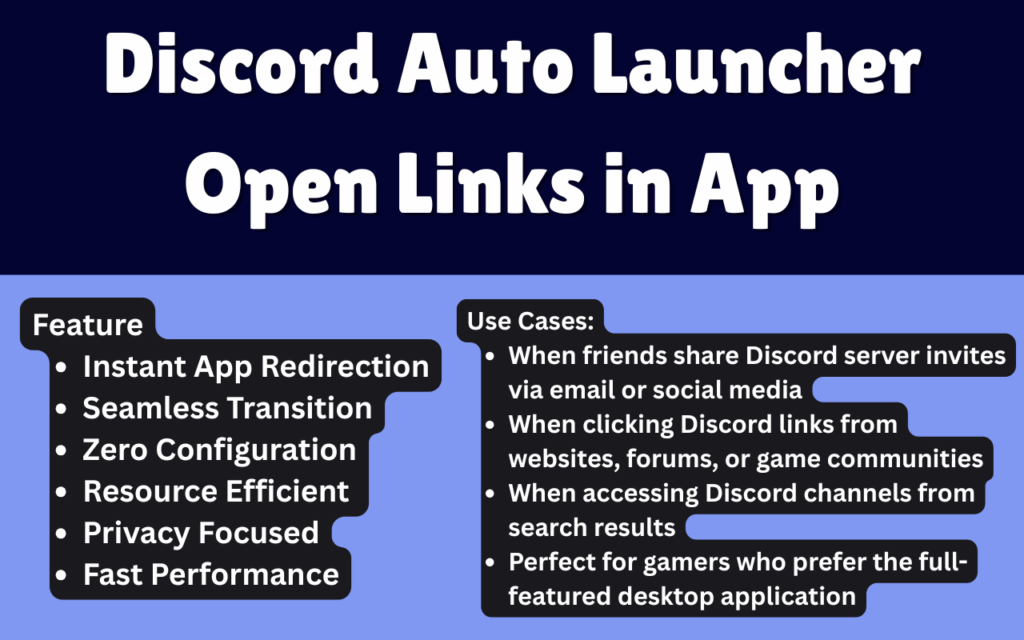
Instant Desktop App Redirection
Every Discord link you click in Chrome is automatically redirected to open in your desktop application. This happens in milliseconds, so your workflow isn’t interrupted and you land exactly where you need to be without any manual steps.
Works Out of the Box
There are no settings panels to navigate, no accounts to create, and no configuration required after installation. Once the extension is added to Chrome, it begins working immediately on every Discord link you encounter.
Runs Silently in the Background
Discord Auto Launcher operates entirely in the background without displaying pop-ups or notifications. It stays out of your way and only activates when it detects a relevant Discord URL, keeping your browser experience clean and uninterrupted.
Minimal Resource Usage
The extension is designed to be lightweight, consuming very little memory or CPU. Your browser performance remains unaffected even if you have multiple tabs or other extensions running alongside it.
Privacy-First Design
No user data is collected, stored, or transmitted. The extension does not track your browsing activity, log the links you click, or sync any information to external servers — your activity stays entirely on your device.
Broad Link Compatibility
The extension handles multiple Discord URL formats, including channel links, server invites, and direct message URLs. Whether the link comes from a webpage, an email client opened in the browser, or a web-based tool, it will be redirected correctly.
How to Install Discord Auto Launcher
- Open the Chrome Web Store and search for Discord Auto Launcher.
- Click the Add to Chrome button on the extension listing page.
- Confirm the installation when Chrome prompts you to add the extension.
- Once installed, the extension activates automatically — no setup or sign-in needed.
- Click any Discord link in your browser to confirm it opens in your desktop app.
Why Gamers and Power Users Love It
Anyone who spends time in Discord communities knows the friction of clicking a server invite and landing in the browser version instead of the app. For gamers joining servers mid-session, streamers managing multiple communities, or developers collaborating via Discord, that interruption adds up quickly.
Discord Auto Launcher removes that friction entirely. You stay in your preferred environment — the desktop app — where your notification settings, custom keybinds, voice channels, and community preferences all live. It’s especially useful for people who receive Discord links through emails, project management tools, or community forums where the browser is the primary interface but Discord is not.
Community managers who click dozens of channel and invite links per day will notice the time saved almost immediately. The extension doesn’t change how you use Discord — it just makes every link you click go to the right place on the first try.
Screenshots
Frequently Asked Questions
Does Discord Auto Launcher work with all Discord link formats?
Yes. The extension supports standard Discord URLs including discord.com/channels/, discord.com/invite/, and short discord.gg/ invite links. Most common link formats used across the web are handled automatically.
Do I need to be logged into Discord for this to work?
You need to have the Discord desktop application installed and logged in on your computer. The extension redirects the link to the app, but your Discord session within the app itself is independent of the extension.
Will this extension slow down my browser?
No. The extension is intentionally lightweight and only activates when it detects a Discord link. It does not run any background processes that would affect browser speed or memory usage during normal browsing.
Does it collect any data about my browsing?
No data is collected or transmitted. The extension processes links locally on your device and does not send any information to external servers or third parties.
What if I want to open a Discord link in the browser instead?
In most cases, you can disable the extension temporarily using the Chrome extensions menu if you need to access a Discord link through the web version specifically.
If you’re tired of landing in the Discord web app every time you click a link, Discord Auto Launcher is the straightforward fix you’ve been looking for. Install it once and enjoy a cleaner, faster Discord experience every day.





