
The Force HTTPS Chrome extension is a lightweight security tool that automatically upgrades your browser connections from HTTP to HTTPS whenever a secure version of a website is available. Whether you are logging into accounts, shopping online, or browsing on public Wi-Fi, this extension works silently in the background to protect your sensitive data from potential interception.
Force HTTPS - Browse Securely, Everywhere
What Is Force HTTPS?
Force HTTPS is a browser extension designed to enforce encrypted web connections without requiring any manual input from the user. Many websites still serve pages over unencrypted HTTP by default, especially older or less frequently maintained sites. This extension bridges that security gap by detecting insecure connections and instantly redirecting you to the HTTPS version of the same page. It also alerts you when a site does not support HTTPS at all, so you can decide whether to proceed.
Key Features of the Force HTTPS Chrome Extension
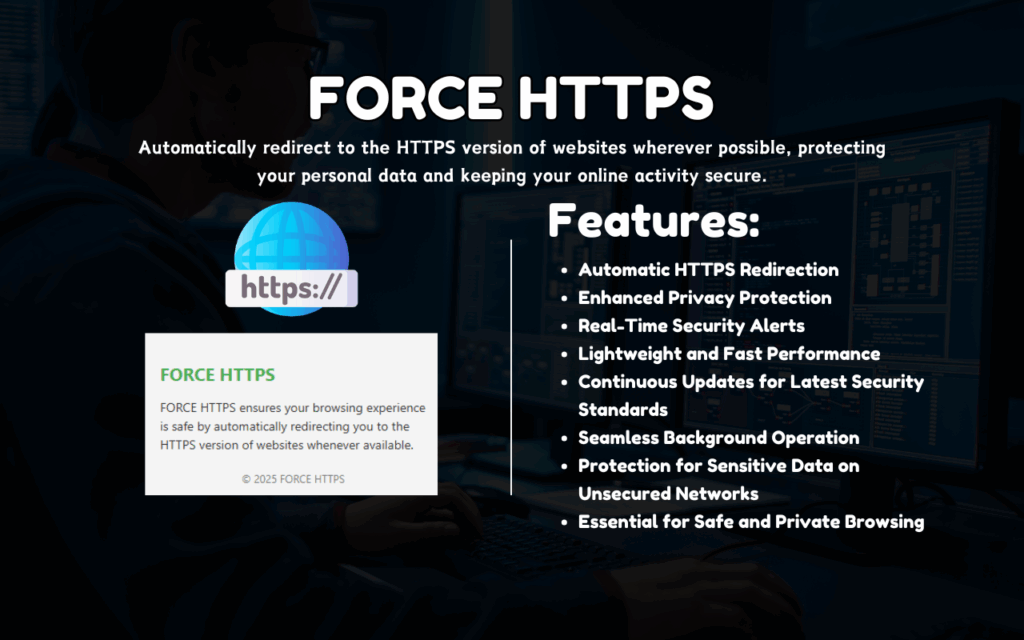
Automatic HTTP to HTTPS Redirection
Every time you navigate to a website using an insecure HTTP connection, the extension immediately upgrades it to HTTPS if the secure version exists. This happens instantly and requires no clicks, settings changes, or manual intervention from you.
Real-Time Security Alerts
When you visit a site that does not support HTTPS, Force HTTPS displays a clear notification so you are aware of the risk. This allows you to make an informed decision about whether to share personal or financial information on that page.
Enhanced Privacy on Public Networks
Public Wi-Fi hotspots are a common target for man-in-the-middle attacks, where attackers intercept unencrypted traffic between your device and the server. By enforcing HTTPS, this extension significantly reduces the risk of your passwords, payment details, and messages being exposed on unsecured networks.
Lightweight and Non-Intrusive
Force HTTPS is built to run quietly without consuming significant memory or CPU resources. You will not notice any slowdown in your browsing speed, and the extension does not interfere with your normal workflow in any way.
Regular Compatibility Updates
The extension receives ongoing updates to maintain compatibility with the latest Chrome versions and evolving web security standards. This ensures consistent protection as websites and browser environments continue to change over time.
How to Install Force HTTPS
- Open the Chrome Web Store and search for Force HTTPS.
- Click the Add to Chrome button on the extension listing page.
- Confirm the installation by clicking Add Extension in the popup dialog.
- Once installed, the extension icon will appear in your Chrome toolbar, indicating it is active.
- Browse normally — Force HTTPS will automatically handle HTTP to HTTPS redirection from this point forward.
Why Privacy-Conscious Users Love It
Users who take their online security seriously appreciate that Force HTTPS removes the guesswork from secure browsing. There is no need to manually type HTTPS into the address bar or remember which sites require it. The extension handles everything automatically, making it an ideal tool for professionals working remotely, frequent travelers using hotel or airport Wi-Fi, and anyone who regularly accesses sensitive accounts online. It is also a practical choice for parents who want to add a basic layer of security to a shared family device.
Screenshots
Frequently Asked Questions
Does Force HTTPS work on all websites?
The extension upgrades connections to HTTPS only on websites that already support it. If a site does not have an HTTPS version, the extension will alert you rather than redirect, since it cannot create a secure version where one does not exist.
Will this extension slow down my browser?
No. Force HTTPS is designed to be extremely lightweight. The redirection process adds no noticeable delay to page loading, and the extension uses minimal system resources during normal browsing.
Is Force HTTPS the same as a VPN?
No, they serve different purposes. Force HTTPS ensures that your connection to individual websites is encrypted at the transport layer, while a VPN routes all of your internet traffic through a private server. Both can be used together for stronger overall privacy.
Do I need to configure anything after installing it?
No configuration is required. Once installed, the extension activates automatically and begins redirecting insecure connections right away. It works out of the box with sensible defaults for most users.
Does the extension collect any of my browsing data?
Force HTTPS is designed as a privacy-first tool and does not collect, store, or transmit your personal browsing data. Its sole function is to upgrade your connections to HTTPS where possible.
If you want a simple, reliable way to strengthen your online security without changing how you browse, Force HTTPS is one of the most practical Chrome extensions available. Install it once and let it protect every connection you make going forward.





