
What Is Quora AdBlock?
The Quora AdBlock Chrome extension is a lightweight browser tool designed to remove every form of advertising from the Quora platform. Whether you encounter banner ads, sponsored answers, sidebar promotions, or pop-up overlays, this extension silently eliminates them so you can focus entirely on the content that brought you to Quora in the first place. If you spend meaningful time on Quora reading long-form answers, following topic threads, or researching expert opinions, constant ad interruptions can break your concentration and slow down your workflow. Quora AdBlock was built to solve exactly that problem.
Key Features of Quora AdBlock
Ad-Free Browsing on Every Page
Quora AdBlock automatically detects and removes banner ads, sponsored questions, sidebar promotional content, and overlay pop-ups across all Quora pages. The extension works silently in the background without requiring any manual configuration — once installed, every Quora session is ad-free from the moment the page loads.
Cleaner Interface and Better Readability
By stripping away ads and promotional clutter, the extension delivers a noticeably cleaner reading environment. Text-heavy answer threads become easier to follow, page layouts feel less crowded, and navigating between questions and topics becomes a more fluid experience overall.
Lightweight Performance with Minimal Resource Use
Unlike general-purpose ad blockers that can consume significant browser memory and slow down page rendering, Quora AdBlock is optimized specifically for the Quora platform. It uses minimal system resources, which means Quora continues to load quickly even on older machines or slower network connections.
Privacy-First Design
Quora AdBlock does not collect, store, or transmit any personal data. There are no tracking scripts, no analytics pipelines, and no third-party data sharing involved. You get a fully ad-free experience without trading away your privacy to get it.
Zero Configuration Required
There are no dashboards to configure, no whitelists to manage, and no settings to adjust. Install the extension and it works immediately — every time you visit Quora, ads are blocked automatically without any input from you.
How to Install Quora AdBlock
- Open the Chrome Web Store in your Google Chrome browser.
- Search for Quora AdBlock in the search bar.
- Click the Add to Chrome button on the extension listing page.
- When prompted, click Add Extension to confirm the installation.
- Once installed, visit Quora — ads will be blocked automatically from your very first page load.
Why Quora Readers Love It
Quora attracts people who are genuinely curious — researchers, students, professionals, and lifelong learners who come to the platform for substantive answers, not advertisements. For these users, ads are not just an annoyance; they actively interrupt the kind of deep reading that makes Quora valuable. Quora AdBlock gives this audience exactly what they want: uninterrupted access to knowledge. Users consistently highlight how much smoother their browsing feels after installing the extension, particularly when reading lengthy answer threads or comparing multiple perspectives on a complex topic. The fact that it requires no setup and has no performance cost makes it an easy recommendation for anyone who uses Quora regularly.
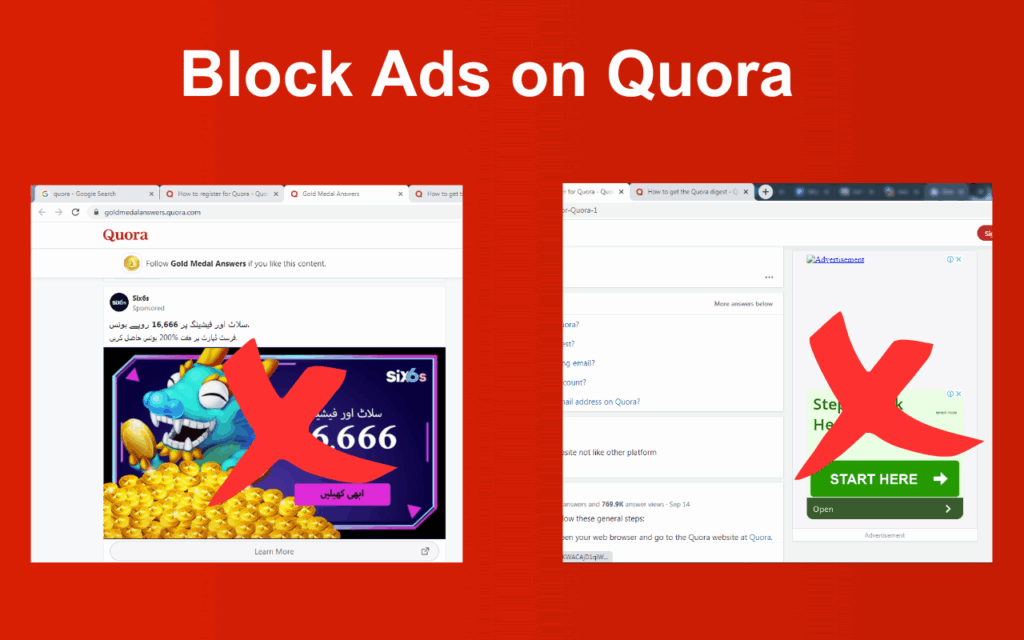
Screenshots
Frequently Asked Questions
Does Quora AdBlock work on all types of Quora ads?
Yes. The extension is built to block banner ads, sidebar promotions, sponsored questions and answers, and pop-up overlays that appear throughout the Quora platform.
Will this extension slow down my browser?
No. Quora AdBlock is purpose-built for Quora and uses minimal resources. It is significantly lighter than general ad blockers and has no measurable impact on browser speed or page load times.
Does Quora AdBlock collect any of my data?
Absolutely not. The extension does not collect, store, or share any personal information. It operates entirely on your local browser with no external data connections.
Do I need to adjust any settings after installing it?
No configuration is needed. The extension activates automatically once installed and blocks ads on every Quora page without any action required from the user.
Is Quora AdBlock free to use?
Yes, the extension is completely free to install and use with no hidden fees or premium tiers.
If you want a faster, cleaner, and more focused Quora experience, Quora AdBlock is one of the simplest upgrades you can make to your browser today. Install it once and enjoy distraction-free reading every time you visit Quora.





