
What Is Joker Live Wallpaper?
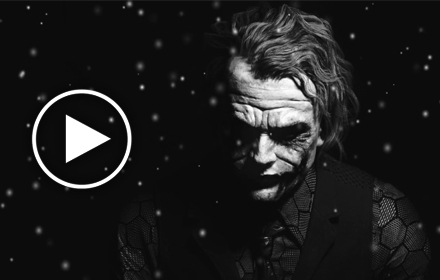
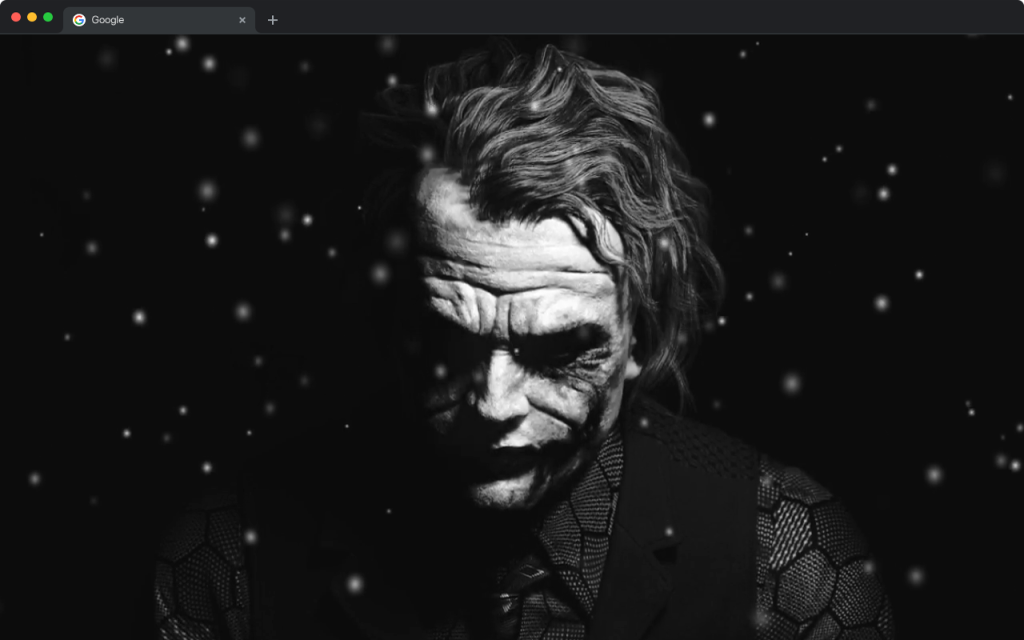
Joker Live Wallpaper is a free Chrome extension that replaces your default new tab page with high-definition animated backgrounds inspired by DC Comics’ most iconic villain. If you’re drawn to dark aesthetics, psychological complexity, and the chaotic world of Gotham, this extension delivers an experience unlike any standard wallpaper. Every time you open a new tab, the Joker Live Wallpaper greets you with striking black and white animated scenes that capture the Clown Prince of Crime in his most unforgettable moments.
Designed for DC Comics fans, Batman enthusiasts, and anyone who appreciates bold monochrome visual design, this extension transforms a mundane browser tab into something genuinely cinematic. It runs smoothly in the background without slowing down your browser, making it as practical as it is visually impressive.
Key Features of Joker Live Wallpaper
HD Animated Wallpaper
The centerpiece of this extension is its collection of high-definition animated backgrounds rendered in dramatic black and white. Watch shadows crawl across the Joker’s distinctive face paint, playing cards scatter through darkness, and the iconic purple suit emerge from the shadows — each animation crafted to reflect the psychological intensity that made the Joker one of the most compelling villains in comic book history. The animations are fluid and optimized so your browsing performance stays unaffected.
Popular Website Shortcuts
Quick-access shortcuts to popular sites like YouTube, Instagram, Twitter, and ChatGPT are built directly into the new tab layout. These shortcuts keep your most-used destinations just one click away, so you never have to break your flow when diving into DC content, community forums, or everyday browsing tasks.
Custom Website Shortcut
Beyond the preset shortcuts, you can add your own custom links to any website you visit regularly. Whether that’s a DC Comics fan site, a movie streaming platform, a Joker-themed subreddit, or a personal project, the custom shortcut feature lets you tailor your new tab page to fit your exact needs.
Integrated Search Bar
A clean search bar sits prominently on the new tab page and works with your default search engine. You can look up Batman storylines, Joker film analysis, DC Comics news, or anything else without navigating away first. It keeps the interface minimal while adding genuine everyday utility.
Clock and Date Display
A sleek clock and date display is embedded into the layout, styled to complement the dark aesthetic of the backgrounds rather than clash with it. It gives you an at-a-glance view of the time and date without interrupting the visual mood of the wallpaper.
Settings and Privacy Controls
The extension includes a dedicated settings panel where you can manage your preferences, access the privacy policy, get uninstall instructions, and submit feedback. Everything is straightforward to navigate, giving you full control over how the extension behaves on your browser.
How to Install Joker Live Wallpaper
- Open the Google Chrome browser on your desktop or laptop.
- Go to the Chrome Web Store and search for “Joker Live Wallpaper.”
- Locate the official extension in the search results and click on it.
- Click the “Add to Chrome” button and confirm by selecting “Add Extension” in the popup.
- Once installed, open a new tab to see the Joker animated wallpaper activate immediately.
- Use the settings icon to customize shortcuts and adjust preferences to your liking.
Why DC Comics Fans Love It
Batman and Joker fans appreciate this extension because it goes beyond decoration. The black and white visual style captures something the colorful superhero wallpapers often miss — the psychological weight and cinematic drama that define the Joker as a character. It feels less like clip art and more like a still from a noir film. The animated elements keep the experience dynamic rather than static, so it never feels like you’re just staring at a frozen screenshot. Coupled with the practical new tab features, it genuinely improves daily browsing for anyone who identifies with Gotham’s darker aesthetic.
Screenshots
Frequently Asked Questions
Is Joker Live Wallpaper free to use?
Yes, the extension is completely free to install and use. There are no subscription fees or hidden charges associated with it.
Will this extension slow down my Chrome browser?
The extension is optimized for smooth performance. The animations are lightweight and designed to run without causing noticeable lag or consuming excessive system resources.
Can I use my own website shortcuts with this extension?
Absolutely. In addition to the preset popular site shortcuts, the extension allows you to add custom shortcuts to any URL you choose, making the new tab page work for your personal browsing habits.
Does the extension collect personal data?
You can review the full privacy policy directly within the extension’s settings panel. The privacy controls are accessible at any time from the new tab interface.
Does this extension work on all versions of Chrome?
The extension is built for Google Chrome on desktop and is compatible with up-to-date versions of the browser. Keeping Chrome updated ensures the best experience.
If you’re ready to give your browser a dark, dramatic Gotham makeover, the Joker Live Wallpaper extension is waiting for you in the Chrome Web Store. Install it today and let the Clown Prince of Crime set the tone for every new tab you open.





AMEI:)