
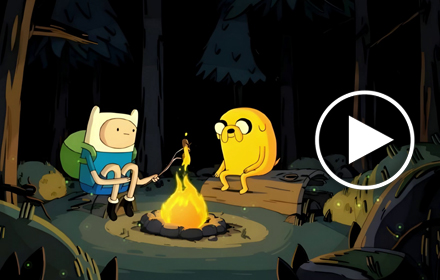
If you grew up watching Finn the Human and Jake the Dog explore the Land of Ooo, the Adventure Time Live Wallpaper extension is built for you. This Chrome extension replaces your default new tab page with animated wallpapers straight from the beloved Cartoon Network series, giving you a daily dose of the show’s humor, color, and creativity every time you open a new tab.
What Is the Adventure Time Live Wallpaper Extension?
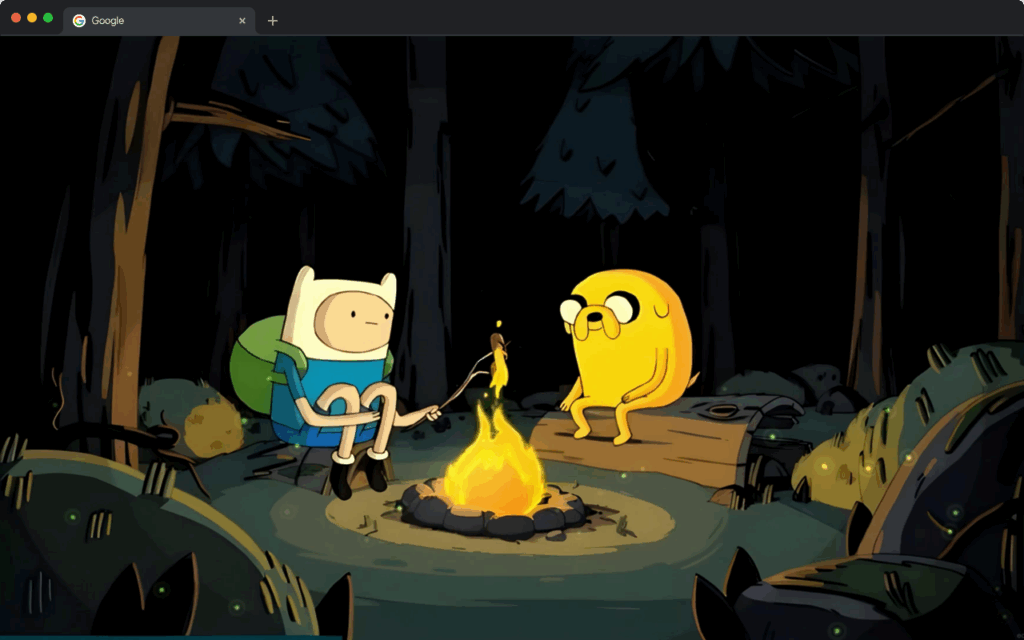
The Adventure Time Live Wallpaper extension is a Chrome browser tool that transforms your new tab page into a dynamic, animated display featuring characters and scenes from Adventure Time. Instead of a blank page or basic search screen, you’re greeted by vivid visuals of Finn, Jake, Princess Bubblegum, Marceline, BMO, and more — all in motion. The extension also includes everyday productivity tools so your browser stays useful as well as visually exciting.
Key Features of the Adventure Time Live Wallpaper Extension
Animated Adventure Time Wallpapers
The extension cycles through high-quality animated backgrounds inspired by iconic moments from the show. Each scene captures the unique art style of Adventure Time, from the rolling candy hills of the Candy Kingdom to the dark atmosphere of the Nightosphere.
High-Resolution Visuals
Every wallpaper is rendered at a high resolution to ensure sharp, smooth playback without lagging your browser. The animations are lightweight and optimized, so you get a visually rich experience without sacrificing browser performance.
Built-In Google Search Bar
A centrally placed Google search bar lets you search the web directly from your new tab without navigating away. This keeps your browsing workflow efficient while still letting you enjoy the themed background behind it.
Digital Clock Display
A clean digital clock is integrated into the new tab layout so you can keep track of time at a glance. It’s subtle enough not to distract from the wallpaper but always visible when you need it.
Custom Website Shortcuts
You can pin your most-visited sites as shortcut icons on the new tab page for faster access. Whether it’s your email, a streaming service, or a social media platform, your favorites are just one click away.
Adjustable Settings Panel
The extension includes a settings menu where you can control wallpaper rotation frequency, toggle animations on or off, and adjust the layout to suit your preferences. This level of control makes it easy to tailor the experience to how you actually browse.
How to Install the Adventure Time Live Wallpaper Extension
- Open the Google Chrome browser on your desktop or laptop.
- Visit the Chrome Web Store and search for “Adventure Time Live Wallpaper.”
- Click on the extension listing that matches this theme.
- Select “Add to Chrome” and confirm by clicking “Add Extension” in the popup.
- Once installed, open a new tab to see the Adventure Time wallpaper activate automatically.
- Use the settings icon on the new tab page to customize your preferences.
Why Adventure Time Fans Love This Extension
This extension resonates with Adventure Time fans because it goes beyond surface-level decoration. The animated wallpapers actually feel like clips from the show, capturing the quirky energy and imaginative world that made the series so memorable. For fans who grew up with the show or discovered it later, seeing those characters on their screen every day creates a small but genuine moment of nostalgia and joy.
It’s also genuinely practical. The built-in search bar, clock, and shortcuts mean you don’t have to sacrifice functionality for aesthetics. Students, remote workers, and casual browsers all benefit from having a more personalized, engaging new tab that also helps them stay organized. The easy installation and customization options mean anyone can set it up in under a minute, regardless of technical skill level.
Screenshots
Frequently Asked Questions
Does this extension slow down Chrome?
No. The animations are optimized to run efficiently in the background. Most users report no noticeable impact on browser speed or performance after installing the extension.
Can I turn off the animations if I want a static wallpaper?
Yes. The settings panel includes an option to disable animations, so you can enjoy a static Adventure Time wallpaper if you prefer a less dynamic background.
Is this extension free to use?
Yes, the Adventure Time Live Wallpaper extension is free to install and use directly from the Chrome Web Store with no subscription or payment required.
Will this extension work on all versions of Chrome?
The extension is designed for modern versions of Google Chrome on Windows, macOS, and Linux. Keeping Chrome updated ensures the best compatibility and performance.
Can I change which Adventure Time characters appear in the wallpapers?
The extension rotates through a curated selection of Adventure Time scenes automatically. Some versions may include settings to adjust how frequently wallpapers change, but the character selection is part of the preset theme library.
If you’re ready to give your browser a personality that matches your love for Adventure Time, this extension is one of the easiest upgrades you can make. Install it today and let Finn, Jake, and the rest of the Ooo crew make every new tab feel like the start of a new adventure.





soooooooooooooooogood🥰