
What Is the Birds Cursor Extension?
The Birds Cursor for Chrome is a free browser extension that replaces your default mouse pointer with beautifully designed bird-themed cursors. Whether you favor the sharp silhouette of an eagle, the delicate form of a hummingbird, or the familiar charm of a backyard sparrow, this extension brings avian artistry to every click, scroll, and hover. It is built for bird watchers, nature lovers, ornithology enthusiasts, and anyone who wants to add a personal touch to their daily browsing routine.
Key Features of the Birds Cursor Extension
Extensive Bird Cursor Collection
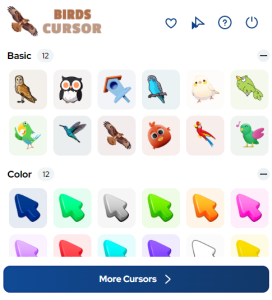
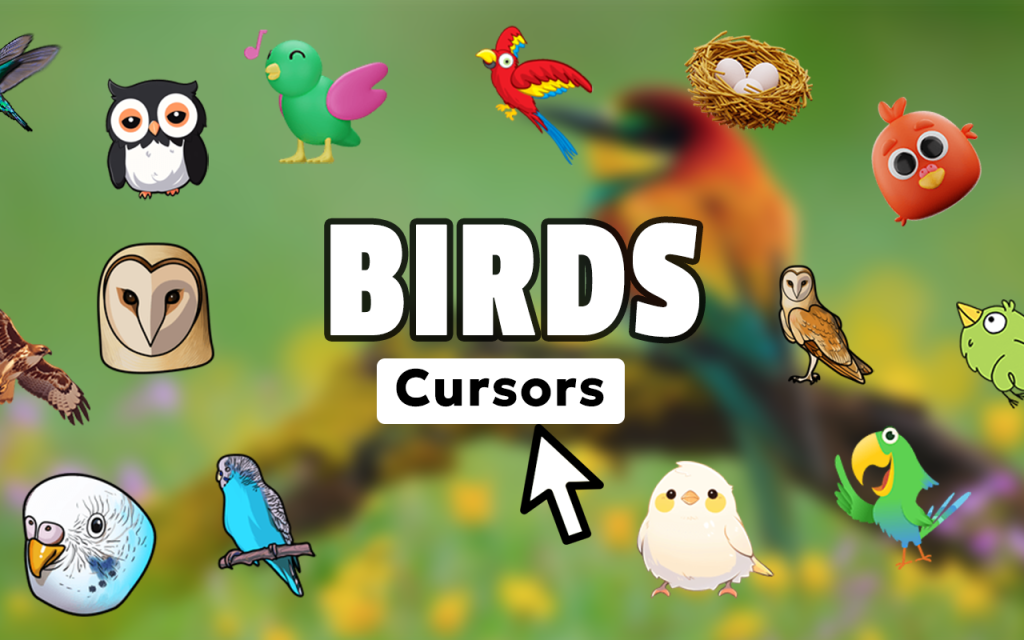
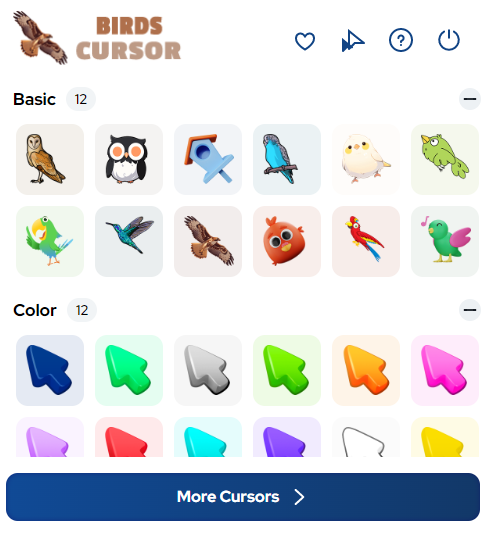
The extension includes a wide variety of cursor designs spanning dozens of bird species — sparrows, robins, cardinals, eagles, owls, parrots, hummingbirds, and more. Beyond individual birds, the collection also includes nature-inspired elements such as feathers, nests, and eggs, giving you a comprehensive library of avian-themed options to choose from.
High-Definition Graphics
Every cursor is rendered in crisp, high-definition detail with accurate feather textures and authentic color palettes. The quality of the artwork ensures that each bird species is instantly recognizable on screen, making the browsing experience both visually appealing and true to nature.
Adjustable Cursor Size
A built-in size slider lets you scale the cursor up or down to suit your display and personal comfort. Whether you prefer a subtle, small pointer or a bold, prominent design, the sizing control gives you precise control without requiring any technical knowledge.
Favorites System
Mark your preferred cursor designs as favorites to keep them within easy reach. This feature is especially useful when you enjoy switching between different bird species depending on your mood, the season, or simply what you are browsing that day.
Zero Performance Impact
The extension is engineered to be lightweight, consuming minimal system resources so your browser remains fast and responsive. There is no noticeable lag, no slowdown on media-heavy pages, and no interference with other Chrome extensions you may already be using.
Easy Toggle On and Off
A single click on the extension icon lets you instantly switch between your custom bird cursor and Chrome’s default pointer. This makes it simple to revert when filling out forms, working in web apps, or whenever a standard cursor is more practical.
How to Install the Birds Cursor Extension
- Open the Chrome Web Store and search for Birds Cursor.
- Click the Add to Chrome button on the extension listing page.
- Confirm the installation prompt by clicking Add Extension.
- Once installed, click the Birds Cursor icon in your Chrome toolbar to open the cursor gallery.
- Browse the collection and click any bird design to set it as your active cursor.
- Use the size slider to adjust the cursor to your preferred dimensions.
- Star your favorite designs to save them for quick access in the future.
Why Bird Watchers and Nature Enthusiasts Love It
For anyone who spends time outdoors observing birds or following wildlife content online, the gap between the natural world and a digital screen can feel significant. This extension helps close that gap in a small but meaningful way. Birdwatchers building their life lists, ornithology students researching species, nature photographers browsing reference libraries, and backyard birders tracking seasonal visitors all find that this cursor adds a layer of personality and passion to an otherwise generic browsing session. It is also a thoughtful conversation starter — colleagues and family members often notice and ask about the cursor, making it a subtle way to share your love of birds with others.
Screenshots
Frequently Asked Questions
Is the Birds Cursor extension free to use?
Yes, the extension is completely free. You can download it from the Chrome Web Store, install it in seconds, and access the full cursor collection without any subscription or payment required.
Will this extension slow down my browser?
No. The extension is designed to be extremely lightweight. It runs quietly in the background without consuming significant CPU or memory resources, so your Chrome experience remains smooth and uninterrupted.
How many bird cursor designs are included?
The collection includes multiple designs covering a broad range of bird species and nature-themed elements. New designs may be added in future updates, expanding the library over time.
Can I use this on all websites?
The custom cursor works across the vast majority of websites. On a small number of pages where site-level CSS overrides cursor styles, the default pointer may appear instead, but this is rare.
Does the extension collect any personal data?
The Birds Cursor extension does not collect, store, or transmit personal browsing data. It operates entirely within your browser to customize the visual appearance of your cursor and nothing more.
If you are ready to bring the beauty of the natural world into your everyday browsing, the Birds Cursor extension is a simple, elegant, and completely free way to do it. Install it today and let every movement of your mouse reflect your love of avian life.





