
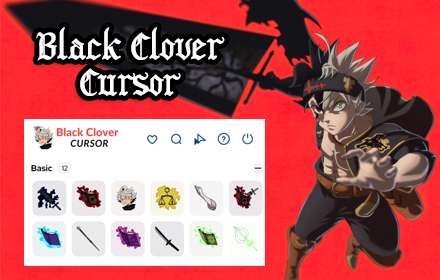
If you are a dedicated fan of the Black Clover anime and manga series, the Black Clover Cursor Chrome extension is the perfect way to bring the world of grimoires, Magic Knights, and anti-magic into your everyday browsing. Instead of a plain default pointer, your cursor transforms into iconic designs inspired by Asta, Yuno, Noelle, and the rest of the cast — making every click feel like a spell cast in the Clover Kingdom.
What Is the Black Clover Cursor Extension?
The Black Clover Cursor extension is a lightweight Chrome add-on that replaces your standard mouse pointer with custom-designed cursors themed around the popular anime series Black Clover. It is built for fans who want to personalize their browser without sacrificing speed or performance. The extension requires no account, no configuration, and no technical knowledge — just install it and your cursor is instantly upgraded with anime-inspired visuals.
Key Features of the Black Clover Cursor Chrome Extension
Anime-Themed Cursor Designs
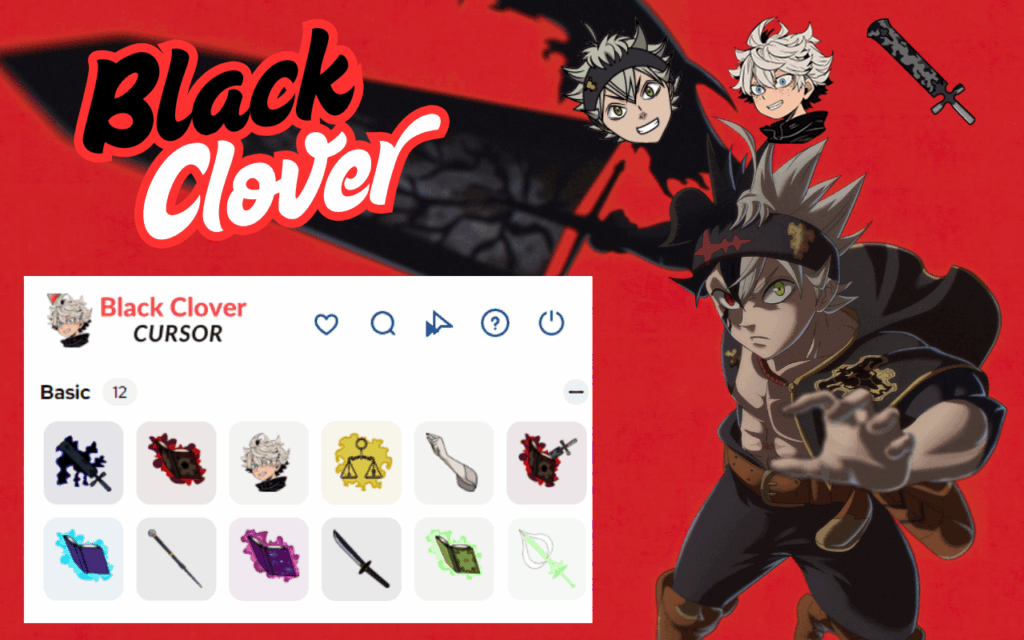
The extension includes a curated selection of cursor designs drawn from Black Clover’s most recognizable characters and symbols. You can browse with cursors inspired by Asta’s Anti-Magic Sword, Yuno’s Wind Magic, Noelle’s Sea Dragon’s Roar, the Black Bulls insignia, the Golden Dawn emblem, and various grimoire and spell effects. Each design is faithful to the visual style of the series.
High-Quality Graphics
Every cursor in this extension is crafted with sharp, high-resolution visuals that look great on both standard and high-DPI displays. The artwork captures the intense action and magical atmosphere that Black Clover fans love, ensuring your cursor looks polished rather than pixelated.
Easy Cursor Switching
Switching between different cursor styles takes only a few seconds using the extension’s toolbar menu. There is no need to dig through browser settings — simply click the extension icon, choose your preferred design, and your cursor updates immediately without any page reload.
Lightweight and Performance-Friendly
This extension is designed to run silently in the background without consuming noticeable memory or CPU resources. Whether you have ten tabs open or fifty, the Black Clover Cursor extension will not slow down your browser or interfere with other extensions you use.
No Login or Setup Required
Once installed from the Chrome Web Store, the extension works right away. There is no account creation, no permissions to approve beyond standard cursor customization, and no configuration screens to navigate. It is one of the most straightforward browser personalizations available for anime fans.
Broad Website Compatibility
The custom cursor activates across the vast majority of websites you visit, including social media platforms, streaming sites, and search engines. Note that Chrome has system-level restrictions that prevent custom cursors from appearing on the Chrome Web Store pages and the browser’s new tab screen, but this is a browser limitation rather than an extension flaw.
How to Install the Black Clover Cursor Extension
- Open the Google Chrome browser on your desktop or laptop.
- Navigate to the Chrome Web Store using the address bar.
- Type Black Clover Cursor into the search field and press Enter.
- Locate the extension in the search results and click on it to open the detail page.
- Click the Add to Chrome button, then confirm by clicking Add Extension in the popup.
- Once installed, the extension icon will appear in your Chrome toolbar and your cursor will update automatically.
Why Anime Fans Love the Black Clover Cursor Extension
Browser personalization has become a genuine form of self-expression for anime fans, and the Black Clover Cursor extension delivers that in a meaningful way. Seeing Asta’s sword or Yuno’s wind spiral follow your mouse across the screen is a small but satisfying reminder of the series you love throughout your day. It works equally well whether you are streaming episodes, writing notes, browsing social media, or gaming online. The extension also makes a great conversation starter — fellow Black Clover fans will instantly recognize the designs when they see your screen.
Screenshots
Frequently Asked Questions
Is the Black Clover Cursor extension free to use?
Yes, the extension is completely free. There are no premium tiers, in-app purchases, or subscription fees required to access any of the cursor designs included in the pack.
Will this extension slow down my Chrome browser?
No. The extension is built to be extremely lightweight and uses minimal system resources. Most users report no noticeable difference in browser speed or responsiveness after installing it.
Can I use multiple cursor styles or is it limited to one?
The extension supports multiple cursor designs, and you can switch between them at any time through the toolbar icon. Your selection is saved automatically so it persists between browser sessions.
Does it work on all websites?
The cursor works on almost all standard websites. However, due to Chrome’s built-in restrictions, it will not display on the Chrome Web Store itself or on browser-controlled pages like the new tab page.
Is any personal data collected by this extension?
The Black Clover Cursor extension does not collect, store, or transmit any personal data. It functions entirely as a visual customization tool with no data tracking involved.
If you are ready to bring the spirit of the Clover Kingdom to your browser, the Black Clover Cursor Chrome extension is a fast, free, and fun way to do it. Search for it in the Chrome Web Store today and start browsing like a Magic Knight.





