
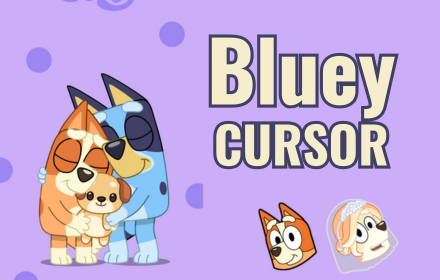
What Is Bluey Cursor?
The Bluey cursor for Chrome is a browser extension that replaces your default mouse pointer with charming, hand-crafted cursor designs inspired by the globally beloved Australian animated series, Bluey. Whether you are a parent setting up a fun browsing environment for your child or a devoted fan of the show yourself, this extension brings the warmth and imagination of Bluey’s world directly to your screen. Every click, scroll, and hover becomes a small reminder of the creativity and heart that makes the show so special.

Key Features of the Bluey Cursor Extension
Bluey-Themed Cursor Collection
The extension includes a curated set of cursor designs featuring fan-favorite characters including Bluey, Bingo, Bandit, and Chilli, as well as iconic elements drawn from the show’s most memorable imaginative games. Each design is crafted to reflect the distinctive visual style of the series, so every cursor feels authentic to the world of the show rather than a generic cartoon imitation.
High-Quality Crisp Graphics
All cursor artwork is rendered at a high resolution to ensure sharp, clean visuals regardless of your screen size or display settings. The color palette and linework closely match the show’s charming art style, so the cursors look polished and intentional rather than pixelated or out of place on a modern display.
Adjustable Cursor Size
A built-in size slider lets you scale your cursor up or down to suit your personal preference or accessibility needs. This is especially useful for younger users who benefit from a larger, easier-to-track pointer, or for anyone who simply wants more visual presence from their custom cursor.
Favorites System
With the favorites feature, you can bookmark the cursor designs you use most often so they are always one click away. Instead of scrolling through the full collection every time you want to switch designs, your saved favorites appear in a dedicated section for fast and convenient access.
Zero Performance Impact
The extension is built to be lightweight and efficient, meaning it runs quietly in the background without slowing down your browser or consuming unnecessary memory. You get a fully customized browsing experience without sacrificing speed or stability on any website you visit.
Easy Toggle On and Off
A simple on/off toggle lets you instantly disable the custom cursor whenever you need your standard pointer back, such as during work tasks or presentations. Switching between your Bluey cursor and the default system cursor takes a single click with no settings to navigate.
How to Install the Bluey Cursor Extension
- Open the Google Chrome browser on your desktop or laptop computer.
- Navigate to the Chrome Web Store and search for “Bluey Cursor.”
- Click the extension listing and select “Add to Chrome” to begin the installation.
- Once installed, click the Bluey Cursor icon that appears in your browser toolbar.
- Browse the available cursor designs and click any design to activate it immediately.
- Use the size slider to adjust your cursor to your preferred dimensions.
- Use the favorites button to save your most-loved designs for quick future access.
Why Bluey Fans and Families Love It
Parents appreciate the Bluey cursor extension because it offers a safe, wholesome way to personalize a child’s browser experience without introducing any inappropriate content or complicated settings. Kids love seeing their favorite characters follow them around the screen as they explore websites, watch videos, or play browser-based games. For adult fans of the show, it is a subtle and delightful nod to a series that resonates far beyond its target age group. The extension transforms an otherwise mundane part of the interface into something that sparks a little joy with every interaction, which is very much in the spirit of the show itself.
Screenshots

Frequently Asked Questions
Does the Bluey cursor work on all websites?
The extension is designed to work across the vast majority of websites you visit in Chrome. There are a small number of browser-managed pages, such as the Chrome settings page or the new tab page in certain configurations, where custom cursors may not display due to browser restrictions rather than any issue with the extension itself.
Will this extension slow down my browser?
No. The extension is intentionally built to have a minimal footprint so it does not affect your browser’s loading speed or overall performance. It runs efficiently in the background and only activates its cursor replacement when a compatible webpage is open.
Can I use this extension on a school or shared computer?
As long as you have permission to install Chrome extensions on the device and the browser is not managed by a restricted enterprise or school policy, you can install and use the extension without any issues.
Is the extension suitable for young children?
Absolutely. The content is entirely family-friendly and drawn directly from characters and themes within the Bluey animated series. There are no third-party ads, links, or any content that would be inappropriate for children of any age.
How do I switch back to my normal cursor?
Simply click the extension icon in your toolbar and use the toggle switch to turn the custom cursor off. Your default system cursor will return immediately, and you can re-enable the Bluey cursor at any time by toggling it back on.
If you are ready to add a little bit of Bluey magic to your everyday browsing, install the Bluey Cursor extension today and let every click feel like part of the adventure.





