
If you are a fan of the irreverent Rooster Teeth animated series, the Camp Camp cursor for Chrome is the perfect way to bring a little summer camp chaos to your daily browsing. This lightweight Chrome extension swaps out your default mouse pointer with hand-crafted cursor designs inspired by the misfit campers and counselors of Camp Campbell, letting your personality show with every click and scroll.
What Is Camp Camp Cursor?
Camp Camp Cursor is a Chrome browser extension that replaces your standard system cursor with custom-designed pointers inspired by the Camp Camp animated series. The show, produced by Rooster Teeth, follows a group of eccentric campers led by the endlessly optimistic David and the perpetually cynical Max. This extension captures the show’s sharp humor and distinctive art style, giving fans a fun and personalized browsing experience that stands out from the default arrow cursor.
Key Features of Camp Camp Cursor
Wide Selection of Camp Camp Designs
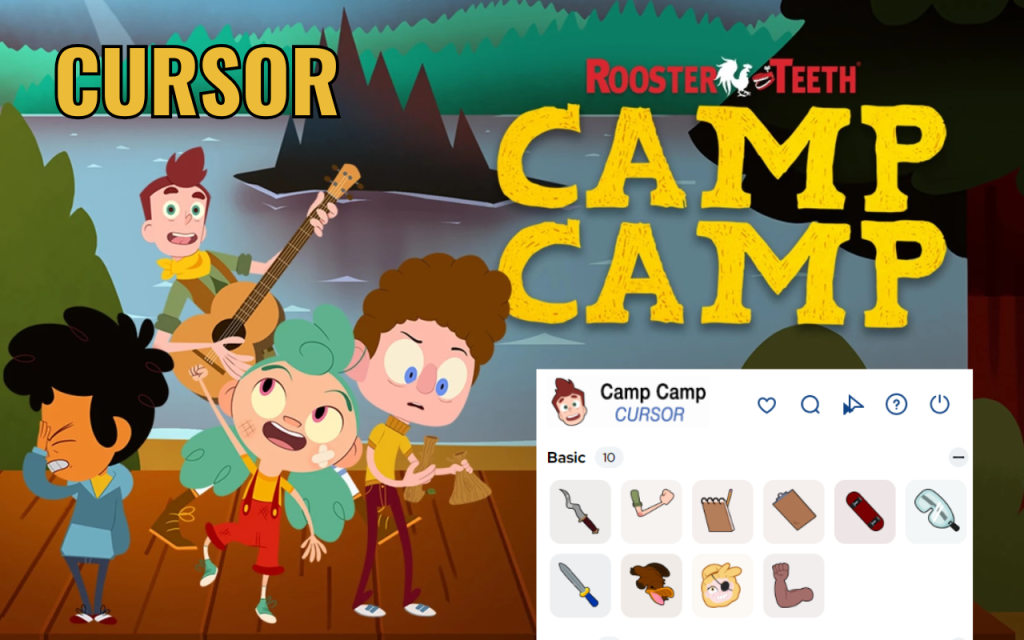
The extension includes multiple cursor designs featuring fan-favorite characters such as Max, David, Nikki, and Neil, as well as iconic camp-themed elements. Each design is faithful to the show’s visual identity, so fans will immediately recognize their favorite characters rendered in crisp cursor form.
High-Quality Cursor Graphics
Every cursor is crafted with sharp, detailed artwork that reflects the show’s distinctive animation style. The designs remain clean and recognizable even at smaller sizes, so you never lose visual clarity while navigating your browser.
Adjustable Cursor Size
Not everyone wants the same cursor size, which is why the extension includes a built-in size slider. You can scale the cursor up or down to find the perfect fit for your screen resolution and personal preference, making it comfortable for both compact laptops and large monitors.
Favorites System
With multiple cursor options available, the favorites system lets you bookmark the designs you use most often for quick access. Instead of scrolling through the full library every time, you can jump straight to your preferred Camp Camp cursor with a single click.
Zero Performance Impact
The extension is engineered to be lightweight, meaning it runs in the background without slowing down your browser or consuming noticeable system resources. You get all the fun of a custom cursor without sacrificing browsing speed or battery life.
Easy Toggle On and Off
Sometimes you need to switch back to your standard cursor quickly, whether for work, presentations, or any other reason. The extension includes a simple on/off toggle so you can disable the Camp Camp cursor in one click and re-enable it just as fast whenever you are ready.
How to Install Camp Camp Cursor
- Open the Chrome Web Store and search for Camp Camp Cursor.
- Click the extension listing and select Add to Chrome.
- Confirm the installation prompt when it appears.
- Once installed, click the Camp Camp Cursor icon in your Chrome toolbar.
- Browse the available cursor designs and click any one to activate it.
- Use the size slider to adjust the cursor dimensions if needed.
- Start browsing with your new Camp Camp-themed cursor active.
Why Camp Camp Fans Love This Extension
Camp Camp has developed a passionate fanbase that appreciates its sharp writing, memorable characters, and refusal to take itself too seriously. This extension is a small but satisfying way for fans to carry that energy into their everyday internet use. Whether you are re-watching episodes, browsing fan communities, or just doing routine tasks online, seeing Max or David as your cursor adds a genuine touch of personality to the experience. It is also a great conversation starter for anyone who notices your screen during video calls or shared browsing sessions.
Screenshots
Frequently Asked Questions
Is the Camp Camp Cursor extension free to use?
Yes, the extension is free to install and use. You can access the full library of cursor designs without any subscription or payment required.
Will this extension slow down my browser?
No. The extension is designed to have minimal impact on browser performance. It runs quietly in the background and should not cause any noticeable slowdown during normal browsing.
Can I use this cursor on all websites?
The custom cursor works on most standard web pages. Some websites or web applications may override cursor styles with their own, in which case the custom cursor may not display on those specific pages.
How do I switch between different Camp Camp cursor designs?
Click the extension icon in your Chrome toolbar to open the cursor library, then click any design to set it as your active cursor. You can switch designs as often as you like.
Does this work on other browsers besides Chrome?
This extension is built specifically for Google Chrome and Chromium-based browsers such as Microsoft Edge and Brave. It is not available for Firefox or Safari.
Ready to ditch the boring default cursor and add some Camp Campbell energy to your browser? Install the Camp Camp Cursor extension today and start clicking with personality.





