
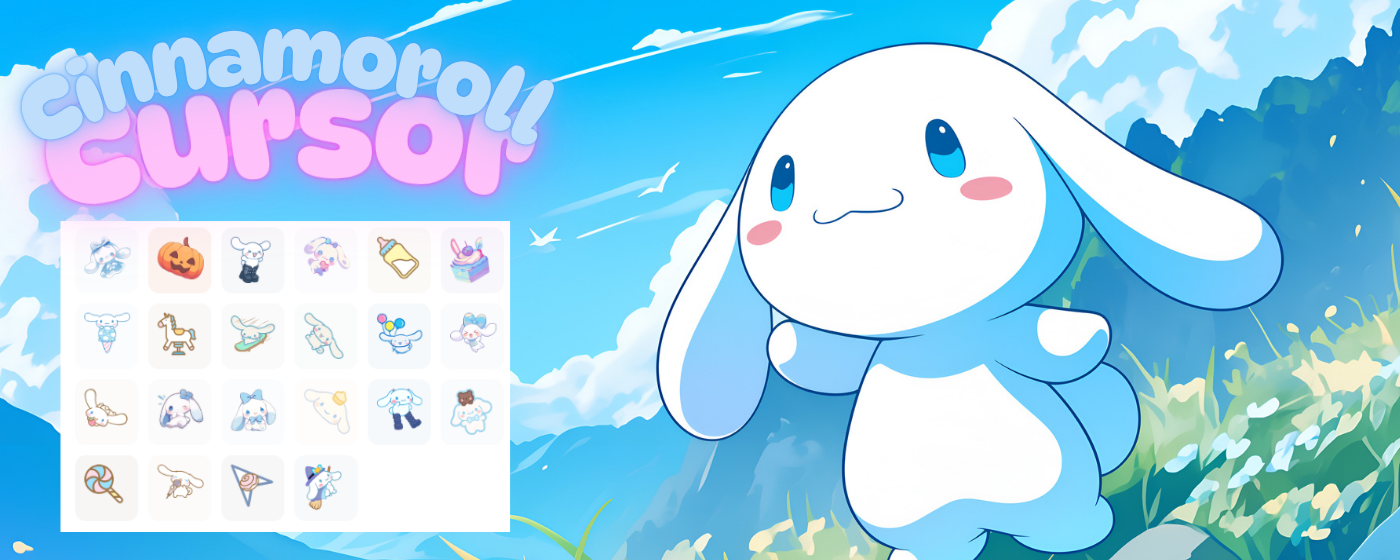
What Is Cinnamoroll Cursor?
The Cinnamoroll cursor for Chrome is a browser extension that replaces your default mouse pointer with charming, kawaii-style designs inspired by Sanrio’s beloved Cinnamoroll character. Whether you’re a longtime fan of the fluffy white puppy with the iconic long ears or simply love soft pastel aesthetics, this extension brings a touch of sweetness to every click, scroll, and hover. Instead of a plain arrow, your cursor becomes a delightful piece of Sanrio art every time you open a new tab or browse the web.
Key Features of Cinnamoroll Cursor
Wide Selection of Cinnamoroll Designs
The extension offers a variety of cursor designs featuring Cinnamoroll himself alongside his friends, cinnamon rolls, fluffy clouds, and pastel-themed illustrations. Each design is carefully crafted to reflect the soft, dreamy world that Cinnamoroll fans know and love. You’ll never get bored when there are so many adorable options to rotate through.
High-Quality Kawaii Graphics
Every cursor in the collection is rendered with crisp, clean visuals that look sharp on all screen resolutions including high-DPI and Retina displays. The artwork faithfully captures the gentle, rounded aesthetic of official Sanrio character design, so your cursor always looks polished and true to the source material.
Customizable Cursor Size
Not everyone prefers the same cursor size, and this extension accounts for that with a built-in size slider. You can scale your Cinnamoroll cursor up for better visibility or keep it small for a more subtle look — the choice is entirely yours. The adjustment takes effect instantly without requiring a page reload.
Favorites System
If you find a cursor design you absolutely love, you can mark it as a favorite for quick access later. This saves you from scrolling through the entire collection every time you want to switch things up. Your favorites are saved locally, so they persist between browser sessions.
Zero Performance Impact
The extension is built to be lightweight and efficient, meaning it won’t slow down your browsing or consume excessive memory. It runs quietly in the background so you can enjoy your kawaii cursor without any noticeable effect on page load times or system resources.
Easy Toggle On and Off
Sometimes you need your standard cursor back in a hurry — for a presentation, a video call, or any other reason. The extension includes a simple on/off toggle so you can disable the custom cursor instantly without uninstalling the extension. Re-enabling it is just as quick.
How to Install Cinnamoroll Cursor
- Open the Chrome Web Store and search for “Cinnamoroll Cursor.”
- Click the “Add to Chrome” button on the extension listing page.
- Confirm the installation prompt to add the extension to your browser.
- Once installed, click the Cinnamoroll Cursor icon in your Chrome toolbar.
- Browse the available cursor designs and click one to activate it.
- Use the size slider if you want to adjust the cursor dimensions.
- Star your favorite designs to save them for easy access later.
Why Sanrio Fans and Kawaii Enthusiasts Love It
Cinnamoroll has maintained a dedicated global fanbase for decades, consistently ranking among the most popular Sanrio characters worldwide. For fans, personalizing their digital space with Cinnamoroll imagery is a natural extension of their love for the character. This extension makes it effortless to bring that personality into everyday browsing without needing any technical knowledge or design experience.
Beyond hardcore Sanrio collectors, this extension also appeals to anyone who appreciates the broader kawaii aesthetic — soft colors, rounded shapes, and an overall sense of gentle whimsy. It’s a small but meaningful way to make your browser feel more personal and joyful. Many users report that simply seeing their cute cursor during a long workday gives them a small but genuine mood boost.
The extension is also popular among content creators, streamers, and anyone who shares their screen regularly and wants their setup to reflect their personality. A custom Cinnamoroll cursor is a subtle but immediately noticeable detail that fans in your audience will appreciate.
Screenshots

Frequently Asked Questions
Does the Cinnamoroll cursor work on all websites?
The cursor works on the vast majority of websites. A small number of sites with custom cursor implementations may override the extension’s cursor, but this is rare and typically limited to browser-based games or highly customized web applications.
Will this extension slow down my browser?
No. The extension is designed to be extremely lightweight and has no measurable impact on browsing speed or memory usage under normal conditions.
Can I use this extension on browsers other than Chrome?
This extension is built specifically for Google Chrome. However, it may also work on Chromium-based browsers such as Microsoft Edge or Brave, since they support Chrome extensions from the Web Store.
Are the cursor designs officially licensed by Sanrio?
The extension is fan-made and inspired by Cinnamoroll’s iconic design. For questions about official licensing, we recommend reviewing the extension’s listing page on the Chrome Web Store for the most current information.
How do I switch between different cursor designs?
Simply click the extension icon in your Chrome toolbar at any time to open the cursor selection panel. From there you can browse all available designs and click any one to activate it immediately.
If you’ve been looking for a fun and effortless way to personalize your Chrome browser, the Cinnamoroll cursor extension is exactly what you need. Install it today and let every click carry a little Sanrio magic.






