

What Is the Club Penguin Cursor Extension?
The Club Penguin cursor extension is a lightweight Chrome add-on that replaces your default browser cursor with iconic designs from the beloved virtual world that shaped a generation of online gaming. Whether you grew up waddling through Penguin Chat or remember logging into Club Penguin Island after school, this extension brings a wave of nostalgia to every click, scroll, and hover. It works silently in the background, swapping your standard pointer for charming Club Penguin-themed cursors without affecting your browsing speed or performance.
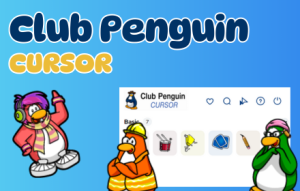
Key Features of the Club Penguin Cursor Extension
Wide Selection of Club Penguin Cursor Designs
Choose from a growing collection of cursor designs inspired by the world of Club Penguin. Options include puffles, penguin characters, pizza boxes, coins, snowballs, and other classic in-game elements that fans will instantly recognize. Each design stays true to the original art style of the game, making every cursor feel like it was pulled straight from the virtual island itself.
High-Quality, Crisp Graphics
Every cursor is crafted with clean, colorful artwork that looks sharp on any screen resolution. The designs avoid pixelation and blurring, so whether you are on a standard HD monitor or a high-DPI display, your Club Penguin cursor will always look polished and clear. The playful aesthetic matches the cheerful tone that made the original game so memorable.
Adjustable Cursor Size
Not everyone wants the same cursor size, and this extension accounts for that with a built-in size slider. You can scale the cursor up for better visibility or keep it smaller for a subtle nod to the game. The adjustment takes effect instantly, so you can fine-tune the size until it feels just right for your setup.
Favorites System for Quick Access
If you find a cursor design you love, you can mark it as a favorite for instant access the next time you open the extension panel. This is especially useful if you like rotating between a few different Club Penguin designs depending on your mood or the type of browsing you are doing. It saves time and keeps your preferred cursors always within reach.
Zero Performance Impact
The extension is built to be as lightweight as possible, adding no noticeable load to your browser. It runs quietly in the background without draining memory or slowing down page loads. You get the full nostalgic experience without making any compromise to your everyday browsing performance.
Easy Toggle On and Off
If you ever need to temporarily switch back to your default cursor — for a presentation, a work task, or any other reason — the extension can be toggled off with a single click from the browser toolbar. Switching back to your Club Penguin cursor is equally fast, making it completely hassle-free to use on a daily basis.
How to Install the Club Penguin Cursor Extension
- Open the Chrome Web Store and search for “Club Penguin Cursor.”
- Click the extension listing and select “Add to Chrome.”
- Confirm the installation prompt when it appears.
- Once installed, click the Club Penguin Cursor icon in your browser toolbar.
- Browse the available cursor designs and click on one to activate it.
- Use the size slider to adjust the cursor to your preferred dimensions.
- Star any designs you want to save to your favorites for quick access later.
Why Club Penguin Fans Love This Extension
For anyone who grew up playing Club Penguin, even the smallest callback to that world can spark a genuine smile. This extension taps directly into that nostalgia by making one of the most frequently used parts of your computer — your cursor — feel like a piece of the game you loved. It is not just a cosmetic tweak; it is a small daily reminder of a simpler, more playful time on the internet. Puffle lovers get to see their favorite fuzzy creatures follow their every move, while fans of the classic game icons get to relive the visual language that defined early online communities. The extension has become popular among Club Penguin veterans, retro gaming fans, and even younger users who have discovered the game through nostalgia content online.
Screenshots

Frequently Asked Questions
Does the Club Penguin cursor extension slow down Chrome?
No. The extension is designed to be extremely lightweight and has no measurable impact on browser performance. It runs in the background without consuming significant memory or CPU resources.
Can I use multiple cursor designs or only one at a time?
You can only have one cursor active at a time, but switching between designs is instant. You can also save your favorites so that switching between your most-used Club Penguin cursors takes just one click.
Does the cursor work on all websites?
The cursor works on the vast majority of websites. On some browser-restricted pages, such as the Chrome Web Store itself or the browser’s new tab page, custom cursors may not display due to browser security rules.
Is this extension officially affiliated with Club Penguin or Disney?
No. This is a fan-made extension created to celebrate the legacy of Club Penguin. It is not officially affiliated with or endorsed by Disney or any related entity.
Is the extension free to use?
Yes, the Club Penguin cursor extension is free to install and use. All cursor designs included in the extension are available at no cost.
If you are ready to bring a little bit of the island to your everyday browsing, install the Club Penguin cursor extension today and start waddling through the web in style.





