
What Is the Hazbin Hotel Cursor Extension?
The Hazbin Hotel cursor is a free Chrome extension that replaces your default mouse pointer with custom cursor designs inspired by Vivienne Medrano’s hit adult animated series. From Charlie Morningstar and Alastor the Radio Demon to Angel Dust, Vaggie, and Lucifer himself, every cursor in the collection captures the bold art style and chaotic energy that made Hazbin Hotel a global phenomenon. Whether you are rewatching episodes, browsing fan art, or just going about your daily internet use, this extension adds a hellishly fun personal touch to every click.
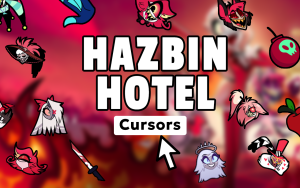
Key Features of the Hazbin Hotel Cursor Extension
Large Collection of Character Cursors
The extension includes cursor designs based on the full cast of Hazbin Hotel, including Charlie, Alastor, Angel Dust, Vaggie, Husk, Niffty, Sir Pentious, and Lucifer. You also get cursors featuring iconic show elements like musical notes, pentagram symbols, and the hotel itself. There is something for every type of fan, whether you are team redemption or firmly in Alastor’s corner.
Vibrant Animated Graphics
Each cursor is crafted to reflect the show’s distinctive visual style, featuring the bold color palettes, expressive line work, and dramatic flair that define Hazbin Hotel’s animation. The designs are sharp and detailed, so your cursor looks great on any screen resolution without appearing blurry or pixelated.
Adjustable Cursor Size
A built-in size slider lets you scale your cursor up or down to fit your display preferences. This is especially useful if you switch between a compact laptop screen and a larger external monitor, ensuring your chosen demon stays perfectly visible at all times.
Favorites System
You can mark your preferred cursor designs as favorites for quick access without having to scroll through the full collection every time. This makes it easy to rotate between a few top picks depending on your mood or the occasion.
Lightweight with No Performance Impact
The extension is built to run efficiently in the background without slowing down your browser or consuming extra memory. You get the full Hazbin Hotel aesthetic without sacrificing browsing speed or stability.
Easy Toggle On and Off
A simple one-click toggle in the browser toolbar lets you switch between the Hazbin Hotel cursor and your system default at any time. This is handy when you need a standard pointer for work or video calls but want to switch back to demon mode afterward.
How to Install the Hazbin Hotel Cursor Extension
- Open the Chrome Web Store and search for “Hazbin Hotel Cursor.”
- Click the extension listing and select “Add to Chrome.”
- Confirm the installation when prompted by your browser.
- Once installed, click the extension icon in your Chrome toolbar to open the cursor menu.
- Browse the character collection and click any cursor to activate it immediately.
- Use the size slider to adjust the cursor to your preferred dimensions.
- Mark your favorites using the star icon for faster switching later on.

Why Hazbin Hotel Fans Love This Extension
Hazbin Hotel has built one of the most devoted fan communities in modern animation, and this extension gives fans a subtle but satisfying way to carry that passion into everyday browsing. Instead of the same generic arrow pointer everyone else uses, you get a piece of the show’s iconic visual identity every time you move your mouse. It works seamlessly across all websites, streaming platforms, social media, and fan forums, making it an easy way to personalize your digital space. For fans who enjoy collecting merchandise, creating fan art, or participating in the fandom online, this cursor extension fits right into that lifestyle without any cost or complexity.
Screenshots

Frequently Asked Questions
Is the Hazbin Hotel cursor extension free to use?
Yes, the extension is completely free to install and use. All cursor designs in the collection are available without any subscription or in-app purchases.
Will this extension work on all websites?
The cursor works on the vast majority of websites you visit in Chrome. A small number of browser system pages may revert to the default cursor, but this is a standard browser limitation that affects all cursor extensions.
Can I use multiple cursor designs or only one at a time?
You can only have one active cursor at a time, but switching between designs is instant. The favorites feature makes it convenient to toggle between your top picks without scrolling through the full collection each time.
Does the extension require any special permissions?
The extension requires minimal permissions to function and does not collect personal data. It simply applies a visual overlay to your cursor as you browse.
Is this extension officially affiliated with A24 or Vivienne Medrano?
This is a fan-made extension created by independent developers and is not officially affiliated with or endorsed by the show’s creators or its production partners.
If you are a Hazbin Hotel fan looking to add some hellish personality to your Chrome browser, this cursor extension is a quick and completely free way to do exactly that. Install it today and let Charlie, Alastor, or your favorite demon lead the way every time you browse.






me encanta pero me gustaria que estuviera angel dust, si se que sale una telaraña en honor a el,pero me gustaria que salga su cara.
ok