What Is Hello Kitty Live Wallpaper?
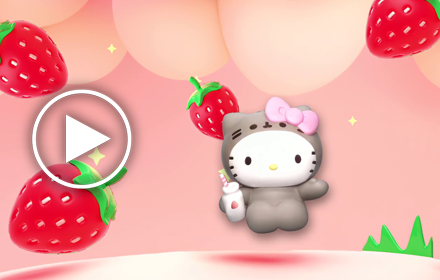
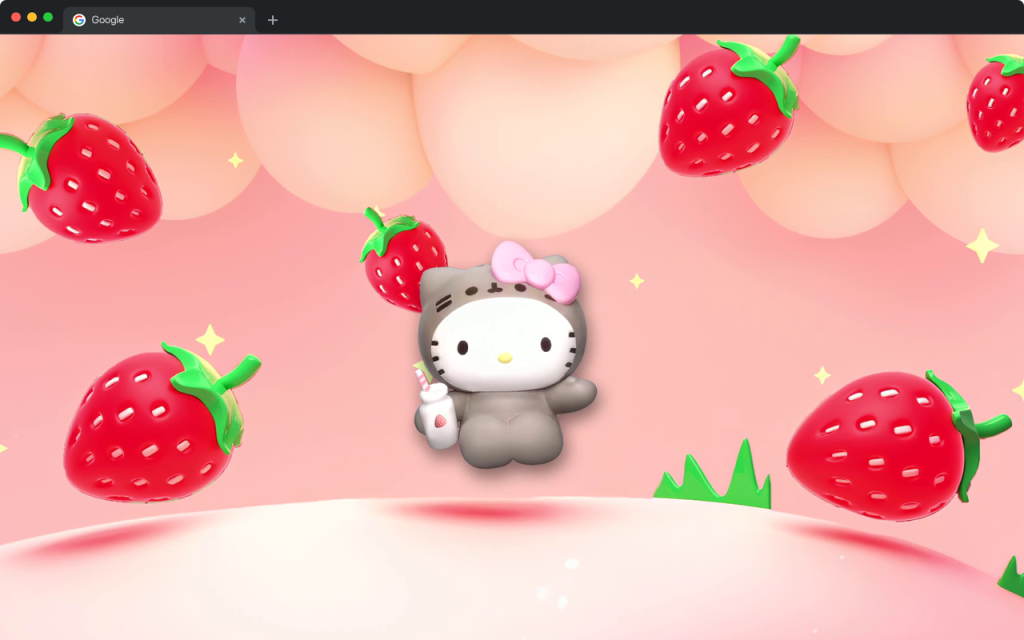
Hello Kitty Live Wallpaper is a free Chrome extension that turns every new tab into a kawaii-themed visual experience. Featuring the iconic Sanrio character in a charming strawberry cocktail aesthetic, this Hello Kitty live wallpaper brings animated HD scenes to your browser each time you open a new tab. Whether you are a longtime Hello Kitty fan or simply love the soft pink, girly aesthetic that has defined kawaii culture for over 50 years, this extension adds a touch of sweetness to your daily browsing routine.
Key Features of Hello Kitty Live Wallpaper
HD Animated Wallpaper
The extension delivers high-definition animated backgrounds starring Hello Kitty in her signature strawberry cocktail theme. Watch pink bubbles float across the screen, sparkling cocktail glasses shimmer, and Hello Kitty’s iconic red bow take center stage — all rendered in smooth, eye-catching animation that never slows your browser down.
Popular Website Shortcuts
Quick-access shortcuts to popular platforms like YouTube, Instagram, Twitter, and ChatGPT are built directly into the new tab dashboard. These one-click links keep you connected to the content and communities you care about without ever having to type a URL.
Custom Website Shortcut
Beyond the preset shortcuts, you can add your own favorite websites to the dashboard. Whether that is a Sanrio online store, a kawaii fashion blog, or your go-to social platform, the custom shortcut slot lets you personalize your new tab to match your lifestyle.
Integrated Search Bar
A built-in search bar lets you query the web using your default search engine directly from the new tab page. You can look up kawaii trends, Sanrio merchandise, or anything else without navigating away from your adorable dashboard first.
Clock and Date Display
A clean, readable clock and date display sits neatly within the Hello Kitty-themed layout. It keeps you on schedule without breaking the aesthetic, so staying organized feels as cute as the wallpaper surrounding it.
Settings and More Options
The extension includes an easy-to-access settings panel where you can manage preferences, review the privacy policy, and find uninstall instructions if needed. Everything is straightforward so you spend more time enjoying the visuals and less time figuring out the settings.
How to Install Hello Kitty Live Wallpaper
- Open the Google Chrome browser on your desktop or laptop computer.
- Navigate to the Chrome Web Store using the address bar.
- Type “Hello Kitty Live Wallpaper” into the search field and press Enter.
- Locate the extension in the search results and click on it to open the detail page.
- Click the “Add to Chrome” button and confirm any permission prompts that appear.
- Once installed, open a new tab to see your Hello Kitty animated wallpaper immediately.
Why Kawaii and Sanrio Fans Love It
Hello Kitty has been a cultural icon since 1974, and her appeal shows no signs of slowing down. Fans who grew up collecting Sanrio stationery or wearing Hello Kitty accessories now have a way to bring that nostalgia into their digital lives. The strawberry cocktail theme feels fresh and playful while honoring the classic pink-and-white color palette that makes the character instantly recognizable. Beyond aesthetics, the practical tools built into the extension — shortcuts, search, and a clock — mean this is not just decoration. It is a functional new tab page that happens to look incredibly cute. For anyone who wants their browser to reflect their personality, this extension delivers both style and substance.
Screenshots
Frequently Asked Questions
Is the Hello Kitty Live Wallpaper extension free to use?
Yes, the extension is completely free to install and use from the Chrome Web Store. There are no hidden charges or premium tiers required to enjoy the animated wallpapers and built-in tools.
Will this extension slow down my Chrome browser?
The animations are optimized for performance, so they run smoothly without putting significant strain on your system resources. Most users report no noticeable impact on browsing speed after installation.
Can I use this extension on browsers other than Chrome?
This extension is built specifically for Google Chrome. It may also work on Chromium-based browsers like Microsoft Edge or Brave, but it is officially supported on Chrome only.
How do I remove the extension if I no longer want it?
You can uninstall the extension at any time by right-clicking its icon in the Chrome toolbar and selecting “Remove from Chrome.” Alternatively, the settings panel within the extension includes an uninstall guide to walk you through the process.
Does the extension collect personal data?
Privacy details are outlined in the extension’s privacy policy, which is accessible through the settings panel inside the new tab page. It is recommended to review this policy if you have specific concerns about data usage.
If you love Sanrio aesthetics and want a browser experience that matches your kawaii personality, Hello Kitty Live Wallpaper is the perfect Chrome extension to brighten your day. Install it today and turn every new tab into a sweet celebration of one of the world’s most beloved characters.