
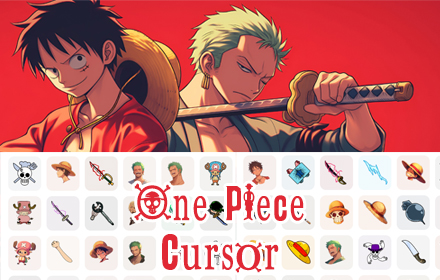
What Is the One Piece Cursor for Chrome?
The One Piece cursor for Chrome is a browser extension that replaces your default mouse pointer with custom-designed cursors inspired by the iconic anime and manga series. From Luffy’s straw hat to Zoro’s three swords and Sanji’s chef-themed designs, every cursor style brings a piece of the Grand Line directly to your screen. Whether you’ve been following the Straw Hat crew for years or you’re just getting into the series, this extension is a simple and satisfying way to personalize your daily browsing experience.

Key Features of the One Piece Cursor Extension
Anime-Inspired Cursor Designs
Each cursor in this collection is carefully crafted to represent iconic characters, symbols, and elements from the One Piece universe. You’ll find designs based on Devil Fruits, pirate ships, the Straw Hat Jolly Roger, treasure chests, and signature weapons — all rendered in a style faithful to the anime’s visual identity. These aren’t generic clipart icons; they’re thoughtfully designed to feel like a true part of the One Piece world.
Multiple Pirate Styles to Choose From
The extension includes several distinct cursor themes so you’re not locked into a single look. Switch between Luffy’s iconic straw hat cursor, Zoro’s three legendary swords, Sanji’s chef-inspired pointer, or the classic Straw Hat crew emblem. Each style has its own personality, making it easy to match your current mood or your favorite character.
Lightweight and Fast Performance
Unlike some browser extensions that slow down page loading or consume unnecessary memory, this cursor extension is fully optimized for smooth, uninterrupted browsing. It runs quietly in the background without interfering with Chrome’s speed or your system resources. You get the visual upgrade without any performance trade-offs.
One-Click Installation and Activation
Getting started takes less than a minute. Once installed, the custom cursor activates automatically across all websites — no configuration menus, no manual toggles, and no technical setup required. It’s designed to be accessible for everyone, from casual users to dedicated anime fans who just want things to work right away.
Easy Cursor Switching
Switching between cursor styles is straightforward thanks to intuitive controls built directly into the extension. You don’t need to uninstall and reinstall anything to try a different look. The extension also includes access to additional anime cursor collections, so if you enjoy One Piece, you’ll likely find other series that interest you as well.
How to Install the One Piece Cursor Extension
- Open the Chrome Web Store and search for “One Piece Cursor – Custom Anime Cursor for Chrome.”
- Click the “Add to Chrome” button on the extension listing page.
- When prompted, click “Add Extension” to confirm the installation.
- Once installed, the One Piece cursor will activate automatically across all websites.
- Use the extension icon in your Chrome toolbar to switch between available cursor styles.
Why Anime Fans Love This Extension
Anime fans who use Chrome day-to-day often look for small, meaningful ways to express their passion for the shows they love. This extension delivers exactly that — it’s a subtle but constant reminder of the series every time you move your mouse. It’s also a great conversation starter when sharing your screen during calls or streams. Beyond aesthetics, it genuinely makes routine browsing feel a little more fun and personalized. For dedicated One Piece fans, seeing Zoro’s swords or Luffy’s hat as your cursor adds a layer of enjoyment to something as mundane as clicking through tabs or filling out forms.
Screenshots

Frequently Asked Questions
Does this extension work on all websites?
Yes, the One Piece cursor activates across all websites you visit in Chrome. The cursor replacement is handled at the browser level, so it applies consistently regardless of which site you’re on.
Will this extension slow down my browser?
No. The extension is built to be lightweight and has minimal impact on browser performance. It does not interfere with page load times or consume significant memory in the background.
Can I switch back to the default cursor?
Absolutely. You can disable the extension at any time through Chrome’s extension manager, which will immediately restore your default system cursor without requiring an uninstall.
Are there other anime cursor styles available?
Yes. The extension includes a “More Cursors” option that connects you to additional anime-themed cursor collections beyond One Piece, covering a range of popular series.
Is the One Piece cursor extension free to use?
The extension is available to install for free. You can start using it immediately after installation without any subscription or payment required.
If you’re a One Piece fan looking to bring a touch of the Grand Line to your everyday browsing, this extension is one of the easiest and most enjoyable ways to do it. Install it today and let every click feel like one step closer to finding the One Piece.






does not work
Its working, Please share where its not working, Install and try on facebook and other pages.