
What Is the One-Punch Man Cursor for Chrome?
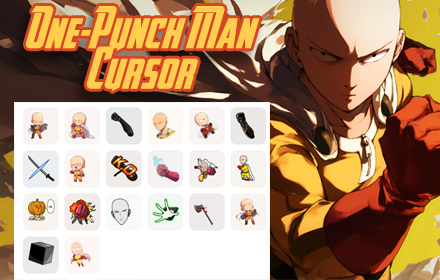
The One-Punch Man cursor for Chrome is a browser extension that replaces your default mouse pointer with animated cursor designs inspired by the popular anime and manga series. Featuring characters like Saitama, Genos, Boros, and Garou, this extension brings the energy of the One-Punch Man universe into your everyday browsing. Whether you are a dedicated fan of the series or simply want a bold cursor upgrade, this extension delivers a polished visual experience without any complex setup.
Created for fans who want to personalize their browser beyond wallpapers and themes, this extension works across all websites in Google Chrome. It is lightweight, responsive, and designed to run smoothly without affecting your browser performance or page load times.
Key Features of the One-Punch Man Cursor Extension
Animated Anime-Inspired Cursor Designs
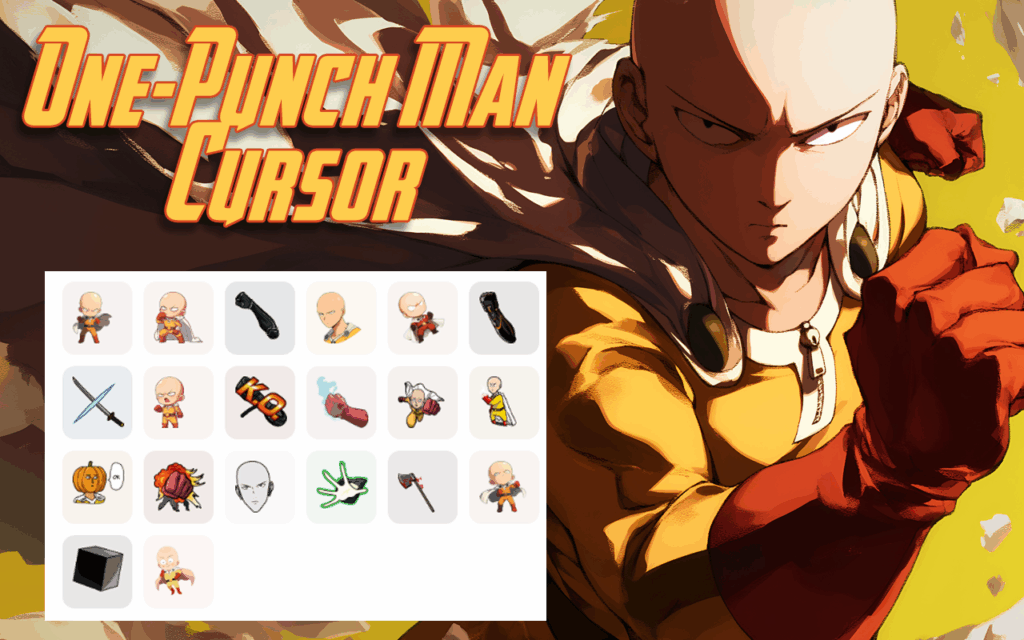
Each cursor in this extension is crafted with high-quality graphics inspired by iconic moments and characters from the One-Punch Man series. From Saitama’s recognizable hero suit to Genos’s mechanical detail, the designs are sharp, clean, and faithful to the source material. Smooth animations make every mouse movement feel dynamic and intentional.
Multiple Character and Theme Options
The extension includes cursor styles based on a wide range of characters, giving you the freedom to match your cursor to your favorite hero or villain. Available character themes include Saitama, Genos, Boros, Garou, Deep Sea King, Mosquito Girl, Lord Orochi, and more. Switching between themes is simple, so you can change your cursor style whenever you want a fresh look.
Lightweight and Performance-Friendly
Unlike heavier browser modifications, this cursor extension is optimized to run efficiently in the background without consuming excessive memory or CPU resources. Your browsing speed and tab performance remain unaffected, even when the animated cursor is active across multiple tabs. It is built to be a seamless addition to your Chrome setup.
Instant Activation with No Configuration Required
Once installed, the extension activates automatically and your cursor changes immediately across all open tabs. There is no registration, login, or manual configuration needed to get started. The entire process from installation to use takes less than a minute.
Broad Website Compatibility
The One-Punch Man cursor works reliably on virtually all websites, including social media platforms, productivity tools, video streaming sites, and general browsing. It is designed to function correctly even on sites with custom CSS, ensuring your cursor stays visible and consistent wherever you browse.
How to Install the One-Punch Man Cursor Extension
- Open the Google Chrome browser on your desktop or laptop computer.
- Navigate to the Chrome Web Store and search for “One-Punch Man Cursor.”
- Locate the correct extension in the search results and click on it to open the details page.
- Click the “Add to Chrome” button and confirm by selecting “Add Extension” in the popup dialog.
- Wait a few seconds for the extension to install. Your cursor will update automatically once installation is complete.
- To switch between cursor themes, click the extension icon in your Chrome toolbar and select your preferred character style.
Why One-Punch Man Fans Love This Extension
For fans of the series, this extension is more than a cosmetic tweak — it is a way to express a passion for one of the most celebrated anime franchises in recent years. Saitama’s story of overwhelming power and understated personality has resonated with millions of viewers worldwide, and this cursor lets fans carry a piece of that energy into their daily digital routine. The attention to detail in the character designs makes it immediately recognizable to anyone familiar with the series.
Beyond fandom, the extension is simply a fun and easy way to make your browser feel more personal. Many users appreciate that it adds personality to their workspace without being distracting or intrusive. The cursor designs are bold enough to notice but refined enough to work well in any browsing context, whether casual or professional.
Screenshots
Frequently Asked Questions
Does the One-Punch Man cursor slow down Chrome?
No. The extension is optimized for lightweight performance and does not noticeably impact browser speed, memory usage, or page loading times under normal conditions.
Can I switch back to my default cursor if I want?
Yes. You can disable the extension at any time through Chrome’s extension manager, which will immediately restore your default system cursor without any permanent changes.
Does this extension work on all websites?
The cursor is designed to work across the vast majority of websites. In rare cases, certain websites with heavily customized interfaces may override the cursor style, but this is uncommon.
Is the extension free to use?
Yes, the One-Punch Man cursor extension is available for free and does not require any account creation or subscription to activate and use its core features.
How many cursor styles are included in the extension?
The extension includes multiple cursor themes based on different characters from the One-Punch Man universe, including both heroes and monsters. The exact number of available styles may vary as the extension is updated over time.
If you are ready to give your browser a personality upgrade inspired by the world’s strongest hero, the One-Punch Man cursor extension is the perfect place to start. Add it to Chrome today and make every click count.





