
What Is the Pac-Man Cursor for Chrome?
The Pac-Man cursor for Chrome is a free browser extension that replaces your default mouse pointer with animated, pixel-perfect designs inspired by the classic 1980 Namco arcade game. Instead of a plain arrow, you get iconic characters and elements from the game — including Pac-Man himself, the four ghosts, fruit items, and power pellets — all rendered in faithful 8-bit style. It is a simple but satisfying way to add a layer of personality to everyday browsing without affecting performance or usability.
Key Features of the Pac-Man Cursor Extension
Arcade-Accurate Cursor Designs
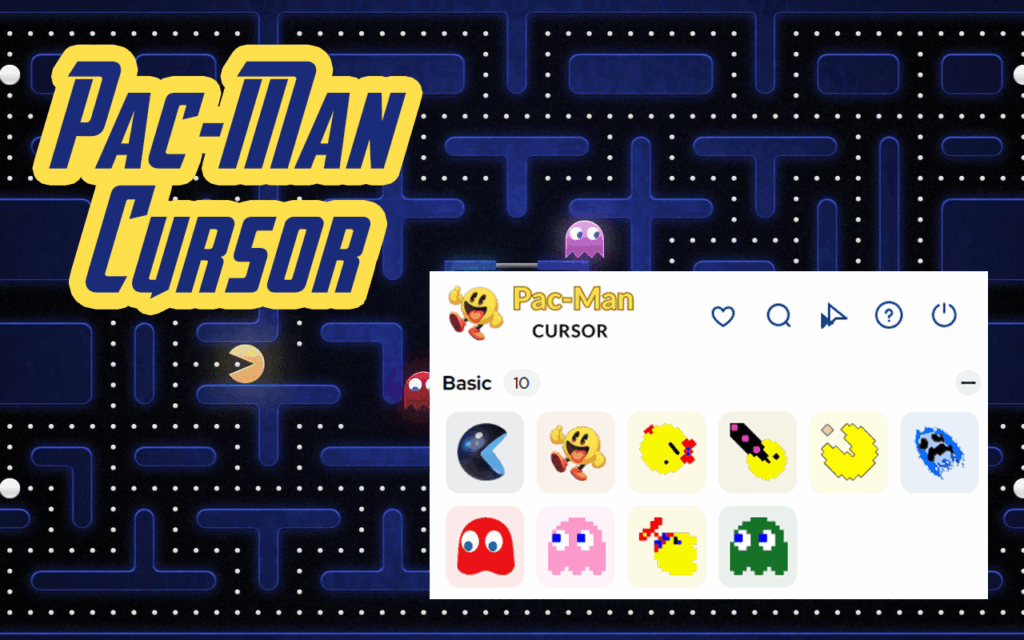
Every cursor in this extension is modeled directly after elements from the original Pac-Man arcade game. You can choose from Pac-Man’s classic open-mouth design, the ghosts Blinky, Pinky, Inky, and Clyde, ghost eyes, fruit icons such as cherries and strawberries, power pellets, and Pac-Dots. Each design is crafted to be instantly recognizable to fans of the franchise.
Smooth Animations
The cursors are not static images — they feature smooth, frame-by-frame animations that mimic the movement style of the original game. Pac-Man chomps as you move across the screen, giving the extension an authentic arcade feel rather than just a cosmetic swap.
Multiple Retro Cursor Themes
The extension includes several theme variations so you can switch between different moods and styles. Whether you prefer Pac-Man chasing dots, a ghost pursuing him across the maze, or a power-up fruit icon, there is a theme to match your preference. Switching between styles takes only a few seconds inside the extension panel.
Lightweight and Performance-Friendly
The extension is built to run quietly in the background without consuming significant system resources. It does not slow down page load times, interfere with JavaScript-heavy websites, or cause lag during normal browsing sessions. You get the visual upgrade without any trade-off in browser performance.
Universal Website Compatibility
The Pac-Man cursor works across virtually all websites you visit in Chrome, including social media platforms, productivity tools, news sites, and video streaming services. There are no whitelist restrictions or site-specific limitations — the cursor follows you everywhere you browse.
How to Install the Pac-Man Cursor Extension
- Open the Google Chrome browser on your desktop or laptop.
- Navigate to the Chrome Web Store and search for Pac-Man Cursor.
- Click on the extension listing that matches this extension.
- Select Add to Chrome and confirm the installation when prompted.
- Once installed, click the extension icon in your toolbar to open the theme selector.
- Choose your preferred cursor design and start browsing with your new retro cursor active.
Why Retro Gaming Fans Love This Extension
Pac-Man holds a unique place in gaming history as one of the first truly mainstream video game characters, recognized across generations and cultures. For fans who grew up pumping quarters into arcade cabinets or playing home console ports, this extension is a small but genuine nod to that era. It transforms one of the most overlooked parts of the browser interface — the cursor — into something that sparks a real sense of nostalgia. Beyond nostalgia, it is also simply fun. Coworkers notice it during screen shares, and it adds a lighthearted touch to an otherwise routine part of daily computer use. Gamers, designers, streamers, and anyone who appreciates retro aesthetics will find it worth keeping installed.
Screenshots
Frequently Asked Questions
Does the Pac-Man cursor work on all websites?
Yes, the extension applies the custom cursor across all websites you visit in Chrome. A small number of sites with strict content security policies may override custom cursors, but this is rare and limited to specific web applications.
Will this extension slow down my browser?
No. The extension is optimized for low resource usage and runs efficiently in the background. Most users report no noticeable impact on browsing speed or system performance after installation.
Can I switch between different Pac-Man cursor styles?
Yes. The extension includes multiple cursor themes based on different Pac-Man characters and game elements. You can switch between them at any time using the extension’s built-in theme panel.
Is the extension free to use?
The Pac-Man cursor extension is available as a free download from the Chrome Web Store. There are no subscriptions or hidden fees required to access the core cursor designs.
Does it work on Windows and Mac?
Yes. Because the extension runs inside the Chrome browser, it works on any operating system that supports Chrome, including Windows, macOS, and Linux.
If you are looking for a quick and fun way to personalize your browser experience, the Pac-Man cursor extension is a great choice. Install it today and give your cursor the retro arcade makeover it deserves.





