

If you love Sanrio characters and want your browser to reflect your kawaii aesthetic, the Hello Kitty cursor Chrome extension is exactly what you need. This lightweight browser add-on replaces your default mouse pointer with charming Hello Kitty-themed designs, bringing the sweetness of Sanrio — including Keroppi, My Melody, and Cinnamoroll — right to your screen every time you browse.
What Is the Hello Kitty Cursor Extension?
The Hello Kitty Cursor is a Chrome browser extension that swaps out your standard mouse pointer for custom cursors inspired by Hello Kitty and her beloved Sanrio friends. It is designed for fans of kawaii culture who want to add a personal, playful touch to their everyday browsing without compromising browser performance. The extension is easy to install, simple to use, and works seamlessly across all websites.
Key Features of Hello Kitty Cursor for Chrome
Sanrio Character Cursor Collection
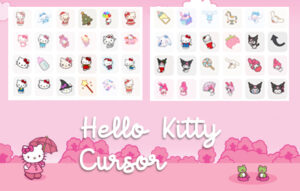
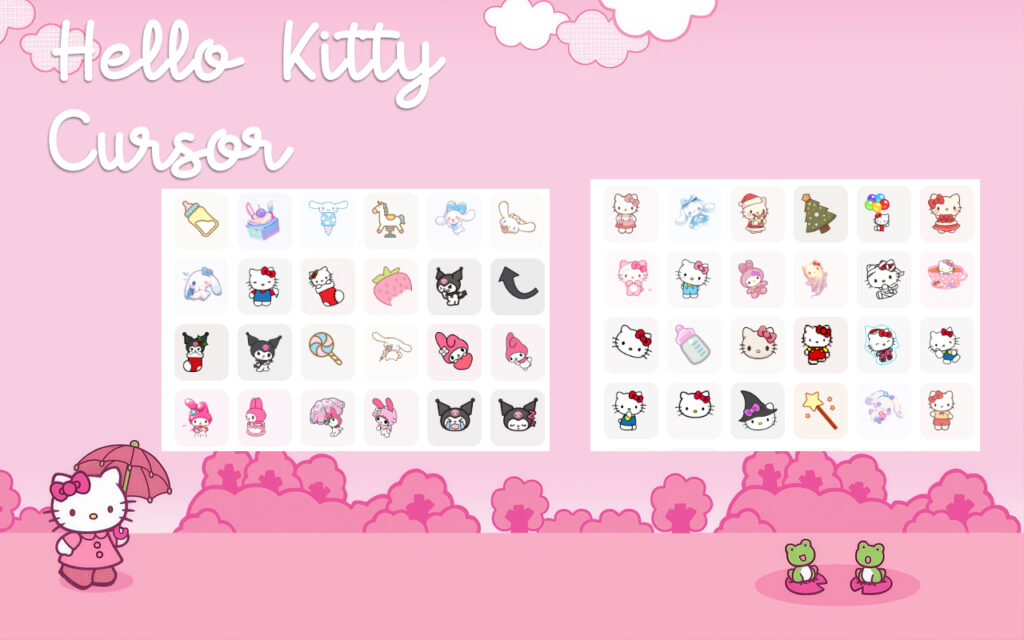
The extension includes a wide variety of cursor designs drawn from the iconic Sanrio universe. You can choose from Hello Kitty, Keroppi, My Melody, Cinnamoroll, and other fan-favorite characters, giving you plenty of options to match your mood or aesthetic.
High-Quality Kawaii Graphics
Every cursor is rendered with crisp, colorful visuals that stay true to the soft pastel aesthetic Sanrio is known for. The designs look great on all screen sizes and display resolutions, ensuring your cursor always looks polished and cute.
Adjustable Cursor Size
You can customize the size of your cursor to fit your screen and personal preference. Whether you prefer a subtle small pointer or a larger, more expressive design, the extension gives you the flexibility to set it just right.
Favorites System
The built-in favorites feature lets you save your most-used cursors for quick access. This is especially useful if you like to switch between multiple Sanrio characters depending on the day or the task at hand.
Zero Performance Impact
The extension is built to be lightweight, meaning it adds no noticeable lag or slowdown to your browsing experience. You get full kawaii style without sacrificing the speed or responsiveness of your browser.
Easy Toggle On and Off
Need to switch back to your default cursor for a meeting or a specific task? The extension includes a simple on/off toggle that lets you disable the custom cursor instantly and re-enable it just as quickly.
How to Install the Hello Kitty Cursor Extension
- Open the Chrome Web Store in your Chrome browser.
- Type Hello Kitty Cursor into the search bar.
- Locate the extension in the search results and click on it.
- Click Add to Chrome and confirm the installation prompt.
- Once installed, click the extension icon in your toolbar to open the cursor selector.
- Browse the available Sanrio designs and click any cursor to activate it immediately.
Why Sanrio Fans and Kawaii Lovers Adore This Extension
This extension goes beyond simple browser customization. For Hello Kitty fans, it is a small but meaningful way to express a love for Sanrio culture throughout the day. Students who spend long hours studying online, streamers who want a distinctive on-screen look, and creatives who care about the details of their digital workspace all find real value in this kind of personalization. Seeing a familiar and cheerful character follow your cursor across the screen genuinely adds a layer of comfort and positivity to otherwise routine tasks. It is a simple upgrade that consistently brings a smile.
Screenshots
Frequently Asked Questions
Does the Hello Kitty Cursor extension work on all websites?
Yes, the custom cursor is designed to work across all websites you visit in Chrome. There may be occasional exceptions on browser system pages, but it functions normally on the vast majority of sites.
Will this extension slow down my browser?
No. The extension is built to be lightweight and has no measurable impact on browsing speed or system performance.
Can I use more than one Sanrio cursor design?
Absolutely. The extension lets you switch between available cursor designs at any time, and you can save your favorites for faster access when you want to change things up.
Is this extension free to use?
Yes, the Hello Kitty Cursor Chrome extension is free to download and use from the Chrome Web Store.
Can I turn off the custom cursor without uninstalling the extension?
Yes. The extension includes a toggle option that lets you disable the custom cursor instantly without removing the extension from your browser.
If you are ready to make your browsing experience a little more colorful and a lot more kawaii, the Hello Kitty Cursor extension is a must-have addition to your Chrome browser. Install it today and let Hello Kitty lead the way.







