

If you are a fan of Light Yagami, Ryuk, and the psychological brilliance of Death Note, the Death Note Cursor Chrome extension is the perfect way to bring that dark, iconic aesthetic into your everyday browsing. This browser add-on replaces your default mouse pointer with beautifully crafted cursors inspired by one of the most celebrated anime and manga series ever created. From the Death Note notebook itself to Shinigami-inspired designs, every click becomes a small tribute to the series that redefined anime storytelling.
What Is the Death Note Cursor Extension?
The Death Note Cursor is a lightweight Chrome browser extension that replaces your standard cursor with custom-designed pointers themed around the Death Note universe. It is built for anime enthusiasts who want to personalize their browsing experience without sacrificing performance or usability. The extension offers multiple cursor styles, intuitive controls, and zero impact on browser speed, making it both a functional and expressive tool for fans of the series.
Whether you are a die-hard Kira supporter, a Ryuk admirer, or simply someone who appreciates dark and stylish design, this extension gives your browser a personality that matches your taste.
Key Features of the Death Note Cursor Extension
Death Note-Themed Cursor Designs
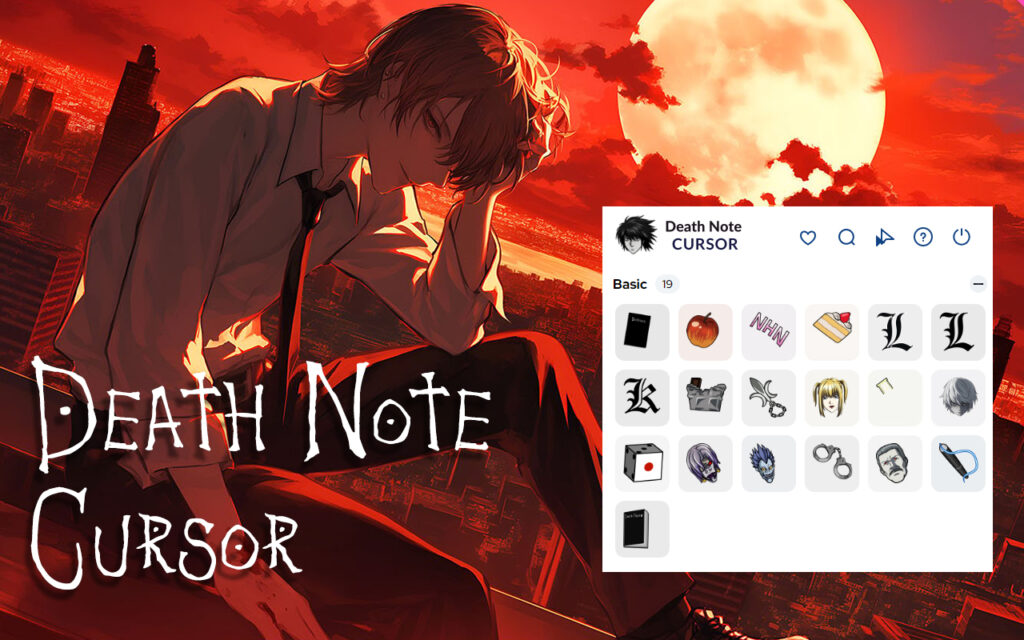
The extension includes a curated collection of cursor designs drawn directly from the Death Note universe. Each cursor is crafted to reflect the dark, intense, and mysterious atmosphere of the anime, giving you an immersive visual experience every time you move your mouse.
High-Quality Graphics
Every cursor is rendered with sharp, detailed visuals that hold up across different screen sizes and resolutions. The designs are clean and precise, so the cursors look great whether you are on a standard HD monitor or a high-resolution display.
Customizable Cursor Size
You can adjust the size of your cursor to suit your preferences and display setup. This flexibility ensures the cursor remains comfortable and visible regardless of the screen or resolution you are using.
Favorites System
The extension includes a favorites feature that lets you bookmark your preferred cursor designs for quick access. Instead of browsing the full collection every time, you can jump straight to the styles you love most with a single click.
Zero Performance Impact
The Death Note Cursor runs efficiently in the background without consuming significant system resources. There is no lag, no slowdown, and no interference with your browsing sessions, even when multiple tabs are open.
Easy Toggle On and Off
You can instantly enable or disable the custom cursor directly from the Chrome toolbar. This makes it easy to switch back to a standard cursor when needed, such as during work meetings, presentations, or on sites where a default cursor is preferred.
How to Install the Death Note Cursor Extension
- Open the Google Chrome browser on your desktop or laptop.
- Visit the Chrome Web Store and search for Death Note Cursor.
- Click the Add to Chrome button on the extension listing page.
- Confirm the installation when prompted by clicking Add Extension.
- Once installed, click the extension icon in the Chrome toolbar to open the cursor picker.
- Browse the available Death Note cursor themes and select the one you want to use.
- Your cursor will update instantly — no restart required.
Why Anime Fans Love the Death Note Cursor
Personalizing your browser might seem like a small detail, but for fans of Death Note, it is a meaningful way to keep the series close during everyday tasks. The extension appeals to a wide range of users, from students and writers to gamers and remote workers who want a workspace that reflects their personality.
The Death Note aesthetic, with its dark tones, gothic typography, and iconic imagery, translates exceptionally well into cursor design. Using this extension feels like a subtle nod to the series rather than an over-the-top declaration, which is exactly why it resonates with long-time fans and newcomers alike. It is a small but satisfying way to express your love for one of anime’s most iconic stories.
Screenshots
Frequently Asked Questions
Is the Death Note Cursor extension free to use?
Yes, the extension is free to install and use. You can access the full collection of cursor designs without any subscription or payment required.
Will this extension slow down my Chrome browser?
No. The extension is designed to be extremely lightweight and runs in the background without affecting browser speed or performance. Most users report no noticeable difference in browsing behavior after installation.
Can I use multiple cursor styles from the collection?
Absolutely. You can switch between different Death Note cursor designs at any time through the extension panel. The favorites system also lets you save preferred styles for faster switching.
Does the extension work on all websites?
The custom cursor works across most websites you visit in Chrome. However, some websites with their own cursor settings may override the extension on specific pages. You can always toggle the extension off and on using the toolbar icon.
Is the extension safe to install?
Yes. The extension follows standard Chrome extension guidelines and does not collect personal data or interfere with your browsing history. It functions solely as a visual customization tool.
If you are ready to give your browser the Death Note treatment, install the extension today and let every click carry the weight of a Shinigami’s world. It is a small upgrade that makes a surprisingly big difference in how your browsing feels.





