
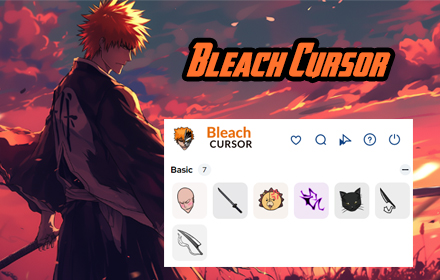
If you are a dedicated fan of the Bleach anime and manga series, the Bleach Cursor Chrome extension is a simple yet satisfying way to carry that passion into your daily browsing. Instead of the plain default arrow, your mouse pointer becomes one of several iconic designs pulled straight from the world of Shinigami — think Zanpakuto blades, Hollow masks, and the Substitute Soul Reaper badge. Whether you are rewatching classic arcs, reading the Thousand-Year Blood War manga, or just scrolling through your feed, this extension adds a layer of flair that true fans will instantly appreciate.
What Is the Bleach Cursor Chrome Extension?
The Bleach Cursor Chrome extension is a lightweight browser add-on that replaces your standard mouse cursor with custom anime-themed pointer designs from the Bleach universe. It installs directly into Google Chrome and activates automatically on most websites, requiring no technical knowledge or account setup. The extension is built for fans who want to personalize their browser without sacrificing speed or usability. It runs quietly in the background and has no measurable impact on page load times or system performance.
Key Features of the Bleach Cursor Chrome Extension
Iconic Bleach-Themed Cursor Designs
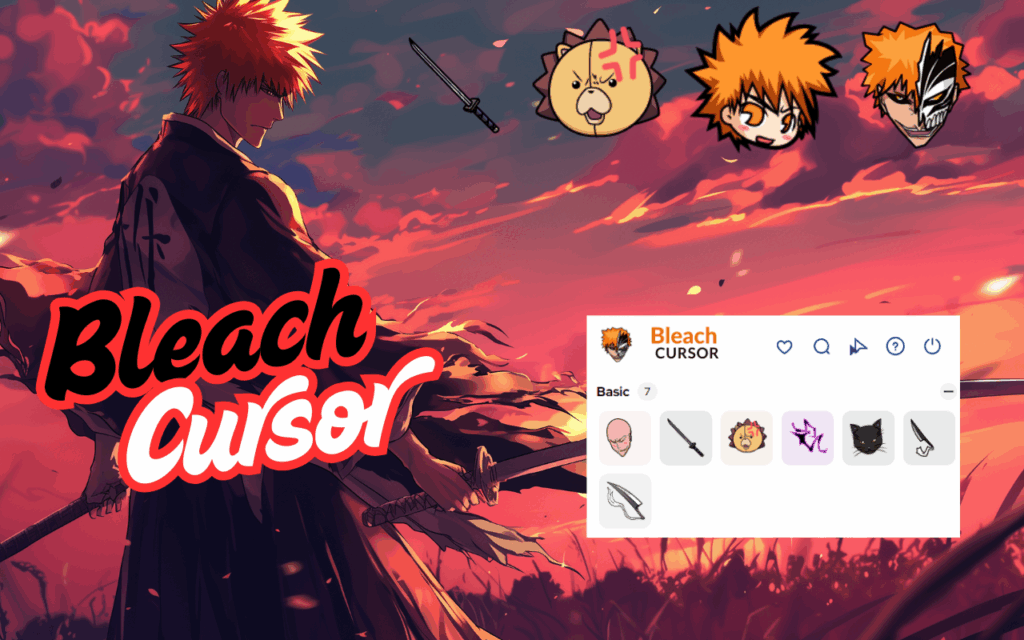
The extension offers a selection of cursor styles drawn from memorable elements of the series, including Ichigo’s Zangetsu, Rukia’s Sode no Shirayuki, Toshiro Hitsugaya’s ice dragon Hyorinmaru, Hollow masks, and the Substitute Soul Reaper badge. Each design is crafted to be immediately recognizable to fans of the show. Whether you prefer the raw power of Ichigo’s Bankai or the elegance of a captain-level Zanpakuto, there is a cursor style that matches your taste.
High-Quality, Crisp Visuals
Every cursor in this extension is rendered with sharp, detailed artwork that holds up well at standard screen resolutions. The designs stay true to the aesthetic of the anime without looking pixelated or out of place on modern websites. This attention to visual quality ensures the cursors feel like a natural extension of the Bleach art style rather than a rough fan-made copy.
Easy Style Switching via Toolbar Menu
Changing between cursor designs takes only a few seconds through the extension’s toolbar popup. You do not need to dig through settings menus or restart your browser to switch styles. This makes it easy to rotate between your favorite Bleach cursor options depending on your mood or what you are doing online.
Lightweight and Zero-Lag Performance
The extension is engineered to be as light as possible, consuming minimal CPU and memory resources during use. Unlike some browser add-ons that slow down tab loading or introduce noticeable lag, this cursor tool runs smoothly alongside your normal browsing activity. You get the full visual experience without any performance trade-offs.
No Account or Configuration Required
Once installed, the extension works immediately without requiring you to create an account, log in, or adjust any settings. It is a true plug-and-play tool designed to be accessible to all Chrome users regardless of technical skill level. Simply add it to Chrome and the custom cursor activates the next time you open a supported website.
How to Install the Bleach Cursor Extension
- Open the Google Chrome browser on your desktop or laptop.
- Navigate to the Chrome Web Store and search for Bleach Cursor.
- Click the Add to Chrome button on the extension listing page.
- Confirm the installation prompt by clicking Add Extension.
- Refresh any tabs that were already open before installation.
- Visit any standard website — such as a news site or social media platform — to see your new Bleach cursor in action.
Note: The custom cursor may not appear on Chrome Web Store pages or the browser’s new tab screen, as these are restricted by Chrome’s security policies. It will work correctly on the vast majority of everyday websites.
Why Bleach Fans Love This Extension
For many fans, Bleach is more than an anime — it is a story about identity, duty, and the will to protect others. Having a piece of that world follow your every click makes even mundane tasks feel more personal. Students use it while studying, writers keep it active while drafting creative projects, and gamers enjoy it between sessions. It is a small but meaningful way to keep a beloved series present in everyday life without being intrusive or distracting.
Screenshots
Frequently Asked Questions
Does the Bleach Cursor extension slow down Chrome?
No. The extension is built to be extremely lightweight and does not affect browser speed, page loading times, or overall system performance during normal use.
Can I use multiple cursor styles or switch between them?
Yes. The extension includes several Bleach-themed cursor designs, and you can switch between them at any time using the toolbar popup without restarting Chrome.
Will the cursor work on every website I visit?
The cursor works on most standard websites. However, due to Chrome’s built-in restrictions, it will not appear on Chrome Web Store pages or the browser’s default new tab and home screens.
Do I need to create an account to use the extension?
No account is needed. The extension activates immediately after installation with no login, registration, or configuration required.
Is this extension safe to install?
Yes. The extension is available through the Chrome Web Store and follows Google’s extension publishing guidelines. It does not collect personal data or interfere with your browsing history.
If you want to show your love for one of anime’s most iconic series every time you sit down at your computer, the Bleach Cursor Chrome extension is an effortless way to do it. Search for it on the Chrome Web Store today and give your browser the Soul Reaper upgrade it deserves.





