

What Is the Hunter x Hunter Cursor Chrome Extension?
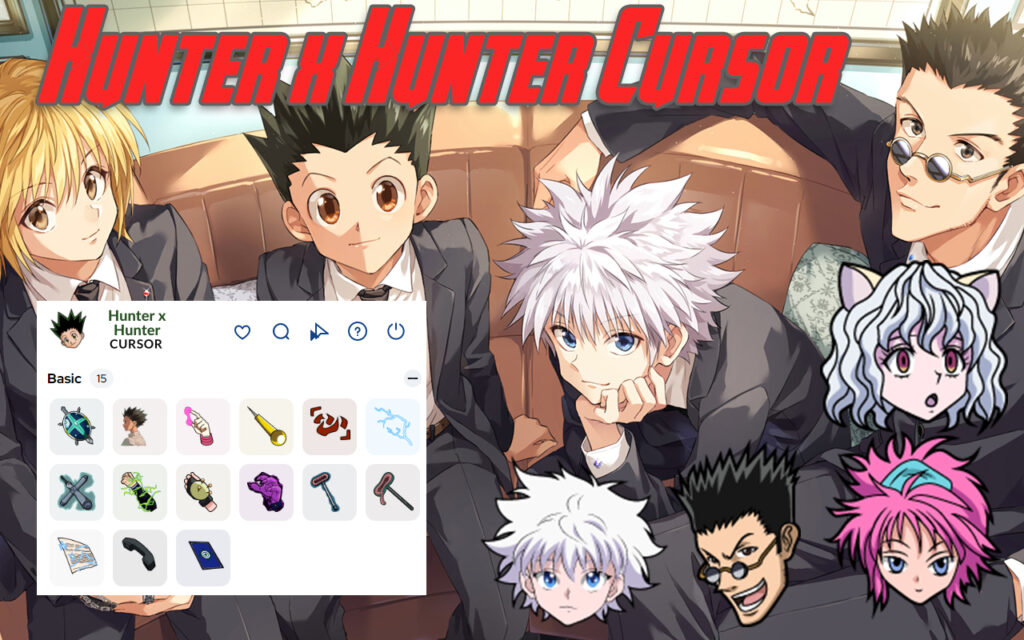
The Hunter x Hunter cursor Chrome extension is a free browser customization tool that replaces your default mouse pointer with custom-designed cursors inspired by the iconic anime and manga series. Whether you want to browse with Gon Freecss leading the way, Killua Zoldyck’s lightning energy at your fingertips, or Hisoka’s signature style following your every click, this extension brings the Hunter x Hunter universe into your daily web experience. It works seamlessly inside Google Chrome and Chromium-based browsers like Microsoft Edge, making it accessible to a wide range of anime fans.

Key Features of the Hunter x Hunter Cursor Extension
High-Quality Anime-Inspired Cursor Designs
Every cursor in this extension is crafted to reflect the visual style of the Hunter x Hunter series faithfully. The designs feature crisp, detailed graphics that look sharp at any screen resolution, so your cursor never appears blurry or pixelated during browsing.
Adjustable Cursor Size
The extension lets you resize your cursor anywhere between 16px and 64px to match your display preferences and monitor setup. Whether you use a small laptop screen or a large external monitor, you can dial in the exact size that feels most comfortable and visible.
Multiple Animation Speeds
Animated cursors in this extension support variable speed controls, so you can set the animation pace that suits your taste. Prefer a subtle, slow animation or a quick, energetic effect? The choice is entirely yours, and it can be changed at any time from the settings panel.
Favorites System
With the built-in favorites feature, you can save the cursor designs you use most often for instant access later. Instead of browsing through the full library every time you want to switch, your starred cursors are always just one click away.
Color Variants Per Design
Many cursor designs in the collection come with multiple color scheme options, giving you even more ways to personalize your experience. This means you are not locked into a single look and can switch up the aesthetic whenever you feel like a change.
Lightweight and Performance-Friendly
The extension uses less than 50MB of system resources, ensuring it has virtually no impact on your browser’s speed or performance. It is also battery-efficient, making it a practical choice for users on laptops who do not want unnecessary power drain from background processes.
Easy Toggle On and Off
If you ever need to return to your standard cursor temporarily, the extension offers a one-click toggle to disable and re-enable the custom cursor instantly. This makes it simple to switch contexts without having to uninstall or reconfigure anything.
How to Install the Hunter x Hunter Cursor Extension
- Open Google Chrome or any Chromium-based browser on your computer.
- Navigate to the Chrome Web Store using the browser’s address bar.
- Type Hunter x Hunter Cursor into the search field and press Enter.
- Locate the correct extension from the search results and click on it to open the listing.
- Click the Add to Chrome button and confirm by selecting Add Extension in the popup dialog.
- Wait for the extension to download and install automatically — this usually takes only a few seconds.
- Once installed, click the extension icon in your browser toolbar to open the settings panel.
- Browse the available cursor designs, select your favorite character, and adjust the size if needed.
- Your new Hunter x Hunter cursor is now active and ready to use across all websites.
Why Hunter x Hunter Fans Love This Extension
For fans of the series, this extension is more than just a cosmetic change — it is a small but meaningful way to carry their love of Hunter x Hunter into everyday life. Browsing the web with a Killua or Gon cursor adds a layer of personality to an otherwise routine activity. Because the extension is completely free and requires no account or subscription, there is no barrier to trying it out. Users also appreciate how well-optimized it is, since many similar extensions can cause noticeable slowdowns, while this one stays out of the way and simply works. The ability to customize size, speed, and color means every fan can create a setup that feels uniquely theirs.
Screenshots
Frequently Asked Questions
Is the Hunter x Hunter cursor extension free to use?
Yes, the extension is completely free. There are no hidden fees, premium tiers, or in-app purchases required to access any of the cursor designs in the collection.
Will this extension slow down my browser?
No. The extension is engineered to be lightweight, consuming less than 50MB of memory. Most users report no noticeable difference in browser speed or responsiveness after installing it.
Which browsers support this extension?
The extension is fully compatible with Google Chrome version 88 and higher. It also works on Microsoft Edge and other Chromium-based browsers that support Chrome Web Store extensions.
Can I use multiple cursor styles and switch between them?
Yes. The extension includes a favorites system that lets you save multiple cursor designs and switch between them quickly without needing to search through the full library each time.
Does the extension work on all websites?
The custom cursor works on the vast majority of websites you visit in Chrome. Some browser-protected pages, such as the Chrome settings page or the Web Store itself, may not display the custom cursor due to browser security restrictions.
If you are a Hunter x Hunter fan looking to add a personal touch to your browsing setup, this cursor extension is one of the easiest and most enjoyable ways to do it. Install it today and let your favorite characters follow your every move across the web.





