
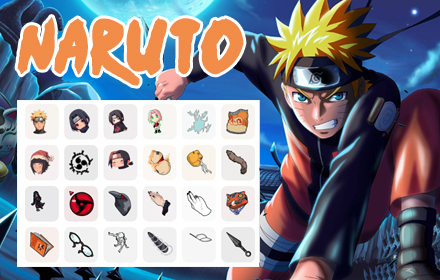
The Naruto Cursor Chrome extension lets you replace your plain browser pointer with iconic designs straight from the world of shinobi — think Kunai blades, Shuriken stars, the Sharingan eye, and the Uzumaki spiral. Whether you’re a longtime fan of the original series, Shippuden, or Boruto, this extension brings a touch of the Hidden Leaf Village to every page you visit. It’s a small change that makes your daily browsing feel unmistakably yours.
What Is the Naruto Cursor Extension?
The Naruto Cursor extension is a lightweight Chrome browser add-on that swaps your default mouse pointer for custom-designed cursors inspired by the Naruto anime and manga universe. Users can choose from multiple cursor styles, save their favorites, and toggle the extension on or off with a single click. The extension is designed for fans who want a personalized browsing experience without sacrificing browser speed or stability. It works seamlessly across websites and requires no technical knowledge to set up.
Key Features of the Naruto Cursor Chrome Extension
Naruto-Themed Cursor Designs
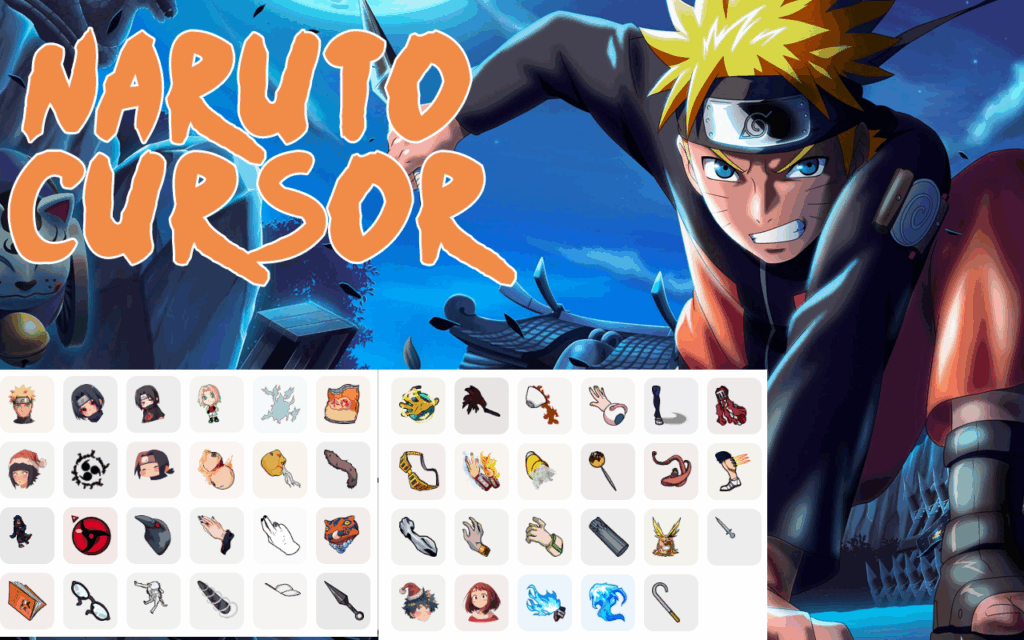
The extension includes a curated collection of cursor styles pulled directly from Naruto lore — Kunai and Shuriken throwing weapons, the Hidden Leaf headband, the Sharingan and Byakugan eyes, the Rasengan energy orb, and the Uzumaki clan spiral. Each design is crafted to be immediately recognizable to any fan of the series. New users can browse the full collection before selecting the cursor that best fits their personality.
High-Quality Graphics
Every cursor is rendered with sharp, clean lines that look great on both standard and high-resolution displays. The artwork stays true to the visual style of the anime, so each pointer feels like it belongs in the world of chakra and jutsu rather than a generic browser tool. The attention to detail makes a noticeable difference compared to lower-quality alternatives available in the Chrome Web Store.
Adjustable Cursor Size
Users can scale the cursor up or down to match their screen resolution and personal comfort. Larger displays benefit from a bigger cursor that stays visible during fast scrolling, while those who prefer minimal distraction can keep it compact. This flexibility ensures the extension works well for both casual browsers and power users.
Favorites System
The built-in favorites system lets you bookmark the cursor designs you use most often, so you don’t have to scroll through the full library every time you want to switch. This is especially useful for fans who rotate between multiple characters or themes throughout the day. Saved favorites persist across browser sessions, so your preferences are always ready when you open Chrome.
Zero Performance Impact
The extension is built to be lightweight, using minimal system resources so it never causes lag or slowdowns — even on older machines or during graphic-intensive browsing sessions. It runs quietly in the background without interfering with other extensions or webpage functionality. You get the full visual experience without any trade-off in browser performance.
Easy Toggle On and Off
A quick on/off toggle lets you disable the custom cursor whenever you need a standard pointer — useful for professional video calls, certain web applications, or any situation where a custom cursor might be distracting. Re-enabling it takes the same single click. The extension remembers your last active cursor so you’re never starting from scratch.
How to Install the Naruto Cursor Extension
- Open the Google Chrome browser on your desktop or laptop computer.
- Visit the Chrome Web Store and search for Naruto Cursor.
- Click the extension listing to open its detail page.
- Select Add to Chrome and confirm by clicking Add Extension in the popup.
- Once installed, click the extension icon in your Chrome toolbar to open the cursor library.
- Browse the available Naruto cursor designs, select your favorite, and start browsing.
Why Anime Fans Love the Naruto Cursor Extension
For Naruto fans, even the smallest detail can keep the spirit of the series alive in everyday life. Seeing a Kunai dart across your screen as you scroll through a research paper or watching the Sharingan spin on every click adds a layer of personality to an otherwise forgettable task. Students use it to stay motivated during long study sessions, gamers run it alongside their favorite Naruto games for a fully immersive setup, and creatives appreciate the visual style it brings to their workspace. It’s not just decoration — for many users, it’s a daily reminder of themes the series is built on: hard work, determination, and never giving up.
Screenshots
Frequently Asked Questions
Is the Naruto Cursor extension free to use?
Yes, the extension is completely free. You can download it from the Chrome Web Store and access the full cursor library without any paid subscription or in-app purchases.
Will this extension slow down my browser?
No. The Naruto Cursor extension is designed to be lightweight and has no measurable impact on Chrome’s speed or memory usage. It runs in the background without interfering with page load times.
Does it work on all websites?
The custom cursor works on the vast majority of websites. In rare cases, certain web applications may override browser cursor settings, in which case you can simply toggle the extension off for that session.
Can I switch between different Naruto cursor styles?
Absolutely. The extension lets you switch between any available cursor design at any time through the popup interface. You can also save your preferred designs using the built-in favorites feature for quicker access.
Is this extension officially affiliated with the Naruto franchise?
The Naruto Cursor extension is a fan-made browser tool and is not officially affiliated with or endorsed by the creators or licensors of the Naruto franchise. It is developed independently as a tribute to the series.
If you want a quick and meaningful way to personalize your Chrome browser, the Naruto Cursor extension is one of the easiest upgrades you can make. Install it today, pick your favorite design, and carry a piece of the ninja world with you everywhere you browse.





