
What Is the Cowboy Bebop Cursor Extension?
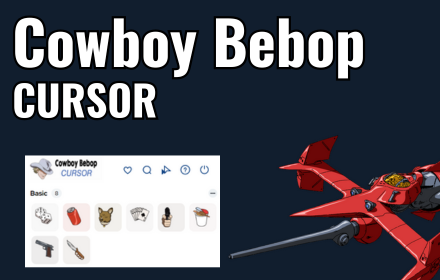
The Cowboy Bebop cursor extension brings the iconic style of one of anime’s greatest series directly to your Chrome browser. Instead of using the default system cursor, you can browse the web with custom cursor designs inspired by Spike Spiegel, the Bebop spaceship, the Swordfish II fighter, and the noir-soaked visual language that made the show legendary. Whether you grew up watching the original run or discovered it recently, this extension is a small but satisfying nod to a series that still holds up decades later.
Key Features of the Cowboy Bebop Cursor Extension
Wide Selection of Cowboy Bebop Cursor Designs
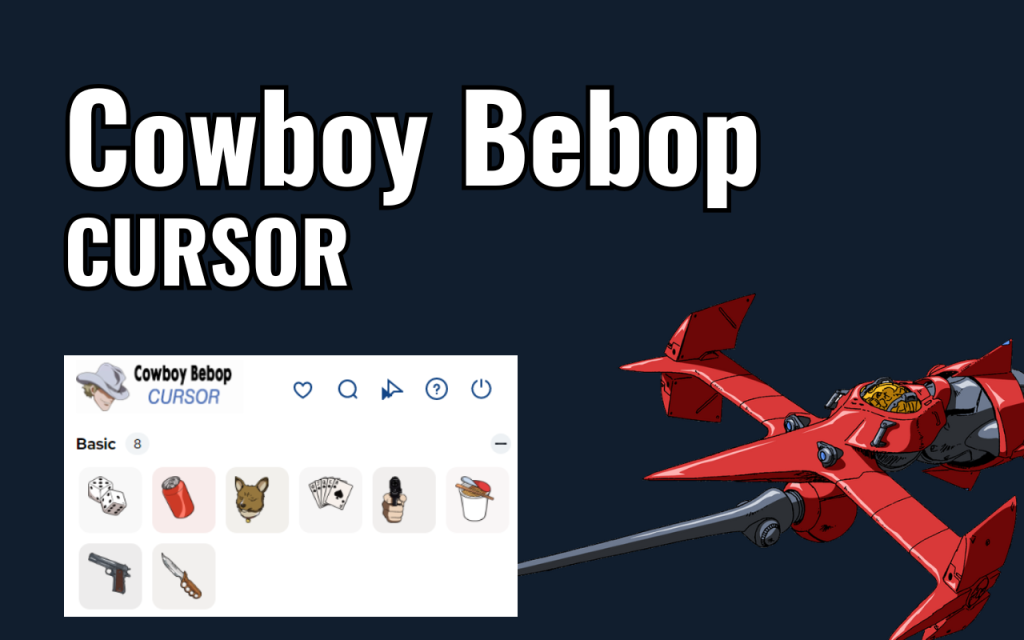
The extension includes multiple cursor options drawn from the Cowboy Bebop universe, including Spike Spiegel poses, the Bebop ship, Swordfish II, and retro-futuristic symbols from the series. Each design reflects the show’s distinctive blend of jazz, space travel, and film noir aesthetics. You can switch between them any time to match your mood or browsing session.
High-Quality Crisp Graphics
Every cursor is rendered with sharp, clean lines that hold up at any screen resolution. The designs capture the hand-drawn, cinematic quality of the original animation without looking pixelated or blurry on modern displays. Attention to visual detail means the cursors feel like a genuine tribute rather than a generic fan asset.
Adjustable Cursor Size
A built-in size slider lets you scale the cursor up or down to fit your screen setup and personal comfort. Whether you’re on a small laptop display or a large widescreen monitor, the cursor adapts without losing image quality. This makes the extension practical for everyday use, not just a novelty.
Favorites System
If you have a go-to cursor design, you can mark it as a favorite for instant access without scrolling through the full collection each time. This is especially useful if you rotate between a couple of designs regularly. The favorites system keeps your workflow efficient while still giving you access to the full library.
Zero Performance Impact
The extension is built to be lightweight, meaning it won’t slow down your browser or interfere with page loading. It runs quietly in the background and only activates the cursor replacement when needed. Users who are cautious about extensions affecting performance will find this one easy to keep installed long-term.
Easy Toggle On and Off
A simple on/off toggle lets you disable the custom cursor instantly when you need your default cursor back, such as during work applications or presentations. Switching back is just as quick, so you never have to uninstall and reinstall to get the behavior you want. Full control stays in your hands at all times.
How to Install the Cowboy Bebop Cursor Extension
- Open the Chrome Web Store and search for “Cowboy Bebop Cursor.”
- Click the “Add to Chrome” button on the extension listing page.
- Confirm the installation prompt when Chrome asks for permission.
- Once installed, click the Cowboy Bebop Cursor icon in your browser toolbar.
- Browse the available cursor designs and select the one you want to use.
- Use the size slider to adjust the cursor scale if needed.
- Mark your favorite designs for quick access in future sessions.
Why Anime Fans Love This Extension
Cowboy Bebop has a dedicated fanbase that spans generations, and small personalizations like a custom cursor are a low-key way to keep the show present in everyday life. The extension appeals to longtime fans who want a subtle desktop tribute, but it also works well for anyone who simply appreciates the show’s visual style without being a hardcore collector. The designs are tasteful rather than overwhelming, making them suitable for daily use rather than just occasional novelty. For anime enthusiasts who customize their browsing environment, this extension fits naturally alongside other theme and aesthetic tools. It’s the kind of small addition that makes your browser feel more personal without requiring any ongoing maintenance.
Screenshots
Frequently Asked Questions
Does the Cowboy Bebop cursor extension work on all websites?
The custom cursor works on most standard websites you visit in Chrome. Some browser pages, like the Chrome settings menu or the New Tab page, may not display the custom cursor due to browser security restrictions, but regular web browsing is fully supported.
Will this extension slow down my browser?
No. The extension is designed to have minimal resource usage and does not affect page load times or overall browser performance. It runs as a lightweight overlay and is safe to keep enabled all the time.
Can I use multiple cursor designs in the same session?
Yes. You can switch between any of the available Cowboy Bebop cursor designs at any time through the extension popup. There is no limit to how often you can change your selection during a browsing session.
Is the extension free to use?
Yes, the Cowboy Bebop cursor extension is free to install and use. All included cursor designs are available without any subscription or in-app purchase.
How do I go back to my default cursor?
You can use the toggle button inside the extension popup to instantly switch the custom cursor off and restore your system’s default cursor. Re-enabling it later takes just one click.
If you’re ready to give your browser a jazz-fueled, neo-noir makeover, install the Cowboy Bebop cursor extension today and see you, space cowboy — one click at a time.





