
What Is the Cult of the Lamb Cursor Extension?
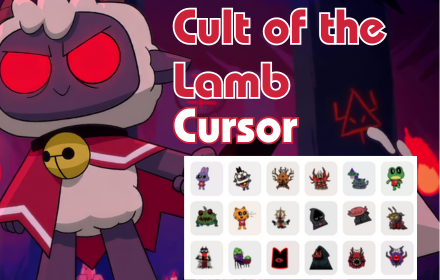
The Cult of the Lamb cursor extension is a fun and lightweight Chrome add-on that replaces your default browser cursor with themed designs inspired by the hit indie game Cult of the Lamb. Developed by Massive Monster, the game blends adorable visuals with dark cult management gameplay — and now that same unique aesthetic follows your every click. Whether you are deep into a roguelike run or simply browsing the web, this extension brings a touch of the game’s darkly cute charm to your everyday screen.
Key Features of the Cult of the Lamb Cursor Extension
Wide Selection of Cult of the Lamb Cursors
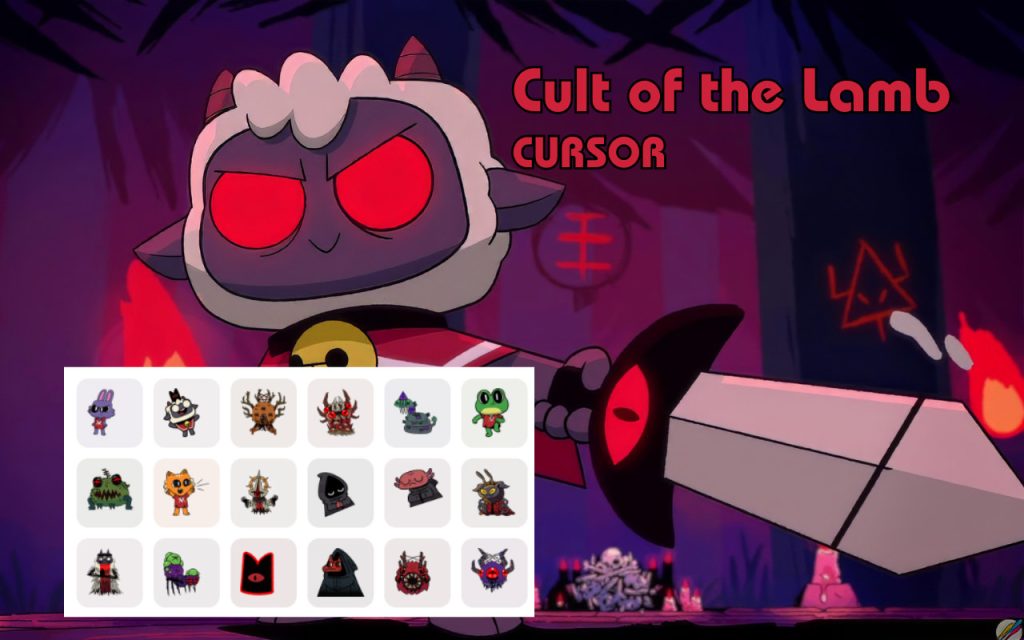
The extension includes multiple cursor designs drawn directly from the world of Cult of the Lamb. You can choose from designs featuring the iconic Lamb character, cult symbols, follower figures, mystical elements, crowns, and weapons — giving you plenty of variety to match your mood or playstyle.
High-Quality Pixel-Perfect Graphics
Every cursor is crafted to reflect the game’s signature art style, balancing cute visuals with an eerie edge. The graphics are crisp and detailed, ensuring the cursors look sharp on all screen resolutions without appearing blurry or stretched.
Adjustable Cursor Size
Not all screens are the same, and neither are personal preferences. The built-in size slider lets you scale your cursor up or down so it always feels just right, whether you are on a compact laptop screen or a large desktop monitor.
Favorites System
If you find yourself switching between a handful of go-to designs, the favorites system makes it easy to bookmark and quickly access the cursors you use most. No more scrolling through the full library every time you want to make a change.
Zero Performance Impact
The extension is built to be as lightweight as possible, so it will not slow down your browser or interfere with your normal browsing experience. You get all the personality with none of the lag.
Easy Toggle On and Off
Need to step away from the cult for a moment? The extension includes a simple on/off toggle that lets you instantly switch back to your default cursor whenever necessary — great for presentations or shared workspaces.
How to Install the Cult of the Lamb Cursor Extension
- Open the Chrome Web Store and search for Cult of the Lamb Cursor.
- Click the extension listing to open the details page.
- Select Add to Chrome and confirm the installation prompt.
- Once installed, click the Cult of the Lamb Cursor icon in your browser toolbar to open the extension panel.
- Browse the available cursor designs and click any one to activate it immediately.
- Use the size slider to adjust the cursor dimensions to your liking.
- Start browsing — your new cursor is now active across all websites.
Why Indie Game Fans Love This Extension
Fans of Cult of the Lamb tend to be passionate about the game’s distinctive visual identity, and this extension is one of the easiest ways to carry that love beyond the gaming session. It is especially popular among players who enjoy personalizing their digital workspace with nods to the games and media they love. Roguelike enthusiasts appreciate the subtle references packed into each cursor design, while casual fans simply enjoy the novelty of having such an eye-catching and recognizable cursor on screen. Unlike wallpapers or themes that can feel overdone, a custom cursor is a small but delightful detail that you notice with every single interaction — making it a surprisingly satisfying form of self-expression.
Screenshots
Frequently Asked Questions
Does this extension work on all websites?
Yes, the cursor replacement applies globally across all websites you visit in Chrome. There may be rare exceptions on certain browser-restricted pages like the Chrome Web Store itself, but it works seamlessly on the vast majority of sites.
Will this extension slow down my browser?
No. The extension is designed to be extremely lightweight. It does not run background scripts that consume memory, so your browsing speed and performance should remain completely unaffected.
Can I use more than one cursor design at the same time?
You can only have one active cursor at a time, but switching between designs is instant. The favorites feature makes it easy to toggle between your preferred options without any hassle.
Is this extension officially affiliated with Massive Monster or Devolver Digital?
This is a fan-made extension created by independent developers. It is not officially affiliated with, endorsed by, or produced by Massive Monster or Devolver Digital.
How do I remove the extension if I no longer want it?
You can remove it at any time by right-clicking the extension icon in your Chrome toolbar and selecting Remove from Chrome, or by navigating to chrome://extensions and deleting it from there.
If you are a fan of Cult of the Lamb and want a simple way to celebrate the game every time you use your browser, this extension is a perfect fit. Install it today and let every click reflect your devotion to the cult.





