
What Is the Scissors Seven Cursor Extension?
The Scissors Seven Cursor extension for Chrome replaces your default mouse pointer with animated, character-themed cursors drawn straight from the beloved Chinese animated series. Known internationally as Killer Seven, this donghua has won fans worldwide with its sharp comedy, surprising emotional depth, and fluid action sequences — and now you can carry that energy into every browsing session. Whether you are rewatching episodes, diving into fan communities, or just want a fresh browsing aesthetic, this extension puts Seven’s scissors right at your fingertips.

Key Features of the Scissors Seven Cursor Extension
Complete Character Cursor Collection
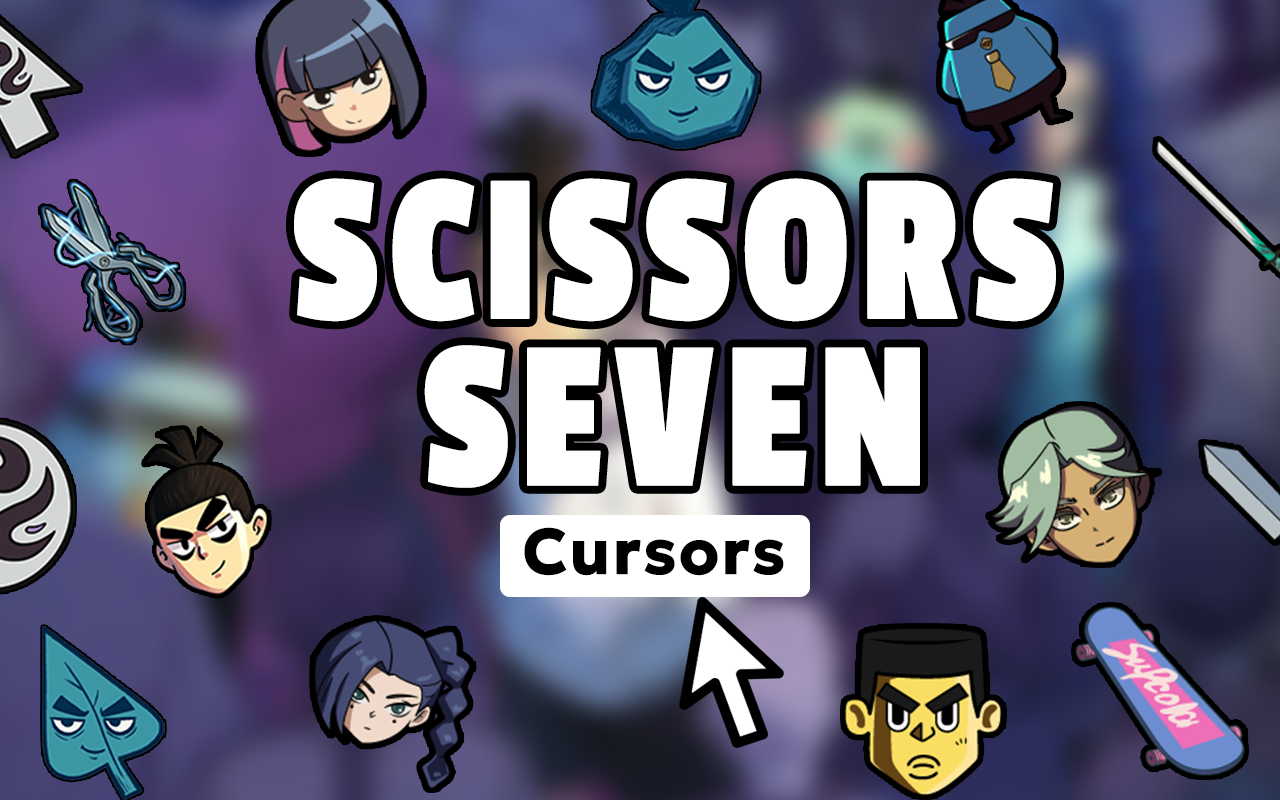
The extension includes a wide roster of cursor designs featuring Seven, Dai Bo the chicken companion, Cola the dog, Thirteen, Prince of Stan, Green Phoenix, Blue Phoenix, and Meow Meow Meow. Each cursor captures the distinctive art style of the show, giving you plenty of options to rotate through your favorite characters and moments from across all seasons.
Vibrant, Expressive Anime-Style Graphics
Every cursor is designed with crisp, high-quality artwork that reflects the fluid animation style Scissors Seven is known for. The bold line work and expressive character poses translate naturally into cursor format, so your pointer always looks polished and on-brand.
Adjustable Cursor Size
You can scale cursor dimensions to suit your personal preference and screen setup. Whether you prefer a subtle pointer or a larger, more prominent display, the size control lets you find the perfect fit without compromising clarity.
Favorites System for Quick Switching
Save your go-to cursor designs to a dedicated favorites list so you can switch between them instantly. This is especially handy if you like using different characters depending on your mood or the type of content you are browsing.
Lightweight with Zero Performance Impact
The extension is built to run efficiently in the background without slowing down your browser or consuming excessive memory. You get the full visual experience without any noticeable lag during normal browsing.
Easy Toggle On and Off
A simple on/off toggle lets you switch back to your default system cursor whenever you need to, such as during work tasks or presentations. Switching takes a single click and requires no reconfiguration when you want to return to your Scissors Seven cursor.
How to Install the Scissors Seven Cursor Extension
- Open the Chrome Web Store and search for Scissors Seven Cursor.
- Click the Add to Chrome button on the extension listing page.
- Confirm the installation when Chrome prompts you.
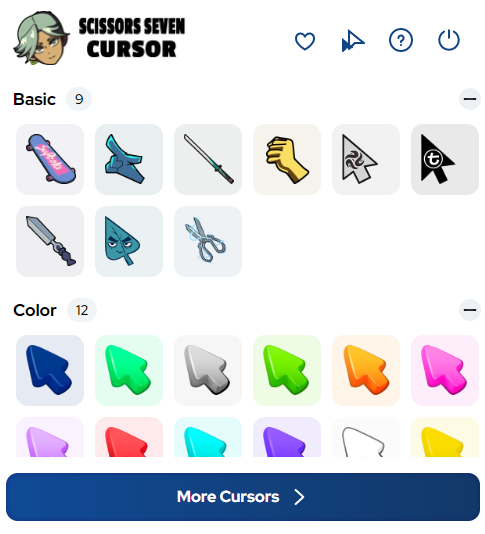
- Once installed, click the Scissors Seven Cursor icon in your Chrome toolbar to open the extension panel.
- Browse the cursor collection, select your preferred character or design, and your new cursor will activate immediately.
- Use the size slider to adjust the cursor dimensions, and save favorites for quick future access.
Why Scissors Seven Fans Love This Extension
Scissors Seven has cultivated a passionate global fanbase thanks to its rare combination of laugh-out-loud comedy and genuinely moving storytelling. Fans who spend time in online communities, rewatching favorite episodes, or creating fan content appreciate having a small but meaningful way to express their love for the series during everyday browsing. This extension delivers exactly that — a practical, visually satisfying tribute to He Xiaofeng’s animated world that fits seamlessly into your Chrome setup. Donghua enthusiasts who want to show their appreciation for Chinese animation beyond Japanese anime will also find this a refreshing and unique option in the cursor extension space.
Screenshots
Frequently Asked Questions
Does this extension work on all websites?
The Scissors Seven Cursor extension works across most standard web pages in Chrome. On some browser-restricted pages such as the Chrome settings panel or the Web Store itself, custom cursors may not display, which is a standard Chrome security limitation.
Will the extension slow down my browser?
No. The extension is designed to be lightweight and has minimal impact on browser performance. It runs quietly in the background and should not cause any noticeable slowdown during regular use.
Can I use more than one cursor design at a time?
You can only have one active cursor at a time, but the favorites system makes it easy to save multiple designs and switch between them quickly depending on your preference.
Is this extension officially affiliated with the Scissors Seven series?
This is a fan-made extension created to celebrate the series and is not officially affiliated with or endorsed by the creators or distributors of Scissors Seven.
How many cursor designs are included?
The collection includes a broad range of designs covering major characters, action poses, and iconic moments from the series. New designs may be added over time to reflect additional seasons and fan-favorite elements.
If you are ready to give your browser a dose of comedic martial arts style, the Scissors Seven Cursor extension is a quick and easy way to do it. Install it today and let Seven’s scissors lead the way through every page you visit.





