
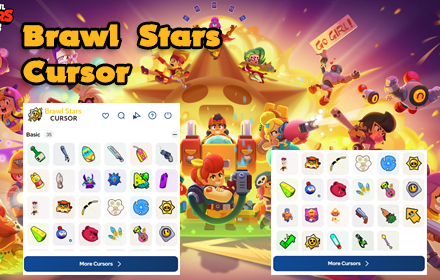
If you are a dedicated Brawl Stars fan, the Brawl Stars cursor Chrome extension is one of the easiest ways to bring your favorite game into your daily browsing. Instead of staring at a plain white arrow, your mouse pointer becomes a brawler-themed icon — from Shelly’s shotgun to Spike’s cactus — making every click feel like part of the action.
What Is the Brawl Stars Cursor Extension?
The Brawl Stars Cursor is a lightweight Chrome browser extension that replaces your default system cursor with custom designs inspired by the popular mobile game Brawl Stars. It is built for fans of all ages who want a fun, personalized way to interact with their browser without affecting performance or workflow. The extension requires no technical knowledge to set up and works seamlessly across all websites.
Key Features of the Brawl Stars Cursor Chrome Extension
Authentic Brawler-Themed Cursors
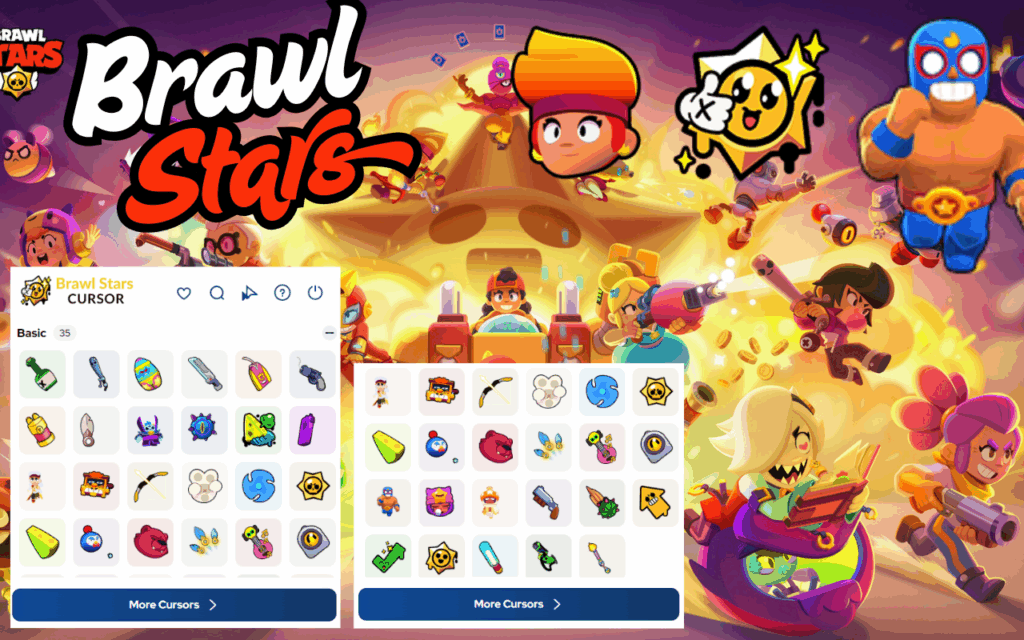
Each cursor in the collection is designed around iconic Brawl Stars characters and their signature weapons. You can browse with Colt’s revolver, El Primo’s fists, Poco’s guitar, or Spike’s spines — all rendered in the game’s recognizable art style.
Multiple Cursor Styles
The extension includes a variety of brawler designs so you are never locked into just one look. You can switch between styles depending on your mood, your current favorite character, or simply to keep things fresh.
Adjustable Cursor Size
Not all screens are the same, so the extension lets you resize the cursor to fit your display. Whether you use a small laptop screen or a large desktop monitor, you can dial in the perfect size for comfortable, precise browsing.
Favorites System
If you find yourself switching between the same two or three cursors regularly, the favorites feature lets you save them for one-click access. This is especially useful for fans who love multiple brawlers and do not want to scroll through the full library every time.
Works on All Websites
The custom cursor displays consistently across every site you visit, including YouTube, Twitch, social media platforms, and general web pages. There are no compatibility issues or site-specific restrictions to worry about.
Zero Performance Impact
The extension is built to be as lightweight as possible, meaning it will not slow down your browser or consume noticeable memory. It runs quietly in the background so your browsing experience stays fast and smooth.
Easy On/Off Toggle
Need to switch back to your default cursor for a work presentation or a focused task? The extension includes a simple toggle that lets you enable or disable the custom cursor instantly without uninstalling anything.
How to Install the Brawl Stars Cursor Extension
- Open the Google Chrome browser on your desktop or laptop.
- Go to the Chrome Web Store and search for “Brawl Stars Cursor.”
- Click the extension listing and select “Add to Chrome.”
- Confirm the installation by clicking “Add Extension” in the popup dialog.
- Once installed, click the extension icon in your Chrome toolbar to open the cursor selector.
- Browse the available brawler cursor designs and click one to activate it immediately.
Why Brawl Stars Fans Love This Extension
Brawl Stars has one of the most enthusiastic fan communities in mobile gaming, and this extension gives players a simple way to express that passion outside the game itself. Whether you are a competitive player grinding ranked matches, a casual fan who enjoys the characters, or a content creator streaming Brawl Stars gameplay, having a themed cursor adds a personal touch that reflects your identity as a fan. It is also a great option for younger players who want to make their computer feel more fun and exciting without any complicated setup.
Screenshots
Frequently Asked Questions
Is the Brawl Stars Cursor extension free to use?
Yes, the extension is completely free to install and use. There are no hidden fees, subscriptions, or premium tiers required to access the cursor library.
Will this extension slow down my browser?
No. The extension is intentionally lightweight and has a minimal footprint. It does not run background scripts that would affect page load times or overall browser performance.
Can I use this on browsers other than Chrome?
The extension is designed specifically for Google Chrome. However, it may also work on other Chromium-based browsers such as Microsoft Edge or Brave, as they support Chrome extensions.
How do I switch between different brawler cursors?
Simply click the extension icon in your Chrome toolbar to open the cursor panel, then select any brawler design from the list. The change takes effect immediately without needing to reload your browser.
Does the extension collect any personal data?
No personal data is collected or shared. The extension operates entirely within your browser and does not require an account or login to function.
Ready to upgrade your browsing experience with your favorite brawler by your side? Add the Brawl Stars Cursor extension to Chrome today and give your mouse pointer the glow-up it deserves.





