
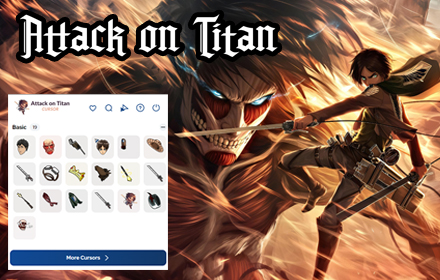
If you are a die-hard fan of Attack on Titan, the Attack on Titan cursor Chrome extension is the perfect way to carry that passion into your daily browsing. Instead of a plain default pointer, your mouse becomes a blade-wielding, Wings-of-Freedom-bearing icon straight from the AOT universe — whether you are watching the anime, studying, gaming, or just surfing the web.
What Is the Attack on Titan Cursor Extension?
The Attack on Titan Cursor is a lightweight Chrome browser extension that replaces your standard mouse pointer with custom-designed cursors inspired by the Attack on Titan anime and manga series. From Captain Levi’s ODM gear blades to the iconic Survey Corps emblem, each cursor design captures the intensity and artistry of the franchise. The extension requires no account, no configuration, and no technical knowledge — it works immediately after installation and runs quietly in the background without affecting your browser’s speed or performance.
Key Features of the Attack on Titan Cursor Chrome Extension
Iconic AOT-Themed Cursor Designs
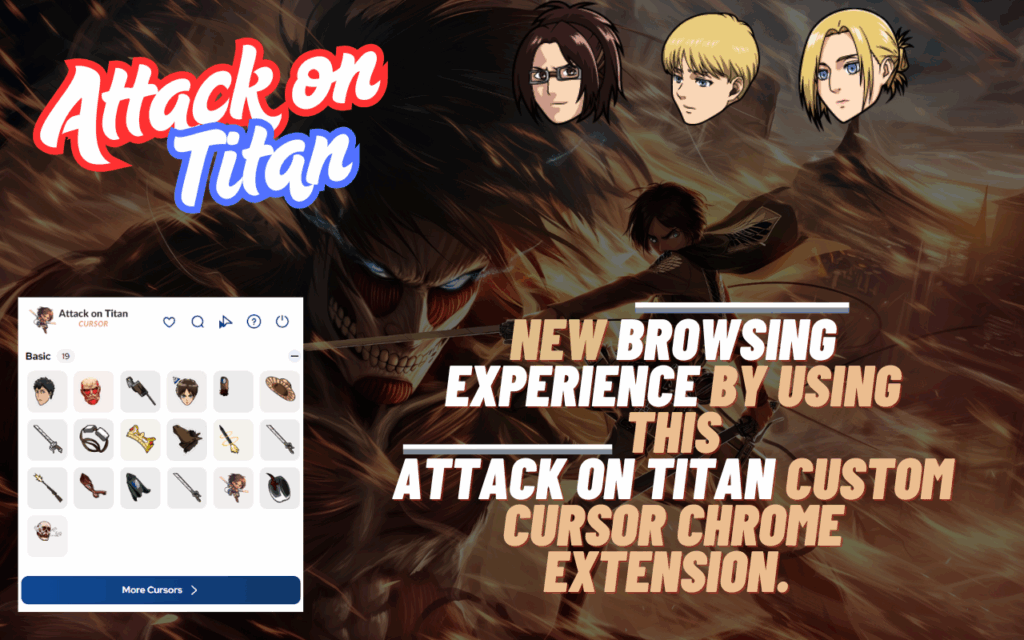
The extension offers a curated collection of cursor styles drawn directly from the Attack on Titan universe. You can choose from designs featuring Captain Levi’s dual ODM blades, Eren’s Titan silhouette, the Wings of Freedom symbol, Survey Corps insignia, and classic Titan imagery. Every design is crafted to feel authentic to the source material.
High-Quality, Crisp Visuals
Each cursor is rendered in sharp, high-resolution graphics that look clean on any screen size or resolution. The visual quality reflects the dark, detailed art style of the anime without appearing pixelated or blurry during everyday use.
Quick and Easy Style Switching
Changing between cursor styles takes only a few seconds using the extension’s toolbar menu. You do not need to dig through settings pages — simply click the extension icon in your browser bar and select the design you want to use.
Lightweight and Performance-Friendly
The extension is built to be minimal in terms of resource usage. It runs smoothly in the background without causing tab slowdowns, memory issues, or any noticeable impact on your browsing speed. You get the full aesthetic upgrade without any performance trade-off.
No Login or Configuration Required
There is no sign-up process, no account creation, and no permission-heavy setup required. Install the extension and it is ready to use instantly. This makes it one of the most hassle-free anime cursor tools available for Chrome users.
Broad Website Compatibility
The extension activates your custom cursor across most websites you visit. It is worth noting that due to Chrome’s built-in restrictions, it may not function on the Chrome Web Store pages or the browser’s default new tab screen, but it works reliably across the vast majority of sites.
How to Install the Attack on Titan Cursor Extension
- Open the Google Chrome browser on your desktop or laptop.
- Navigate to the Chrome Web Store using the address bar.
- Type “Attack on Titan Cursor” into the search bar and press Enter.
- Locate the extension in the search results and click on it to open the detail page.
- Click the “Add to Chrome” button and confirm by selecting “Add Extension” in the popup prompt.
- Once installed, the extension icon will appear in your Chrome toolbar — click it to choose your preferred cursor style and start browsing with your AOT cursor active.
Why Attack on Titan Fans Love This Extension
For fans of the series, small details matter. The Attack on Titan Cursor extension turns one of the most mundane parts of computer use — moving your mouse — into a subtle but satisfying nod to a story that has defined modern anime. Students who spend hours on their laptops, gamers who live in their browsers, and creatives who work long shifts at their desks all benefit from having a workspace that reflects what they love. Seeing Levi’s blades or the Wings of Freedom appear under your fingertips adds a layer of personality and motivation to your day that a generic cursor simply cannot provide. It is a small change with a meaningful impact for anyone who has been emotionally invested in the world of Paradis and the fight for freedom.
Screenshots
Frequently Asked Questions
Is the Attack on Titan Cursor extension free to use?
Yes, the extension is completely free. There are no hidden charges, subscriptions, or premium tiers — you get full access to all available cursor designs at no cost.
Will this extension slow down my browser?
No. The extension is designed to be extremely lightweight and has no measurable impact on Chrome’s performance. It runs quietly in the background without consuming significant memory or CPU resources.
Can I switch between different cursor designs after installing?
Absolutely. You can switch between any of the available AOT cursor styles at any time by clicking the extension icon in your Chrome toolbar and selecting a new design from the menu.
Does it work on all websites?
The extension works on the vast majority of websites. However, Chrome restricts third-party extensions from running on certain pages, such as the Chrome Web Store itself and some default Chrome system pages.
Is the extension safe to install?
Yes. The extension does not collect personal data, does not require sensitive permissions, and does not interfere with your browser’s security settings. It is a simple visual customization tool with a minimal permission footprint.
If you are ready to give your browser a serious AOT makeover, the Attack on Titan Cursor Chrome extension is waiting for you. Search for it in the Chrome Web Store, install it in seconds, and let the Wings of Freedom guide every click.





