
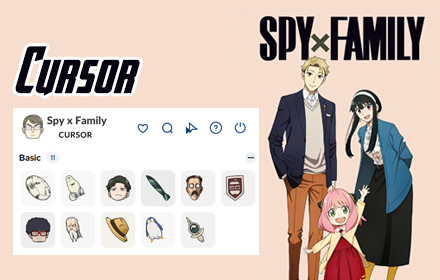
The Spy x Family cursor for Chrome brings the beloved Forger family straight to your browser, replacing your default mouse pointer with beautifully crafted cursor designs inspired by Loid, Yor, Anya, and more. Whether you are a longtime fan of the anime or just discovered it, this extension adds a layer of personality and fun to every browsing session without slowing your browser down.
What Is the Spy x Family Cursor Extension?
The Spy x Family Cursor is a Chrome browser extension that replaces your standard system cursor with custom-designed pointers based on characters from the hit anime and manga series Spy x Family. Developed by TabPlugins, it lets you choose from multiple character-themed cursor styles, each reflecting the unique personality of the Forger family members and their allies. The extension is lightweight at just 10.51 MiB and runs quietly in the background so your browsing speed is never affected.
Key Features of the Spy x Family Cursor Extension
Authentic Character Cursor Designs
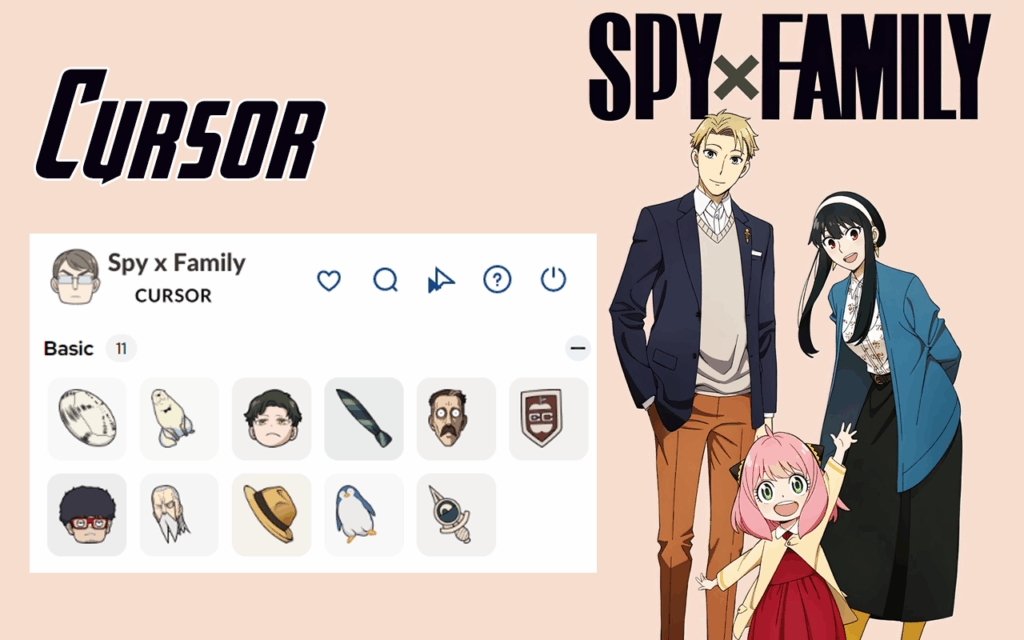
Each cursor in this collection is carefully designed to reflect the distinct visual identity of a specific character from the series. You will find designs inspired by Loid Forger in his Twilight spy persona, Yor Forger in her sleek assassin style, and Anya Forger with her signature wide-eyed expressions. Additional characters like Bond the dog and Franky Frank also make appearances across the cursor set.
Animated Cursor Styles
Several cursor designs in this extension feature smooth animations that activate as you move your mouse or click on elements. These subtle motion effects make the cursors feel lively and engaging rather than static, adding a dynamic touch that standard pointers simply cannot match.
High-Quality Graphics at Any Resolution
Every cursor is rendered at a high resolution so it looks crisp and clear on all screen types, including high-DPI and Retina displays. You will not encounter the blurry or pixelated pointers that often come with lower-quality cursor packs found elsewhere online.
Cursor Size and Opacity Controls
The extension includes built-in customization options that allow you to adjust the size of the cursor to match your personal preference and viewing setup. You can also modify the opacity level, which is especially useful when working on light or dark backgrounds and you need the cursor to remain clearly visible at all times.
Favorites System and Quick Switching
A built-in favorites system lets you save your preferred cursor designs for quick access later. Switching between different character styles takes only a second, so you can match your cursor to your mood or rotate through your favorite Forger family members throughout the day.
Lightweight and One-Click Toggle
Because the extension is optimized for performance, it does not consume significant memory or processor resources while running. A one-click toggle lets you enable or disable the custom cursor instantly whenever you want to return to your default system pointer.
How to Install the Spy x Family Cursor Extension
- Open the Google Chrome browser on your desktop or laptop.
- Visit the Chrome Web Store and search for “Spy x Family Cursor” by TabPlugins.
- Click the “Add to Chrome” button on the extension listing page.
- Confirm the installation by clicking “Add extension” in the popup that appears.
- Once installed, click the extension icon in your Chrome toolbar to open the cursor selector.
- Browse the available character designs, choose your favorite, and start browsing with your new cursor immediately.
Why Anime Fans Love This Extension
Fans of Spy x Family appreciate how this extension lets them carry a piece of the series with them throughout their daily browsing routine. Instead of a plain arrow pointer, every click and scroll becomes a small interaction with characters they genuinely enjoy. The extension is also popular among students and remote workers who want to add a touch of fun to otherwise routine screen time without installing anything bloated or intrusive. The variety of cursor options means there is something for every type of fan, whether you prefer Loid’s calm professionalism, Yor’s fierce elegance, or Anya’s chaotic charm.
Screenshots
Frequently Asked Questions
Is the Spy x Family Cursor extension free to use?
Yes, the extension is available at no cost. You can install it directly from the Chrome Web Store and access the full range of cursor designs without any subscription or payment required.
Will this extension slow down my Chrome browser?
No. The extension is specifically built to be lightweight and has a minimal impact on browser performance. Most users report no noticeable difference in speed after installation.
Can I switch between different character cursors?
Absolutely. The extension includes an easy-to-use selector panel where you can browse all available character designs and switch between them in a single click.
Does it work on all websites?
The custom cursor works across the vast majority of websites you visit in Chrome. On certain browser system pages like the New Tab page or Chrome settings, the cursor may revert to your default system pointer due to browser security restrictions.
How do I remove the extension if I no longer want it?
You can uninstall the extension at any time by right-clicking the extension icon in your Chrome toolbar and selecting “Remove from Chrome,” or by navigating to the Extensions page in your Chrome settings and clicking the remove button next to the extension.
If you are a fan of Spy x Family and want to make your browser reflect your love for the series, the Spy x Family Cursor extension is one of the simplest and most enjoyable ways to do it. Install it today and let the Forger family join you on every mission across the web.





