
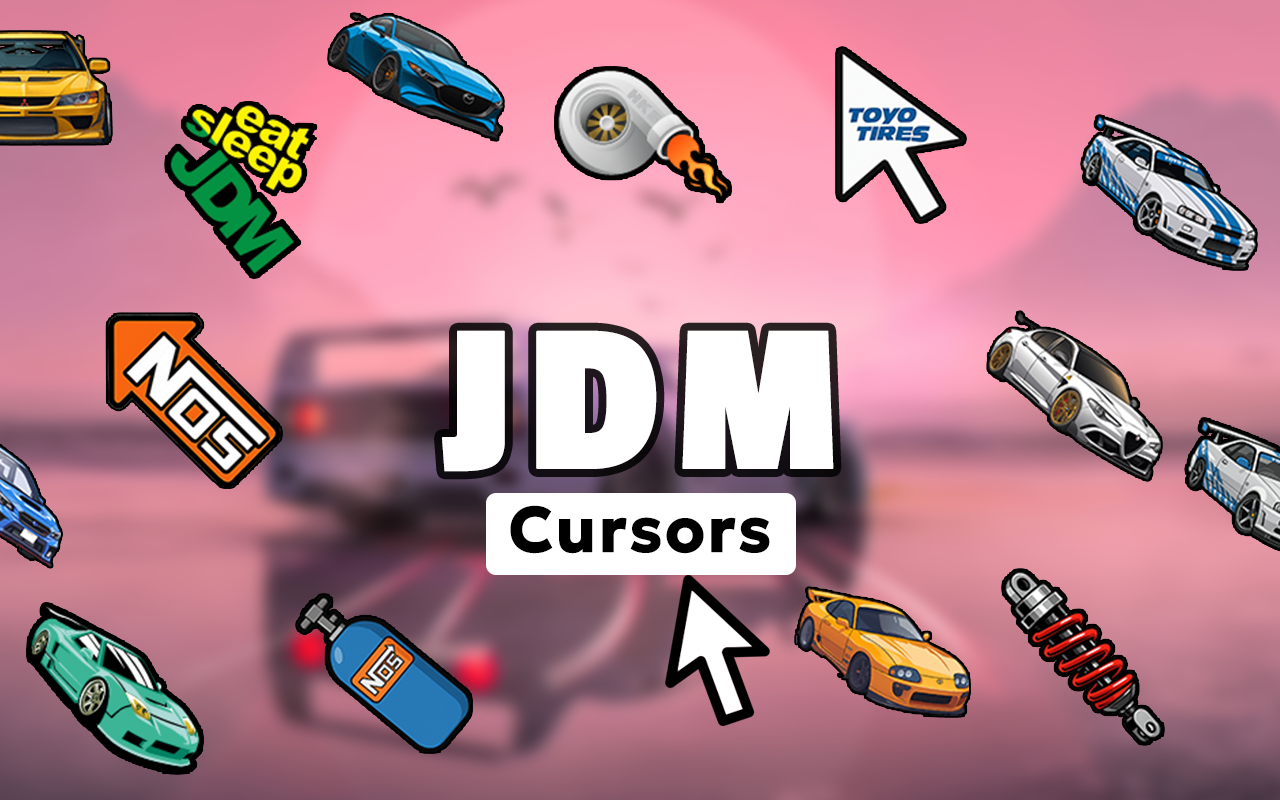
What Is the JDM Cursor for Chrome?
The JDM cursor for Chrome is a browser extension that replaces your default mouse pointer with custom cursor designs inspired by Japanese Domestic Market car culture. From the iconic Nissan Skyline GT-R to the Toyota Supra, Mazda RX-7, and Honda NSX, this extension brings legendary JDM machinery and tuning culture directly to your cursor. Whether you live and breathe import cars or you just appreciate the engineering artistry behind Japanese performance vehicles, this extension is built for you. Every click, scroll, and hover becomes a small tribute to the cars and culture that defined a generation of automotive passion.

Key Features of the JDM Cursor Extension
Extensive JDM Cursor Collection
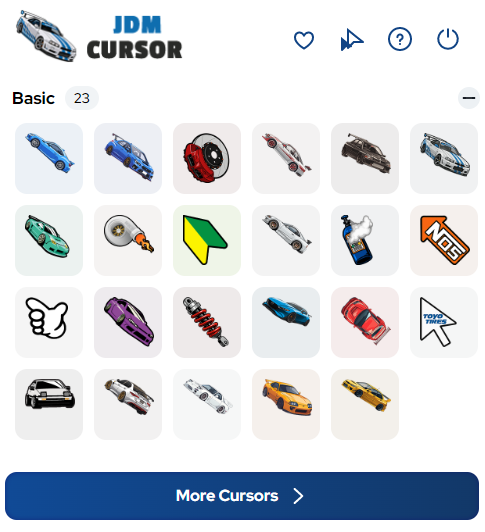
The extension includes a wide range of cursor designs covering the most celebrated cars and symbols in JDM culture. You will find cursors based on the Skyline GT-R, Supra, RX-7, Honda NSX, Nissan Silvia, Subaru WRX, and Mitsubishi Lancer Evolution, alongside tuning elements like turbo graphics, boost gauges, drift angle indicators, and JDM badge art. There is enough variety to match your current mood, your favorite era of JDM, or the exact build you are working on.
High-Quality Cursor Graphics
Each cursor design is rendered with sharp detail that captures the aggressive body lines, mechanical character, and visual identity of Japanese performance cars. The graphics hold up cleanly at any screen resolution so your cursor always looks crisp and intentional. This is not a set of blurry, low-effort icons — the designs reflect genuine care for the cars they represent.
Adjustable Cursor Size
A built-in size slider lets you scale your cursor up or down depending on your screen setup and personal preference. Larger cursors work well on high-resolution desktop monitors, while a more compact size keeps things clean when browsing on smaller displays. Getting the right size takes just a few seconds and makes a noticeable difference in everyday usability.
Favorites System
Once you find cursor designs you love, you can save them to a favorites list for quick access. This is especially useful if you like switching between different cursor styles depending on what you are doing — for example, using a Supra cursor while browsing build threads and switching to an RX-7 design when you are watching drift content. The favorites system keeps your preferred choices one click away.
Lightweight and Performance-Friendly
The extension is built to run without any noticeable impact on browser speed. It does not consume significant memory or CPU resources, which means your Chrome experience stays fast and responsive whether you have a few tabs open or a couple dozen. You get the visual upgrade without any performance trade-off.
Easy Toggle On and Off
You can enable or disable the custom cursor instantly from the extension toolbar icon. If you need to switch back to your default pointer for a specific task, flipping the toggle takes one click. Switching it back on is just as fast, making the extension practical for everyday use rather than a novelty you end up turning off permanently.
How to Install the JDM Cursor Extension
- Search for the JDM Cursor extension in the Chrome Web Store.
- Click the Add to Chrome button and confirm the installation prompt.
- Once installed, click the JDM Cursor icon in your Chrome toolbar to open the extension panel.
- Browse the cursor collection and select a design that fits your style.
- Use the size slider to adjust the cursor to your preferred dimensions.
- Save your favorite designs for quick access, then start browsing with your new JDM cursor active.
Why JDM Fans and Car Culture Enthusiasts Love It
This extension resonates with people who do not treat cars as just a way to get around. If you spend time on forums discussing builds, watch dyno videos for fun, attend car meets, or have strong opinions about which generation of a platform is the best, then this cursor is a natural fit for how you use the internet. It is a small but satisfying detail that reflects what you are actually into. Car photographers, garage builders, sim racers, and import tuning enthusiasts have all found it to be a genuinely enjoyable addition to their daily browsing setup.
Screenshots
Frequently Asked Questions
Which JDM cars are included in the cursor collection?
The collection covers many of the most celebrated names in Japanese performance car history, including the Nissan Skyline GT-R, Toyota Supra, Mazda RX-7, Honda NSX, Nissan Silvia, Subaru WRX, and Mitsubishi Lancer Evolution. Tuning-related graphics are also included alongside the car-based designs.
Will this extension slow down my browser?
No. The extension is designed to be lightweight and runs without any meaningful impact on Chrome’s performance. Your browsing speed, page load times, and memory usage will not be affected.
Can I use multiple cursor designs or just one at a time?
You can only have one cursor active at a time, but the favorites system makes it easy to switch between designs quickly. Save the ones you use most often so you can rotate between them without having to search through the full collection each time.
Does the cursor work on all websites?
The custom cursor works across most websites you visit in Chrome. Some browser-level pages or specific web apps may default back to the system cursor, but standard websites will display your chosen JDM design correctly.
Is the extension free to use?
Yes, the JDM Cursor extension is free to install and use. You get access to the full collection of cursor designs without any required payment or subscription.
If you are ready to add some JDM character to your daily browsing, the JDM Cursor for Chrome is an easy and satisfying way to do it. Search for it in the Chrome Web Store and start representing the culture you care about with every click.






っっっっっ