
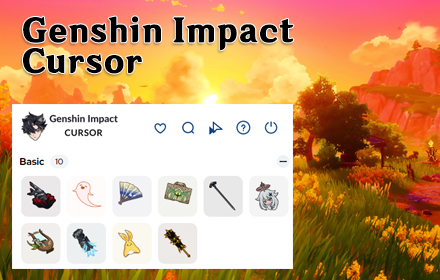
If you spend hours exploring Teyvat, pulling for characters, or watching Genshin Impact content online, why should your browser cursor stay plain and boring? The Genshin Impact cursor Chrome extension replaces your default mouse pointer with beautifully crafted cursors inspired by the game’s characters, elements, and regions. From Anemo swirls to Zhongli’s geo emblems, every click feels like a step deeper into the world of Teyvat.

What Is the Genshin Impact Cursor Extension?
The Genshin Impact Cursor extension is a lightweight Chrome add-on developed by TabPlugins that swaps out your standard cursor for custom-designed pointers themed around one of the world’s most popular action RPGs. It works quietly in the background, applying your chosen cursor across every tab without slowing down your browser or interrupting your workflow.
It’s designed for Genshin Impact fans who want to personalize their daily browsing experience — whether you’re watching lore breakdowns, planning team compositions, or just scrolling through social media between resin refreshes.
Key Features of the Genshin Impact Cursor Extension
Genshin-Themed Cursor Designs
The extension includes a wide selection of cursor styles inspired by characters and elements from the game. You’ll find designs based on Anemo, Electro, Dendro, and other elemental symbols, as well as character-inspired pointers referencing favorites like Zhongli, Albedo, and Eula.
High-Quality Visuals
Every cursor is crafted with crisp, colorful artwork that matches the vibrant visual identity of Genshin Impact. The designs are sharp at all screen sizes and feel consistent with the game’s iconic aesthetic.
Adjustable Cursor Size
You can scale the cursor to suit your display and personal preference. Whether you prefer a subtle pointer or something that stands out on a large monitor, the size control makes it easy to find the right fit.
Favorites System
The extension includes a favorites feature that lets you save your most-used cursor designs for fast switching. This is especially useful if you like to rotate between character themes or match your cursor to whatever content you’re viewing.
Zero Performance Impact
The extension is built to be lightweight and efficient, adding no noticeable lag or slowdown to your browsing. It runs quietly in the background so you can enjoy the visual upgrade without any trade-offs in speed or performance.
Easy Toggle On and Off
With a single click, you can enable or disable the custom cursor at any time. This makes it simple to switch back to your default pointer when you need a more neutral setup for work or school tasks.
How to Install the Genshin Impact Cursor Extension
- Open the Chrome Web Store and search for Genshin Impact Cursor by TabPlugins.
- Click the Add to Chrome button on the extension page.
- Confirm the installation when the browser prompts you.
- Once installed, click the extension icon in your Chrome toolbar to open the cursor selector.
- Browse the available Genshin Impact cursor designs and click one to activate it immediately.
- Use the size slider to adjust the cursor dimensions if needed, and save your favorites for quick access later.
Why Genshin Impact Fans Love This Extension
For dedicated players, Genshin Impact isn’t just a game — it’s a daily part of life. Between checking the community wiki, watching character guides, and keeping up with update news, a lot of time is spent in the browser. This extension makes that time feel more connected to the game you love.
Streamers and content creators also find it useful for adding a recognizable visual touch to their screen recordings and tutorials. Casual fans appreciate the simple, low-effort way it adds personality to an otherwise generic browsing experience. It’s a small change that makes a noticeable difference.
Screenshots

Frequently Asked Questions
Does this extension work on all websites?
Yes, the custom cursor activates across all standard web pages in Chrome. There may be occasional exceptions on browser system pages or certain restricted environments, but it works reliably on the vast majority of sites.
Will the extension slow down my browser?
No. The extension is designed to be lightweight and has no meaningful impact on browser speed or memory usage. Most users notice no difference in performance after installing it.
Can I use multiple cursor designs at the same time?
You can only have one cursor active at a time, but the favorites system makes it quick and easy to switch between saved designs whenever you want a change.
Is this extension officially affiliated with miHoYo or HoYoverse?
No, this is a fan-made browser extension created by TabPlugins. It is not officially affiliated with or endorsed by miHoYo or HoYoverse.
How do I remove the extension if I no longer want it?
You can uninstall it directly from Chrome by right-clicking the extension icon in your toolbar and selecting Remove from Chrome, or by going to the Extensions page in your Chrome settings.
Ready to bring Teyvat to your browser? Search for the Genshin Impact Cursor extension in the Chrome Web Store and start browsing with a cursor worthy of an Archon.





