
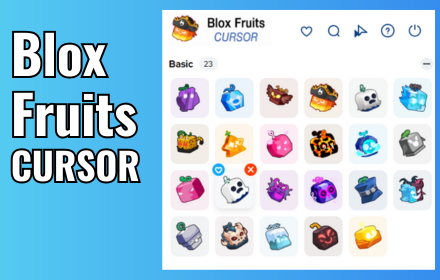
The Blox Fruits cursor for Chrome is a free browser extension that replaces your default mouse pointer with high-quality, themed designs inspired by one of Roblox’s most popular games. Whether you’re deep into farming devil fruits or just taking a break between sessions, this extension keeps the Blox Fruits energy alive every time you move your mouse.
What Is the Blox Fruits Cursor Extension?
The Blox Fruits Cursor extension is a lightweight Chrome add-on that swaps out your standard system cursor for custom designs drawn from the Blox Fruits universe. These include devil fruit symbols, sword and weapon motifs, pirate flags, marine icons, and character silhouettes — all rendered in crisp, anime-inspired style. It works seamlessly in the background without affecting your browsing speed or system performance, making it one of the most practical ways to personalize your browser as a Blox Fruits fan.
Key Features of the Blox Fruits Cursor for Chrome
Authentic Blox Fruits Cursor Designs
Every cursor in the collection is crafted to reflect the visual identity of Blox Fruits, featuring recognizable elements like Logia, Paramecia, and Zoan-type devil fruit symbols, along with fighting style icons and pirate-themed graphics. The attention to detail makes each design feel like a genuine part of the game world rather than a generic gaming cursor. These aren’t low-effort pixel art pieces — they’re polished, game-accurate visuals built for fans who care about authenticity.
Multiple Cursor Options to Choose From
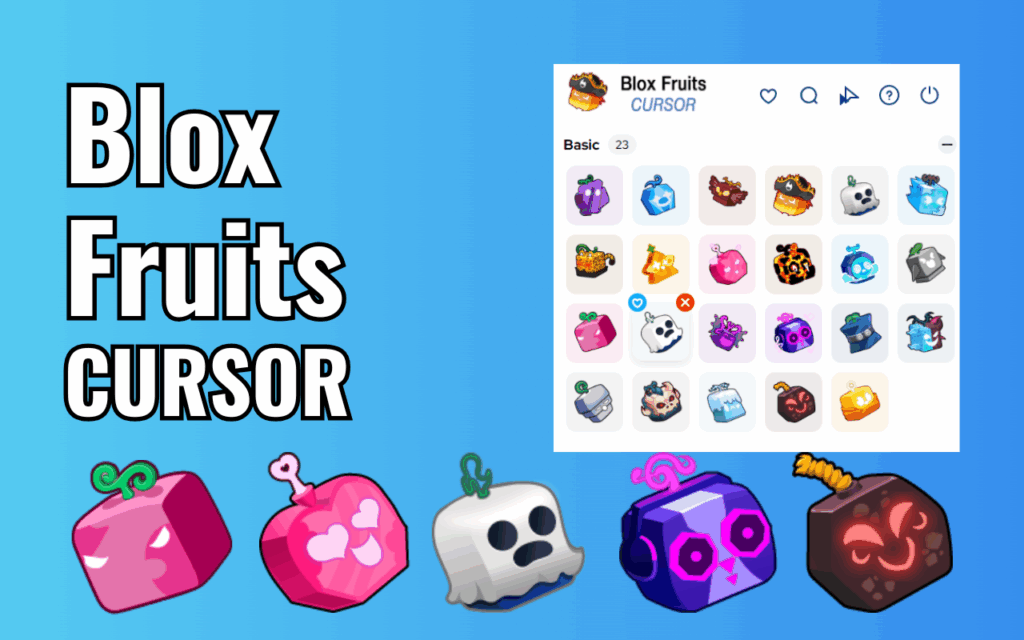
The extension includes a full library of cursor styles so you’re never stuck with just one look. You can browse through devil fruit power icons, sword and weapon cursors, Marine versus Pirate faction themes, and ability aura effects, then set whichever one matches your current mood or loadout. Having variety means the extension stays fresh even after months of daily use.
Cursor Size and Opacity Controls
Not every monitor or background is the same, which is why the extension gives you direct control over cursor size and opacity. If you find the default size too small on a large 4K display, or too large on a compact laptop screen, you can scale it up or down in just a few clicks. Opacity adjustment is equally useful — it lets you dial back the cursor’s visibility on busy or bright backgrounds without switching to a different design entirely.
Favorites System for Quick Switching
If you use different cursors for different tasks — say, one for gaming sessions and another for casual browsing — the favorites system makes it easy to save and instantly reload your preferred picks. Instead of scrolling through the full library every time, your saved cursors are always just one click away. This small but thoughtful feature saves real time if you’re the type who likes to rotate styles frequently.
Lightweight and Zero-Lag Performance
The extension is built with performance in mind, running in the background without consuming noticeable memory or CPU resources. Unlike heavier browser extensions that can slow down tab loading or cause scroll lag, this one is optimized to stay out of the way. You get the visual upgrade without any trade-off in browsing speed.
How to Install the Blox Fruits Cursor Extension
- Open the Chrome Web Store and search for “Blox Fruits Cursor.”
- Click the extension listing that matches this extension’s name and icon.
- Select “Add to Chrome” and confirm by clicking “Add extension” in the prompt.
- Once installed, click the extension icon in your Chrome toolbar to open the cursor picker.
- Browse the available designs, select your favorite, and your new cursor will activate immediately.
Why Blox Fruits Fans Love This Extension
For players who spend hours inside the Blox Fruits world grinding for rare fruits or mastering fighting styles, this extension is a natural extension of that passion into everyday life. It turns a mundane browser tool — the cursor — into something that reflects their gaming identity. Teachers, students, and remote workers who also happen to be Blox Fruits fans have found it’s a small but satisfying way to keep their favorite game close even when they’re not actively playing. The fact that it’s free, easy to install, and doesn’t interfere with productivity makes it an easy recommendation for any fan of the game.
Screenshots
Frequently Asked Questions
Does this extension work on all websites?
Yes, the Blox Fruits cursor replacement works across all standard websites you visit in Chrome. There are a small number of restricted pages, such as the Chrome Web Store itself and Chrome’s internal settings pages, where browser policy prevents custom cursors from displaying.
Will this extension slow down my browser?
No. The extension is built to be lightweight and has a minimal footprint in terms of memory and CPU usage. Most users report no noticeable impact on browsing performance after installing it.
Can I switch back to my default cursor easily?
Yes. You can disable the custom cursor at any time using the one-click toggle in the extension popup, or by removing the extension entirely from Chrome’s extension manager. Either method instantly restores your original system cursor.
How many cursor designs are included?
The extension includes a growing library of Blox Fruits-themed cursor designs covering devil fruit types, weapon styles, and faction themes. New designs are added periodically, so it’s worth checking back after updates.
Is the extension free to use?
Yes, the Blox Fruits Cursor for Chrome is completely free to install and use, with no subscription or hidden fees required.
If you’re a Blox Fruits fan looking to bring a slice of the game into your daily browsing routine, this cursor extension is one of the easiest and most enjoyable ways to do it. Install it today and make every click count.






I like blox fruit