
What Is Pinky Cursor?
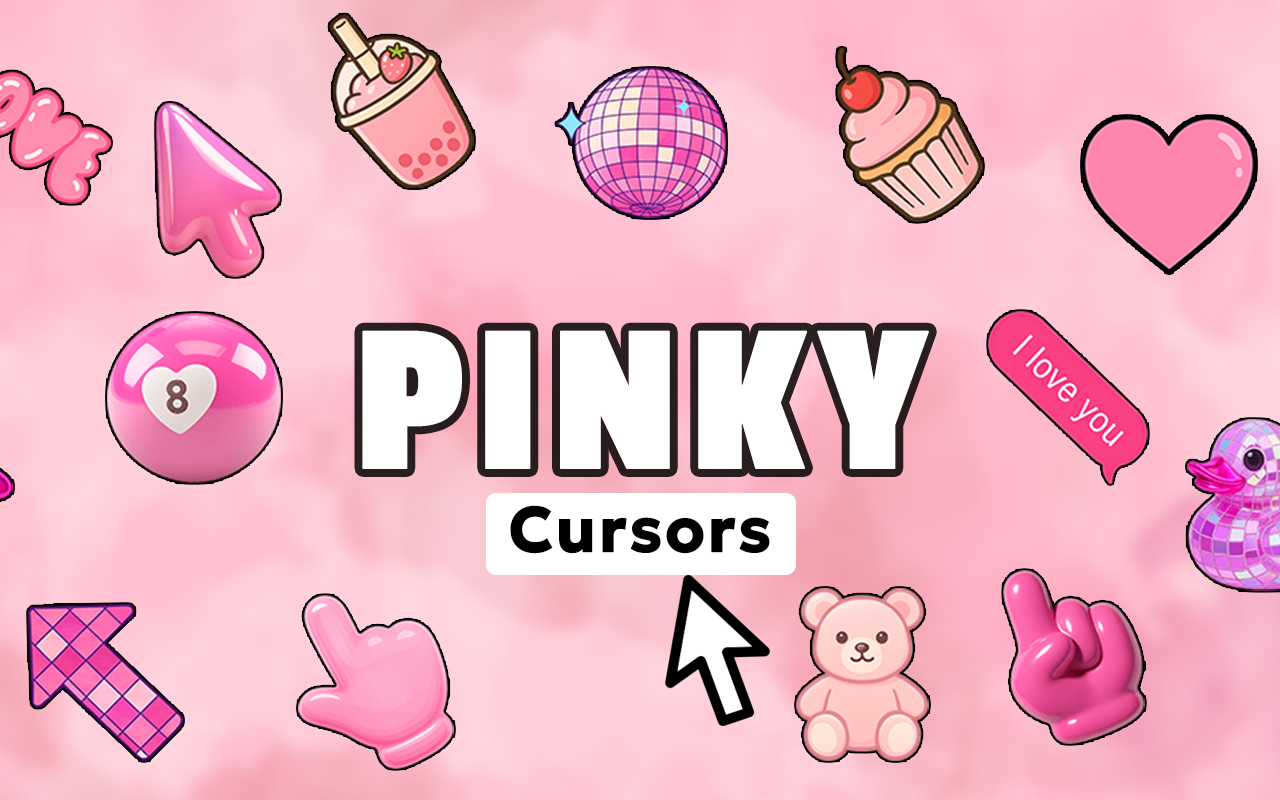
Pinky Cursor is a Chrome extension that replaces your default mouse pointer with a collection of soft, dreamy pink aesthetic cursor designs. If you love the pink aesthetic cursor Chrome experience, this extension brings pastel charm directly to every click, scroll, and hover. From baby pink to hot pink, and from hearts to butterflies, the Pinky Cursor transforms your browser into a soft visual escape that matches your personal aesthetic.
Designed for anyone who lives and breathes pink aesthetics, this extension is lightweight, easy to use, and packed with adorable designs that feel right at home on any aesthetic-inspired browsing session.

Key Features of Pinky Cursor
Complete Pink Cursor Collection
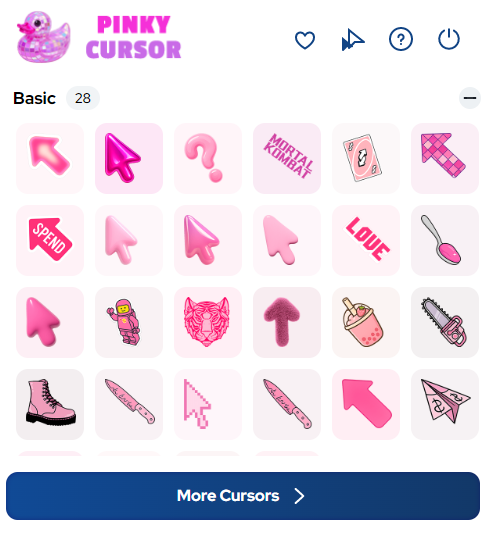
Pinky Cursor gives you access to a wide range of cursor designs covering every shade of pink imaginable. Choose from hearts, flower petals, ribbon bows, sparkles, fluffy clouds, delicate butterflies, kawaii icons, and other dreamy elements that define the soft pink aesthetic movement. Whether you prefer minimalist pastel or full kawaii glam, there is a design in this collection that feels made for you.
Soft Aesthetic Graphics
Every cursor in this collection is crafted with clean, polished graphics that stay true to the pastel aesthetic style. The designs avoid clutter while delivering maximum charm, ensuring your cursor complements mood boards, aesthetic wallpapers, and soft-toned websites without visual conflict. The result is a cohesive, beautiful browsing environment.
Customizable Cursor Size
Not every screen or browsing setup is the same, which is why Pinky Cursor includes a size adjustment slider. You can scale your cursor up for easy visibility on large monitors or keep it small and subtle for a delicate aesthetic touch. This level of control ensures the cursor always looks just right no matter what you are working on.
Favorites System
With so many adorable designs available, finding your top picks and keeping them accessible is important. The built-in favorites system lets you bookmark your most-loved cursor styles so you can switch between them instantly. No more scrolling through the entire collection every time you want a quick change.
Zero Performance Impact
Pinky Cursor is built to be lightweight so it never slows down your browser or interferes with your regular browsing. The extension runs quietly in the background, delivering a beautiful cursor experience without consuming unnecessary memory or processing power. You get the aesthetic upgrade without any technical trade-offs.
Easy Toggle On and Off
Sometimes you may need to switch back to your default cursor, and Pinky Cursor makes that effortless. A single click on the extension icon toggles the custom cursor on or off, giving you full control at any moment. It is a simple but practical feature that makes daily use completely hassle-free.

How to Install Pinky Cursor
- Open the Chrome Web Store and search for Pinky Cursor.
- Click the Add to Chrome button and confirm the installation prompt.
- Once installed, click the Pinky Cursor icon in your Chrome toolbar to open the extension.
- Browse the full collection of pink cursor designs and select your favorite.
- Use the size slider to adjust the cursor dimensions to your preference.
- Save your favorite designs using the favorites feature for quick access later.
- Begin browsing with your new pink aesthetic cursor active across all tabs.
Why Aesthetic Lovers and Pastel Fans Love It
Pinky Cursor has found a loyal audience among pink aesthetic enthusiasts, kawaii collectors, mood board creators, beauty content fans, and soft vibe seekers. It goes beyond a simple cosmetic change and becomes a part of how you express your aesthetic identity online. Every scroll through a Pinterest board, every visit to an aesthetic blog, and every moment spent curating your digital space feels more personal and more you when your cursor matches your vibe.
Content creators and aesthetic bloggers especially appreciate how a matching cursor adds an extra layer of polish to screen recordings and browser screenshots. It is a small detail that makes a noticeable difference in the overall visual presentation of your content.
Screenshots
Frequently Asked Questions
Does Pinky Cursor work on all websites?
Yes, the extension applies your chosen pink cursor design across all websites you visit in Chrome, providing a consistent aesthetic experience everywhere you browse.
Will Pinky Cursor slow down my browser?
No, the extension is designed to be lightweight and efficient. It runs without noticeable impact on browser speed or memory usage.
Can I switch back to my default cursor easily?
Absolutely. You can toggle the extension on or off with a single click on the toolbar icon, instantly restoring your default system cursor whenever needed.
How many cursor designs are included?
Pinky Cursor includes a generous collection of designs spanning multiple pink shades and cute aesthetic themes including hearts, bows, butterflies, sparkles, and kawaii elements.
Is Pinky Cursor free to use?
Yes, the core extension is free to install and use directly from the Chrome Web Store with no sign-up or account required.
If you are ready to bring soft pastel magic to your daily browsing, Pinky Cursor is the perfect Chrome extension to express your aesthetic personality. Install it today and let every click reflect the pink aesthetic you love.





