
What Is the Thanksgiving Day Cursor?
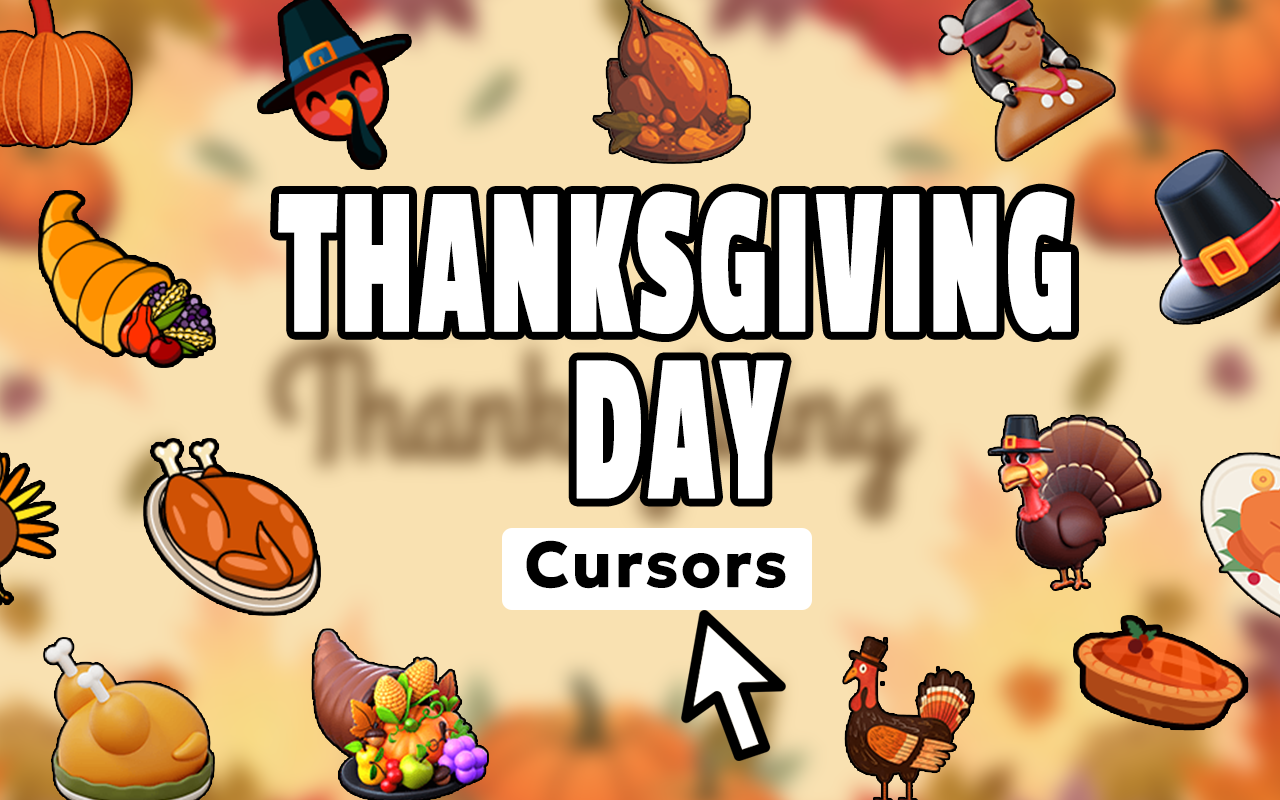
The Thanksgiving Day Cursor is a free Chrome extension that replaces your standard mouse pointer with festive, hand-crafted holiday designs inspired by America’s most beloved harvest celebration. From roasted turkeys and golden pumpkins to pilgrim hats and cornucopias, every cursor in the collection captures the warmth, gratitude, and seasonal beauty that defines Thanksgiving. Whether you’re planning your holiday menu, browsing recipes, or simply getting into the autumn spirit, this extension makes every click feel a little more festive.
Key Features of the Thanksgiving Day Cursor Extension
Complete Thanksgiving Cursor Collection
The extension includes a wide variety of themed cursor designs covering all the classic symbols of the holiday. You’ll find turkeys, drumsticks, pumpkins, autumn leaves in red, orange, and yellow, cornucopias, apple and pumpkin pies, pilgrim hats, cranberries, acorns, corn stalks, wheat sheaves, and more. Each design is crafted to reflect the cozy, harvest-inspired aesthetic that makes Thanksgiving visually distinct from any other holiday.
Warm Autumn Graphics
Every cursor in the collection is designed with crisp, high-quality artwork that captures the rich fall color palette associated with the Thanksgiving season. The warm tones of burnt orange, deep red, golden yellow, and earthy brown give your browser a seasonal makeover that feels authentic rather than generic. These aren’t clip-art throwbacks — they’re polished, modern visuals built for everyday browsing comfort.
Customizable Cursor Size
Not everyone prefers the same cursor size, and this extension gives you full control. Use the built-in size slider to scale your cursor up or down depending on your screen resolution, browsing environment, or personal preference. Whether you’re on a large monitor or a smaller laptop display, your Thanksgiving cursor will always look just right.
Favorites System
With so many festive designs to choose from, the favorites system lets you save the cursors you love most for quick access. Instead of scrolling through the full collection every time you want to switch, simply tap into your saved favorites and select a new cursor in seconds. It’s a small feature that makes the day-to-day experience noticeably smoother.
Zero Performance Impact
The extension is built to be lightweight, meaning it won’t slow down your browser, eat up memory, or interfere with your normal browsing activity. It runs quietly in the background, applying your chosen cursor without adding technical overhead. You get the full holiday experience without any of the baggage.
Easy Toggle On and Off
Life doesn’t always call for a festive cursor — and when you need to switch back to your default pointer, the toggle makes it instant. Click the extension icon in your Chrome toolbar to turn the Thanksgiving cursor on or off at any time. No settings menus, no restarts required.
How to Install the Thanksgiving Day Cursor
- Open the Chrome Web Store and search for “Thanksgiving Day Cursor.”
- Click the “Add to Chrome” button on the extension listing page.
- Confirm the installation when prompted by Chrome.
- Once installed, click the Thanksgiving Day Cursor icon in your Chrome toolbar.
- Browse the collection and select your favorite holiday cursor design.
- Use the size slider to adjust the cursor to your preferred dimensions.
- Start browsing with your festive new pointer — no restart needed.
Why Thanksgiving Fans Love This Extension
Thanksgiving is about more than a single meal — it’s a season of reflection, family, and gratitude that many people celebrate for weeks. This cursor extension gives holiday enthusiasts, home cooks, autumn lovers, and tradition keepers a fun, low-effort way to bring that celebratory spirit into their daily online life. Teachers decorating digital classrooms, bloggers writing holiday content, and families coordinating their Thanksgiving plans all find this extension adds a personal, seasonal touch that standard browsers simply don’t offer. It’s a small change that makes a surprisingly big difference in how your browser feels during the holiday season.
Screenshots
Frequently Asked Questions
Is the Thanksgiving Day Cursor extension free to use?
Yes, the extension is completely free to install and use. You get access to the full cursor collection without any subscription or in-app purchases required.
Will this extension work on all websites?
The Thanksgiving Day Cursor works on most standard websites you visit in Chrome. There are some browser-restricted pages, such as the Chrome settings page or the Chrome Web Store itself, where custom cursors cannot be applied due to browser security policies.
Can I use multiple cursor designs, or am I limited to one?
You can switch between any cursor in the collection at any time. The favorites system also lets you save preferred designs for faster switching throughout the day.
Does the extension collect any personal data?
No. The extension does not collect, store, or transmit any personal browsing data. It operates entirely within your browser to apply your chosen cursor design.
Can I use this cursor year-round, or only during Thanksgiving?
There are no restrictions on when you can use the extension. While it’s designed with the Thanksgiving season in mind, you’re free to keep it active whenever you want that warm autumn aesthetic on your screen.
Ready to bring some harvest-season charm to your browsing experience? Install the Thanksgiving Day Cursor extension for Chrome today and celebrate the season with every click, scroll, and search.





